
Updated:
A daycare photo release form is a signed note in which a parent or legal guardian gives a childcare center written consent to photograph their child. Fill out the FormsPal template online or download the PDF, then print it and collect the signatures before the next photo day.
Build Your Document
Answer a few simple questions to make your document in minutes
Save and Print
Save progress and finish on any device, download and print anytime
Sign and Use
Your valid, lawyer-approved document is ready
If you are a photographer or work with children in the United States, you should be aware of the paper called a “daycare photo release form” that permits legal photographing of kids. It is a photo release form signed by parents or guardians, giving consent to take photos and use them for advertising purposes.
Typically, the daycare photo release form (or permission to photograph form for daycare) contains only one page. However, it has to contain these details:
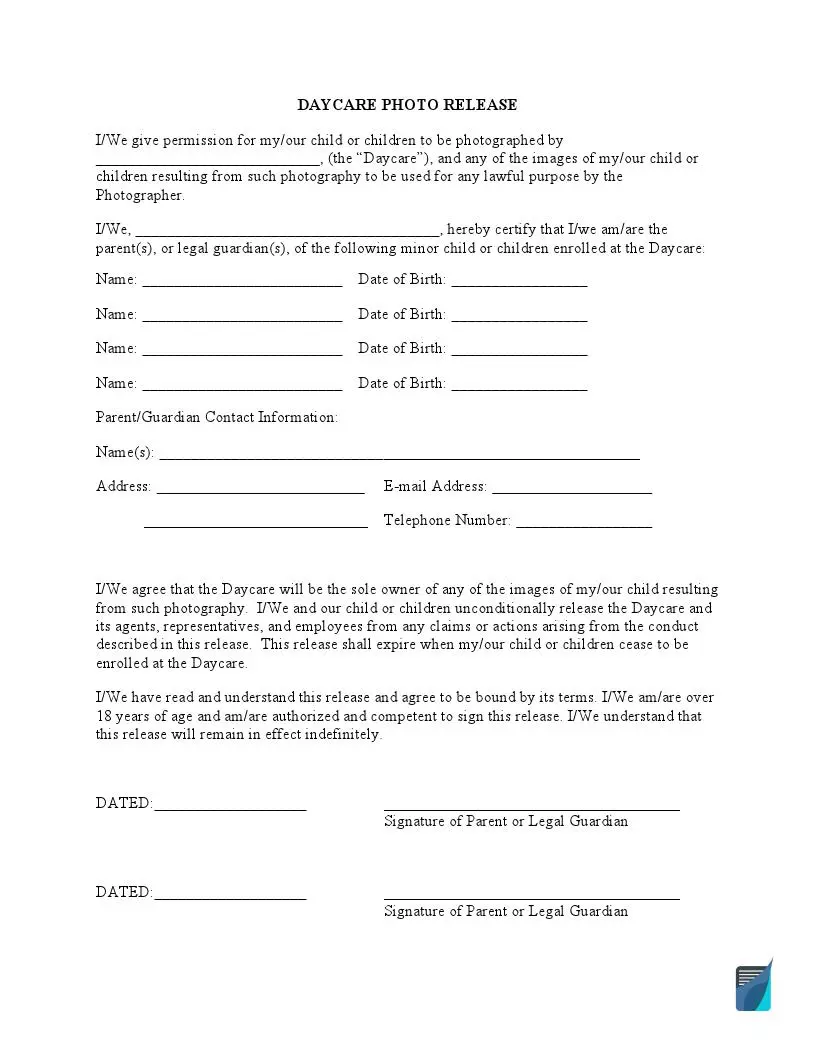
The FormsPal template has three parts. The first part identifies the childcare center, the parent or legal guardian and each enrolled child.
The second part records the contact information, and the last part provides two dated signature lines.
When signing this release of liability form, parents and guardians should know that they will not get any payments for their kids’ participation in photographers’ shootings. Usually, this document is required when marketing specialists or managers of a particular daycare create a campaign promoting the business.
You should ask for this form if you intend to take photos of children who attend a daycare where you work or are invited to create content.
Imagine that you are the marketer of a daycare, and the campaign you have thought about contains photos of the happy kids who enjoy going to the daycare every day. If you try taking pictures without the consent of children’s parents (or guardians), you may face legal problems.
Every person has his or her rights to security and privacy. Children are not an exception, and their parents might be against the kids being models.
Childcare centers often ask for the form before they use photos of children in places like these:
| Document Name | Daycare Photo Release Form |
| Other Names | Child Care Photo Release, Permission to Photograph for Daycare |
| Avg. Time to Fill Out | 8 minutes |
| # of Fillable Fields | 19 |
| Available Formats | Adobe PDF |
Hand out the forms, collect the signed copies and check them before every photo session. The steps below show how a childcare center can keep the paperwork organized, from the first handout to the last photo.
Pass the Papers to the Kids or Parents
Give the form to the parents or guardians as soon as the template is ready. Send it home with the children or hand it out at a meeting.
Some parents or guardians may decide not to sign. Ask each family for consent clearly, so you know whose children you can photograph.
Receive the Signed Forms Back and Archive Them
When the parents or guardians return the signed forms, put each one in the child’s record.
Take Pictures Attentively
Before each photo session, check the records for everyone in the group. Check again before you share photos or post them online.
Before every photo session, the team can check three things:
Open the template with our form-building software, or download the PDF and fill it in by hand. The steps below follow the three parts of the form in the order they appear on the page.
The screenshots under each step show the FormsPal Daycare Photo Release template filled with sample entries in blue, so you can see where each answer goes. The names, addresses, dates and amounts are examples only.
Typing your answers into the PDF before you print keeps the details easy to read.
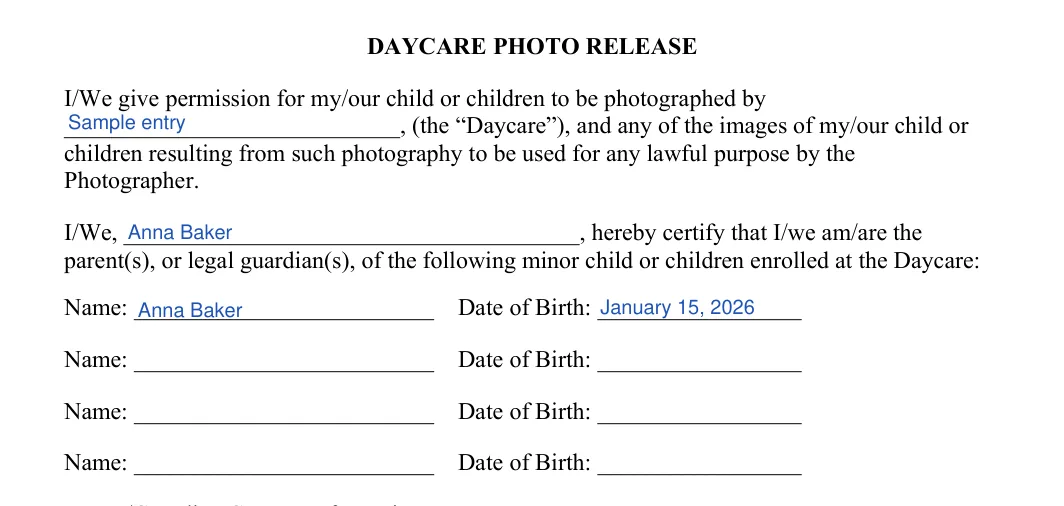
Step 1: Daycare Photo Release (Daycare, Parent and Children)
Write the name of the childcare center on the first blank line. Next to “I/We,” write the name of the parent or legal guardian who is giving permission. Then list each enrolled child’s name and date of birth. There is room for four children.
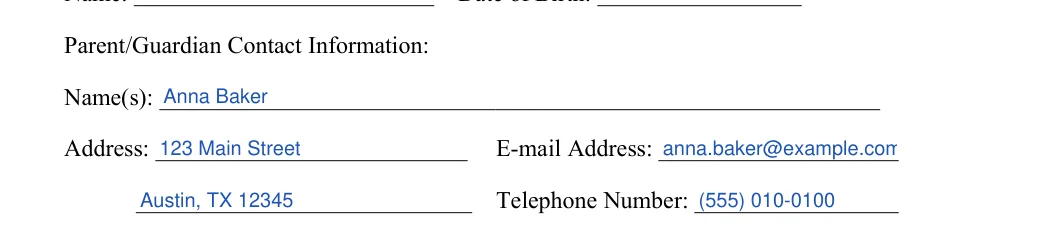
Step 2: Parent/Guardian Contact Information
Enter these details for the parent or guardian. The address has a second line for the rest of the address, such as the city and ZIP code.
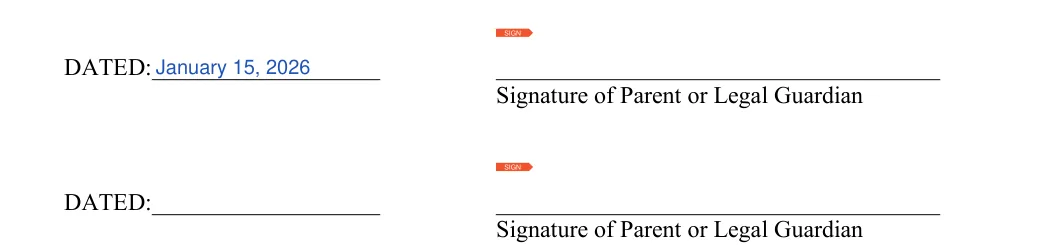
Step 3: Dated, Signature of Parent or Legal Guardian
Read the release paragraphs above the signature lines. Then each parent or legal guardian writes the date on a DATED line and signs on the signature line beside it. The form has two such lines, so two people can sign the same copy.
These answers explain what the template requests, how to handle larger families and where to store the signed consent forms. Each answer is brief, so you can locate the information you need quickly.
The FormsPal template asks for these details:
The template has four lines for a child’s name and date of birth. If more minors from one family attend the center, fill out a second form for the others.
The template has two lines for the date and the signature of a parent or legal guardian, so two people can sign the same copy.
Yes. Open the FormsPal template, answer a few questions and download the document. You can also download the blank PDF and fill it in with the PDF editor before you print it.
Keep each signed form in the child’s file at the childcare center. A folder for each classroom makes it easy to check the forms before a photo session.
General information, not legal or tax advice.
