
Updated:
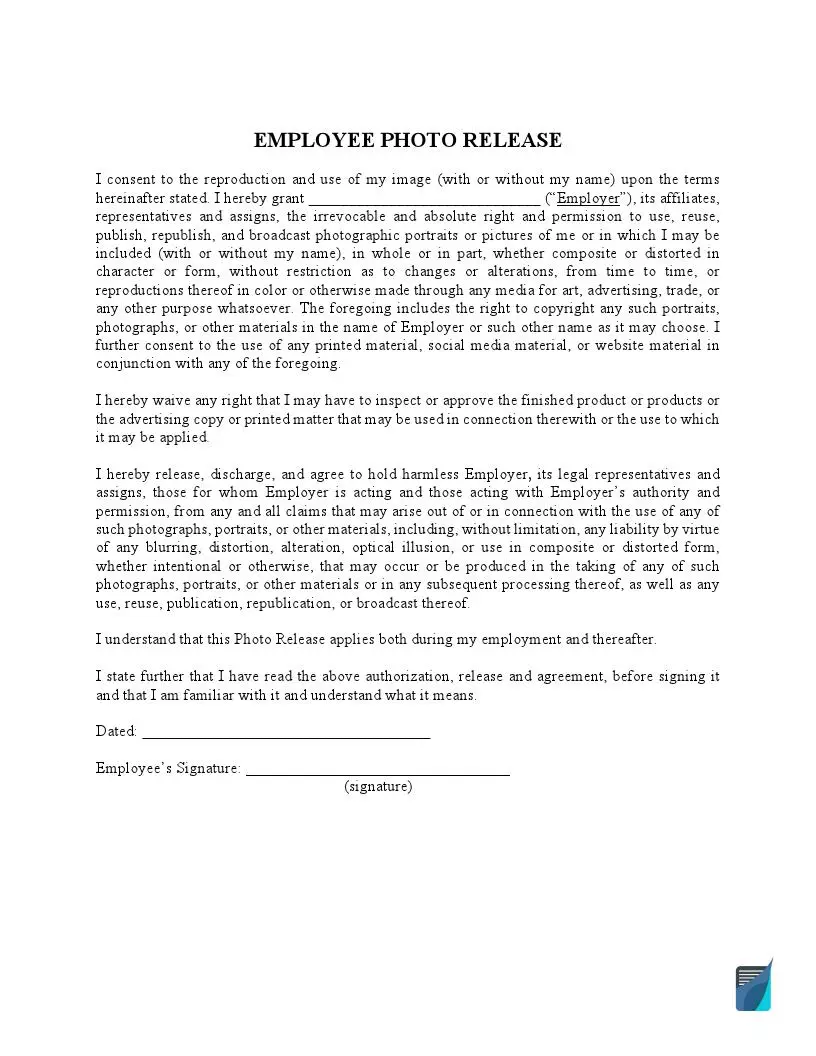
An Employee Photo Release Form is a document that lets a company take and use photographs of its staff, and the employee signs it to give that consent. This is a general grant that covers various conditions and has no lapse date. It also gives the organization and any photographers it assigns permission to use the image as the company chooses. Use this free photo release form template to download a PDF or create one online.
Build Your Document
Answer a few simple questions to make your document in minutes
Save and Print
Save progress and finish on any device, download and print anytime
Sign and Use
Your valid, lawyer-approved document is ready
Use an employee photo release when your company plans to take photographs of its staff and share the images with the public. This release of liability form fits many cases, from a group photoshoot at a public conference or a business meeting to a Christmas party on company property.
Another vivid example is a new hire whose image has to be placed on the official website of the organization or on the office walls.
Photographs of staff often end up in more than one place, and a general release lets you keep one signed copy on file for each worker. Some companies call this paperwork a media release. Common places for a staff image include:
| Document Name | Employee Photo Release Form |
| Other Names | Employee Photo Consent, Photo Release for Employees |
| Avg. Time to Fill Out | 5 minutes |
| # of Fillable Fields | 3 |
| Available Formats | Adobe PDF |
The document should include the name of the worker and organization, the worker’s signature, a witness, and the date.
These steps follow the FormsPal Employee Photo Release template that you can download on this page. The template is one page with only a few entries, so it takes about five minutes to complete. Fill it in with the FormsPal PDF editor, or print it and write by hand.
The screenshots under each step show the FormsPal Employee Photo Release template filled with sample entries in blue, so you can see where each answer goes. The names, addresses, dates and amounts are examples only.


Filling in the template is only part of the job. Use these steps to plan the photoshoot, collect the signed releases and keep them organized, whether you need one release for a single event or a release you collect when someone joins the team.


Many businesses prepare a release for each event, although you may also ask new staff members to sign one during recruitment, so that documentation is already on file for later photography events.
Before a photoshoot, managers and staff usually want to know what the release covers, how quickly it can be filled in and who keeps the signed copy. These are the questions people ask most often.
An employee photo release form is a signed note that records a worker’s consent to have photographs taken and used by the company. It is used when a company plans to post a staff image on its website, on social media or in print, and the company keeps it on file.
A signed release records the consent of each worker before an image appears on a website, in a social media post or in marketing materials for business purposes. It also gives the company a simple record to consult whenever someone asks later where the permission originally came from.
Yes. Press the Create My Document button at the top of this page to answer a few questions and build the release online. You can also download the PDF and complete it on your computer or by hand.
Completing the template usually takes about five minutes, because it has only three fillable fields, which are the name of the employer, the date and the signature of the worker.
The template wording covers photographs and other images of the worker, shown with or without a name. An image can appear in several formats. It also mentions the material that goes with those images:
Keep the original with your company records and give the worker a copy. A scanned copy in a shared folder makes the release easy to find before the next photoshoot.
General information, not legal or tax advice.
