
Updated:
A self storage rental agreement is a contract to rent storage space. Like any lease agreement, it sets the rent, fees and rules for the owner and occupant. Storage owners and renters can use this template and the fill-out guide below.
Build Your Document
Answer a few simple questions to make your document in minutes
Save and Print
Save progress and finish on any device, download and print anytime
Sign and Use
Your valid, lawyer-approved document is ready
A self storage rental agreement is a storage contract between an owner, who rents out a unit, and an occupant, who pays to keep belongings there. It puts the unit, the rent, the fees and the rules for using the space on paper.
The names vary more than the document does. Storage unit rental agreement, storage rental lease agreement, storage contract and mini storage rental agreement all point to this kind of paper. Read the terms rather than the title, because the terms decide what each side owes.
The owner and the occupant have different jobs under the agreement:
The FormsPal storage rental agreement is a PDF made for one owner and one occupant. It has 42 fillable fields and takes about 9 minutes to fill out.
| Document Name | Storage Rental Agreement Form |
| Other Names | Storage Unit Lease Agreement, Self Storage Contract |
| Avg. Time to Fill Out | 9 minutes |
| # of Fillable Fields | 42 |
| Available Formats | Adobe PDF |

A simple storage agreement includes the parties, the unit, the rent, the fees, the rules for using the space and both signatures. The FormsPal template keeps these parts on fillable lines and prints the remaining terms for both sides to read.
The blanks on the template cover:
The storage agreement terms and conditions to read first are the ones on payment, use of the unit, notice and responsibility, since these decide what each side owes when something goes wrong.
A storage unit contract fits a self-storage rental, where a renter pays for a unit and keeps their own belongings in space an owner controls. A written agreement gives both sides the same terms to check if a question comes up about rent, access or damage.
Common reasons to use this contract:
To use this template for a shed, enter the shed’s address as the property and name the shed on the unit line.
The template is written around a storage unit, so read its printed text with the shed in mind. If a clause does not fit a private shed, agree on the change in writing with the other side before anyone signs.
A different lease fits better when the space is rented for parking or for work rather than for keeping belongings. See the garage lease for a garage or parking space, or the office space lease for an office.
The main types of storage units are mobile, indoor, drive-up and outdoor, and the type you rent affects what you write on the agreement, such as the climate control box and any delivery terms.
A few questions help you pick the right type:
Mobile storage is a container or pod that a company delivers to your property and leaves for an agreed period, which suits a short job such as a renovation. The FormsPal template is written around a numbered unit at a single address, so a storage container rental also needs its delivery and pickup details agreed in writing.
Indoor storage is a unit inside a building, in sizes from small closets to huge rooms. Dollies or other equipment may be available to help move things from your car to your storage unit. During working hours, employees might also be available to help with heavy lifting.
Drive-up storage is a unit with a roll-up door like a garage door, which you can reach from outside the building. Sizes and heights depend on the facility. Even though these units look like garages, check with management to see if the company allows vehicles to be parked there.
Outdoor storage is an open or partly covered plot at a facility, and many people use it to store vehicles. Look for a covered or indoor unit instead if your things need protection from rain and other weather.
Filling out the storage rental agreement means working through the template from the opening names to the signature blocks. These steps follow the FormsPal template this page hands out. Create it online with the Create My Document button, or download the PDF and complete it with the FormsPal PDF editor. Work through the steps in order. The names and amounts in the screenshots are made-up examples.
Have these details ready before you start:
The screenshots under each step show the FormsPal Storage Rental Agreement template filled with sample entries in blue, so you can see where each answer goes. The names, addresses, dates and amounts are examples only.
Step 1: Date, Owner and Occupant names
Type the agreement date, the Owner’s full name and the Occupant’s full name in the three blanks of the opening paragraph. The template calls the party offering the unit the Owner and the party renting it the Occupant.


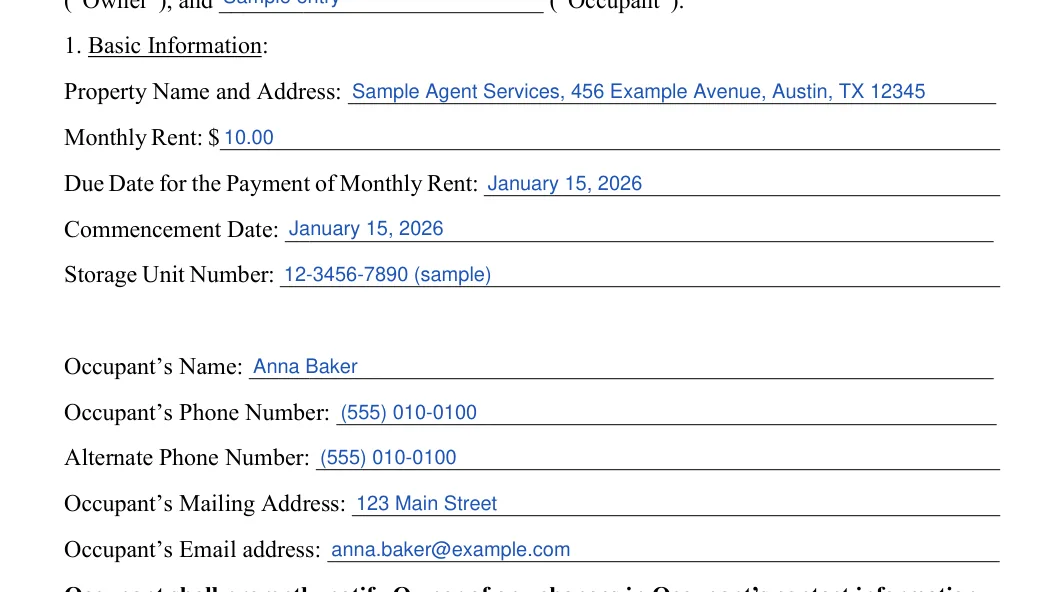
Step 2: Section 1: Basic Information
Fill in the property name and address, the monthly rent, the day rent is due, the start date and the storage unit number. Then enter the Occupant’s name, both phone numbers, mailing address and email.
For example, write the rent as $300 and the due date as Every 15th. A home or a business address both work as the mailing address.


Step 3: Military, insurance and climate-control boxes
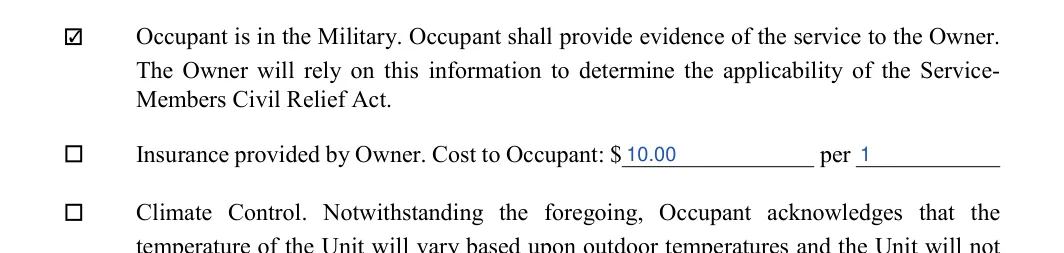
Tick each box in Section 1 that applies: Occupant is in the Military, Insurance provided by Owner, and Climate Control. If the Owner provides insurance, enter the cost and the “per” period, such as a month. The facility can tell you the cost.
Items such as leather or untreated wood are worth a second thought if the unit has no climate control.

Step 4: Lock provided by Owner or Occupant
Tick Lock provided by Owner or Lock provided by Occupant, whichever you agree on. Many occupants bring their own lock. If the Owner provides the lock, enter a lock fee in Section 9 (step 7).

Step 5: Section 5: Maximum Value
Sections 2 to 4 and Section 6 are printed text with nothing to fill in, so read them before you move on. In Section 5, enter the highest total value of the items you plan to store in the unit.


To avoid complications, landlords may limit the maximum value to the amount covered by the policy provider. Ask the owner about this before you write a figure, and read how the printed sections treat theft and loss.

Once both parties agree to Sections 2 to 6, you may now proceed with filling out the next section.

Step 6: Section 7: payment address
Write the address where rent payments are delivered or mailed. If the facility’s office is somewhere else, confirm the address with the owner. Section 8, Right of Access, sits just above it and has no blanks.


That section sets the rules for access, so read it before you sign. If a relative or friend needs to reach the unit, ask the owner how to arrange it in writing.

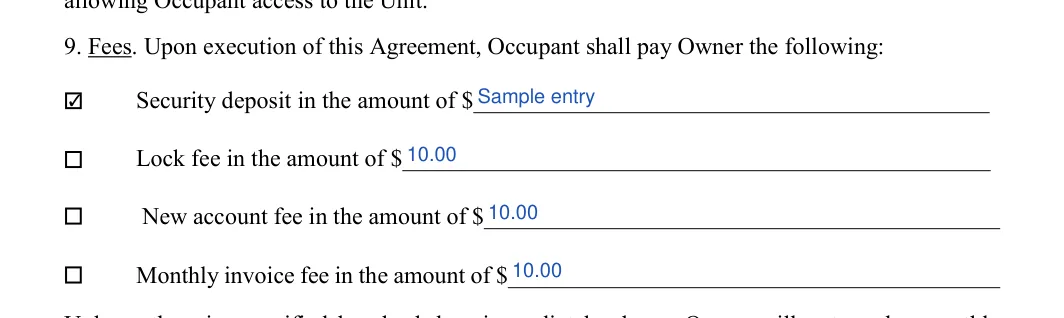
Step 7: Section 9: fees due at signing
Tick each fee that applies and write the dollar amount beside it:

Step 8: Section 9: late fee and other charges
Enter the number of days before a late fee applies, then the late fee, the return check charge and the auction or publication fee. Use the dollar amount the owner quotes for each one. The rules where the unit sits may limit these charges. This page quotes no limit for them, so ask a local attorney if an amount looks high.

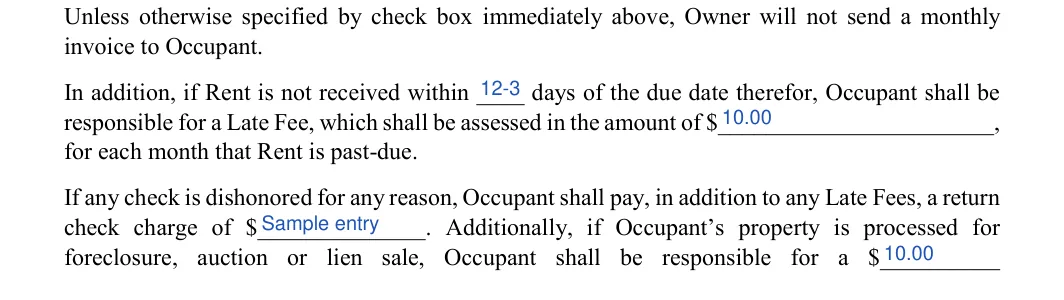
Step 9: Section 9: lock cut fee
Write the Lock Cut Fee amount in the last sentence of Section 9, at the top of page 4. Ask the owner for the amount before you write it in.

Step 10: Owner signature block
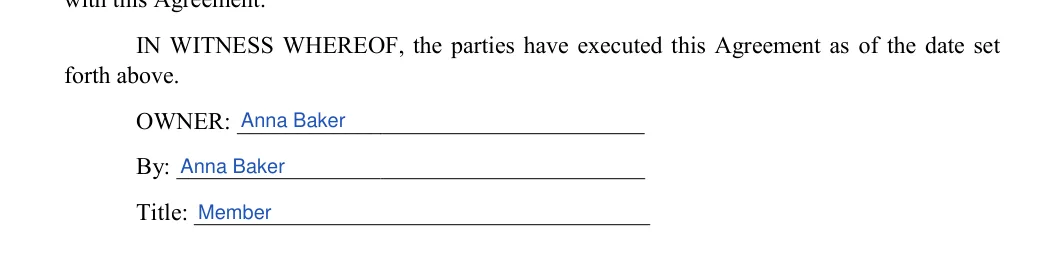
Read Sections 10 to 22 on pages 4 and 5 first. They are printed text with nothing to fill in. Then enter the Owner’s name, the signer’s signature on the By line and the signer’s Title, such as “President” or “Administrator”.


The above sections discuss legal defaults and liability clauses, so it is a must to review everything. After reading sections 10 to 22, both parties can proceed with signing the agreement in the next step.
Step 11: Occupant signature block
The Occupant signs on the By line and prints their name on the Print Name line. The form has no notary or witness block.


Once every step above is filled in, read the agreement through with the other side. Then follow these steps to sign it and keep it safe. Use the same names on the signature lines as in the first step.
Self-storage means you rent the space and arrange your own transportation to and from the facility, while full-service storage adds packing, moving, pickup and drop-off by the company.
This page cannot say whether a storage facility can sell your belongings, because its legal sources hold no rule on the sale of stored goods. Your agreement’s default and auction terms may not be the whole answer, so read them before you sign and ask a local attorney which rule applies to your unit.
The FormsPal template has a blank for an auction or publication fee. If you fall behind on rent, contact the owner right away and ask in writing what happens next and by what date. If a notice arrives, take it to a local attorney without delay.
A storage unit is rented for keeping belongings, not as a place to live, so someone staying there puts the rental at risk. Check the rules and liability clauses of the agreement to see what follows when an occupant breaks them.
Yes. Use the Create My Document button at the top of the page to answer a few questions online. You can also download the PDF and fill in the 42 fields yourself.
No, this FormsPal template is a general storage rental agreement and is not a document from Extra Space Storage or Public Storage. If you rent from either company, ask it for its own rental agreement and read that with the list of terms above.
The FormsPal template asks only for the signatures of the owner and the occupant on their own lines, and this page names no rule that adds another signer. The form has no notary or witness block. The facility can tell you if it asks for anything more.
Each commercial lease template is unique, as terms can differ depending on the laws of each state. This page quotes no statute on storage rent, late fees or the sale of belongings, because its legal sources do not cover self storage. For the rule on your unit, ask a local attorney.
General information, not legal or tax advice.
