
AI document generator tools promise the same thing: type a prompt, get a finished file. The results vary a lot in practice. Some platforms turn out polished, signature-ready documents, while others hand you a draft that needs an hour of fixes before anyone can use it.
The trend toward adopting artificial intelligence is undeniable today. Half of US employees now use AI at work, per Gallup's February survey of nearly 24,000 workers - triple the share from mid-2023. What’s more, corporate legal AI use more than doubled to 52% in a year, per Everlaw and the ACC, and most firm staff now lean on AI to draft contracts.
But a generated document that reads fine on screen can still fall short as a lease or a contract. We tested seven platforms to see which ones deliver. Below you'll find the best AI document generator for each use case, with screenshots, pricing, and ratings from those tests.
Quick Verdict: What Is the Best AI Document Generator in 2026?
FormsPal came out on top in our testing, and for good reason. It was the only document-generation AI platform we tested that could handle all four test documents without leaving us hanging. FormsPal generated the files, let us mess with them a bit if we wanted to, and shoved them into a fill-and-sign workflow with just one click, all for free with instant downloads.
And of all the documents we threw at FormsPal, legal ones came out looking particularly sharp. Our lease document sported the Texas-specific structure we were looking for, the necessary statute references were all in order, and it had all the fields marked so we could fill 'em in.
The other AI document platform was outperformed in narrower but still important ways. Jotform turns a prompt into a signature-ready document with role-coded fields and an audit trail. At the same time, AI Doc Maker produces free files in any format - docs, slides, even spreadsheets from the same prompt box.
|
Tool |
Best For |
Standout Feature |
Starting Price* |
Rating |
|
FormsPal |
Overall - legal forms, PDFs, e-signatures |
Prompt-to-signable document in one flow |
Free (5 AI docs/day) |
4.8/5 |
|
Jotform |
Signature-ready documents |
Role-coded fields + audit trail |
$34/month |
4.6/5 |
|
AI Doc Maker |
Free multi-format generation |
Docs, PDFs, slides, and spreadsheets from one prompt |
$7/month |
4.4/5 |
|
pdfFiller |
Document depth and editing |
Deepest drafts and editor of the seven |
$20/month |
4.3/5 |
|
Docupilot |
Bulk generation |
Template-based batch output |
$29/month |
4.2/5 |
|
Gamma |
Visual documents and decks |
AI design and layout engine |
$8/month |
4.1/5 |
|
Notion AI |
Internal team docs |
Drafting inside your workspace |
$20/month (Business) |
4.0/5 |
*Pricing checked July 2026.
What Is an AI Document Generator?
An AI document generator turns a written request into a formatted, ready-to-use file. You tell it what you need - a lease, an invoice, a proposal - and it spits out a document that's all set up with headings, the important clauses, tables, and signature lines all in place. What really sets it apart from a regular AI chatbot, though, is the fact that it lays out all the formatting, fields, and export options for you from the get-go.
In practice, artificial intelligence document processing differs most in what happens after generation. A capable AI document creator lets you edit the file, add fillable fields, collect signatures, and store the result - the full lifecycle.
There's also a bit of a split in the type of input that these tools use. Here's where the difference comes in:
- Prompt-based tools build documents from your description,
- Template-based tools merge your data into preset layouts,
- Form-based tools use AI to create documents from submitted answers.
The reviews below cover all three types, since the right pick depends on which input you start from.
How We Tested These AI Document Generation Tools
All seven AI document creators on the list below underwent identical hands-on testing. We came up with one prompt for each document type, fed it into all seven tools without altering them, and then scored what each produced.
These document types would really put these tools to the test:
- Residential lease agreement. A long legal form with state-specific rules, defined parties, and dozens of fillable fields. It shows whether a tool can build a correct legal structure.
- Mutual non-disclosure agreement (NDA). Contracts rely on specific terms and space for signing. So, this one will test whether a document generator can handle multiple clause references, and also if the tool will allow you to sign right from the document.
- Invoice. Get this one wrong, and it's going to cost someone real money, so this is basically the accuracy test in action.
- One-page business proposal. This one measures layout and visual formatting - the qualities that decide whether a document is ready to send or needs redesign first.
We scored each tool on output quality, post-generation editing, export options, workflow support, and value - two points per category, converted to a five-star rating. And where a tool offered a length or size control, we allowed one regeneration at its shortest setting and scored the better result.
Where two platforms were tied, the one with the stronger legal-document output ranked higher. That proved the hardest test of the four.
Every single screenshot you're about to see comes directly from our own tests.
1. FormsPal - Best Overall AI Document Generator
Best for: legal forms, contracts, and everyday business documents
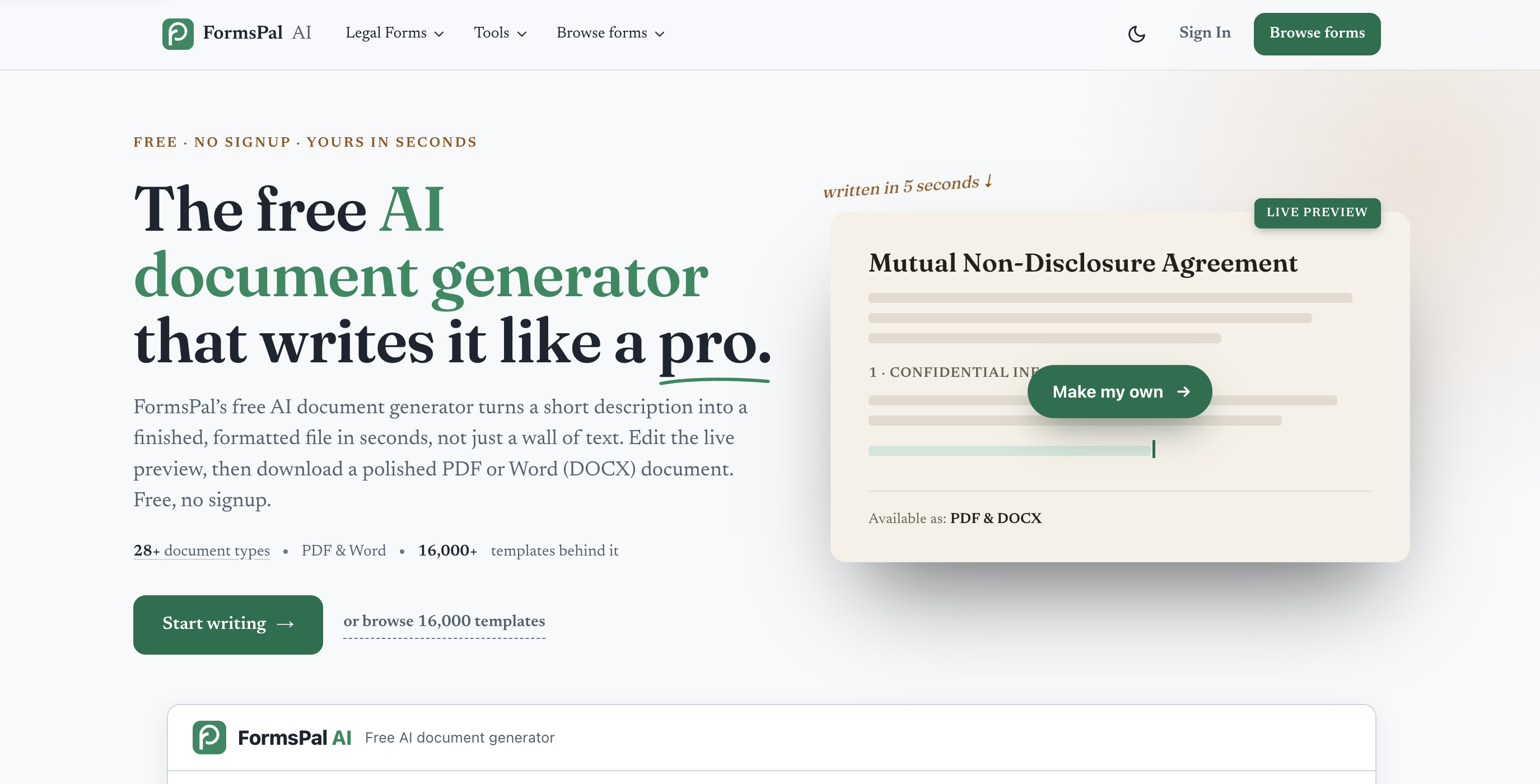
FormsPal AI is a free AI document generator that runs in the browser with no account required. You pick a document type - over 30 are available, from contracts and invoices to SOPs and press releases. Describe what you need, set tone, length, and language, and the tool produces a formatted file you can copy or download as Word or PDF.
You can also send your document to the FormsPal PDF editor via a fill-and-sign workflow with one click.
How It Performed in Our Tests
The lease was the strongest legal output of all seven platforms. From our two-sentence prompt, the generator produced a 1,577-word agreement with nine numbered sections, a parties table, and full signature blocks - and it cited the Texas Property Code by section for deposit return, habitability, and repair-and-deduct procedures.
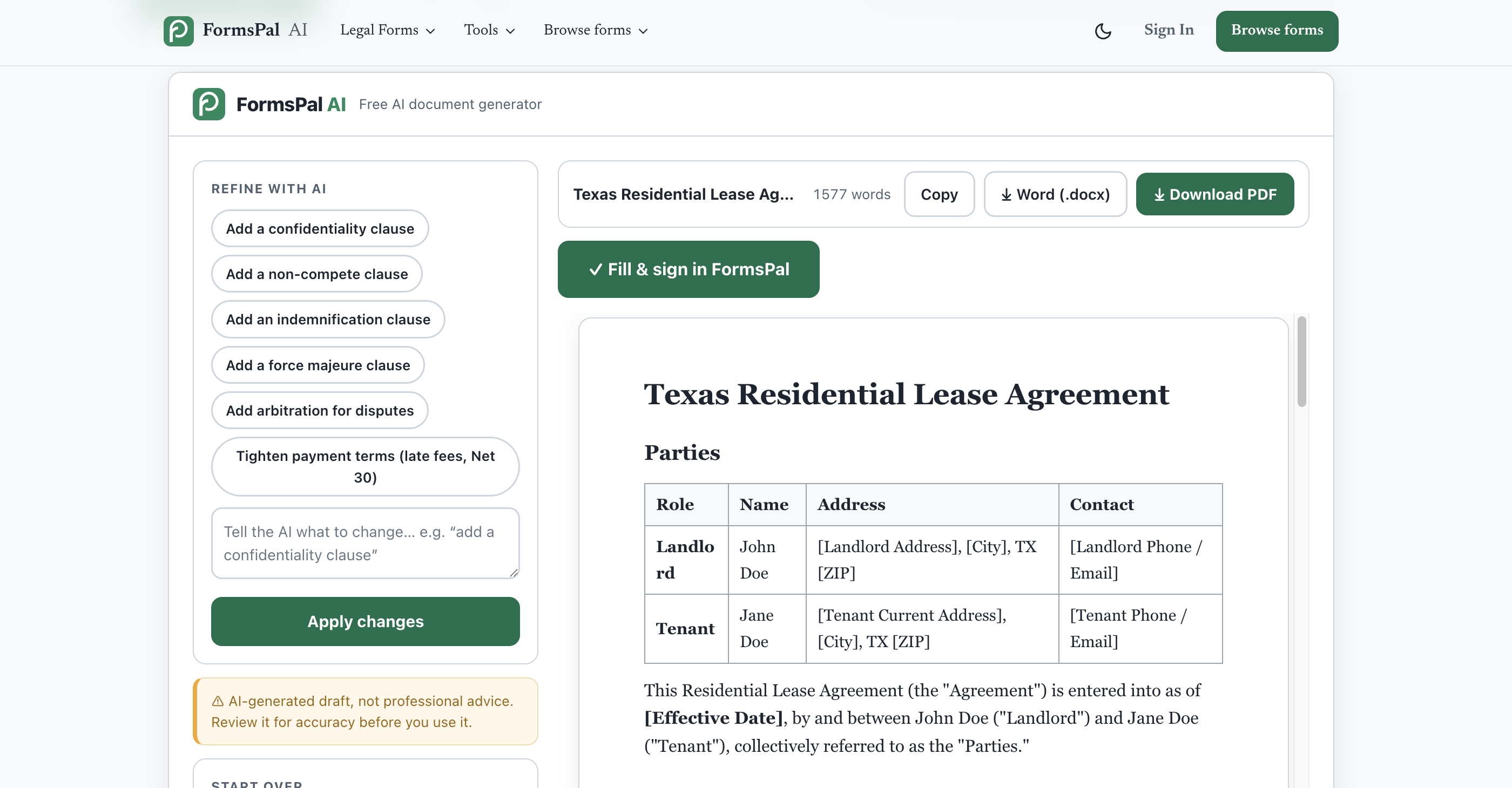
Nothing in our prompt asked for statute references. It added them unprompted, along with holdover, prorated rent, pet, and utility provisions, leaving every variable a marked placeholder ready to be filled.
The NDA passed our consistency check - the 2-year term matched across the term and survival clauses, with exclusions and compelled-disclosure handling in place.
The invoice arrived complete in seconds: line items with quantities and unit prices, and the subtotal, tax, and total computed correctly.
The proposal fit our one-page instruction with every requested element in place - introduction, three-phase scope, timeline, and closing call to action. The layout leans simple and text-first, so teams that want a designed look can dress it up in a few minutes.
Key Features
- 30+ document types with tone, length, and language controls
- Refine with AI - one-click clause additions or freeform revision requests
- Instant Word (.docx) and PDF download
- One-click handoff to FormsPal PDF editor with fill-and-sign workflow
- 16,000+ legal templates behind the generator
- Accuracy disclaimer and attorney-review reminder on every document
Pricing
Free document creator. No account or email needed. There's a daily cap on generations (5 AI docs/day), enough for occasional drafting but not bulk runs.
Pros & Cons
➕ Best legal structure of the seven AI for documentation tools tested;
➕ Exact calculations on every figure we asked for;
➕ Zero friction to start - no account, no card, instant downloads.
➖ Visual documents come out plain;
➖ Heavy users hit the daily free limit fast.
Verdict
For documents that get filled out and signed - leases, NDAs, invoices, agreements - this AI PDF maker earns first place on substance. Deck-style visuals are the one job to take elsewhere.
2. Jotform AI Document Generator - Best for Form-Triggered Documents
Best for: documents that end in an e-signature
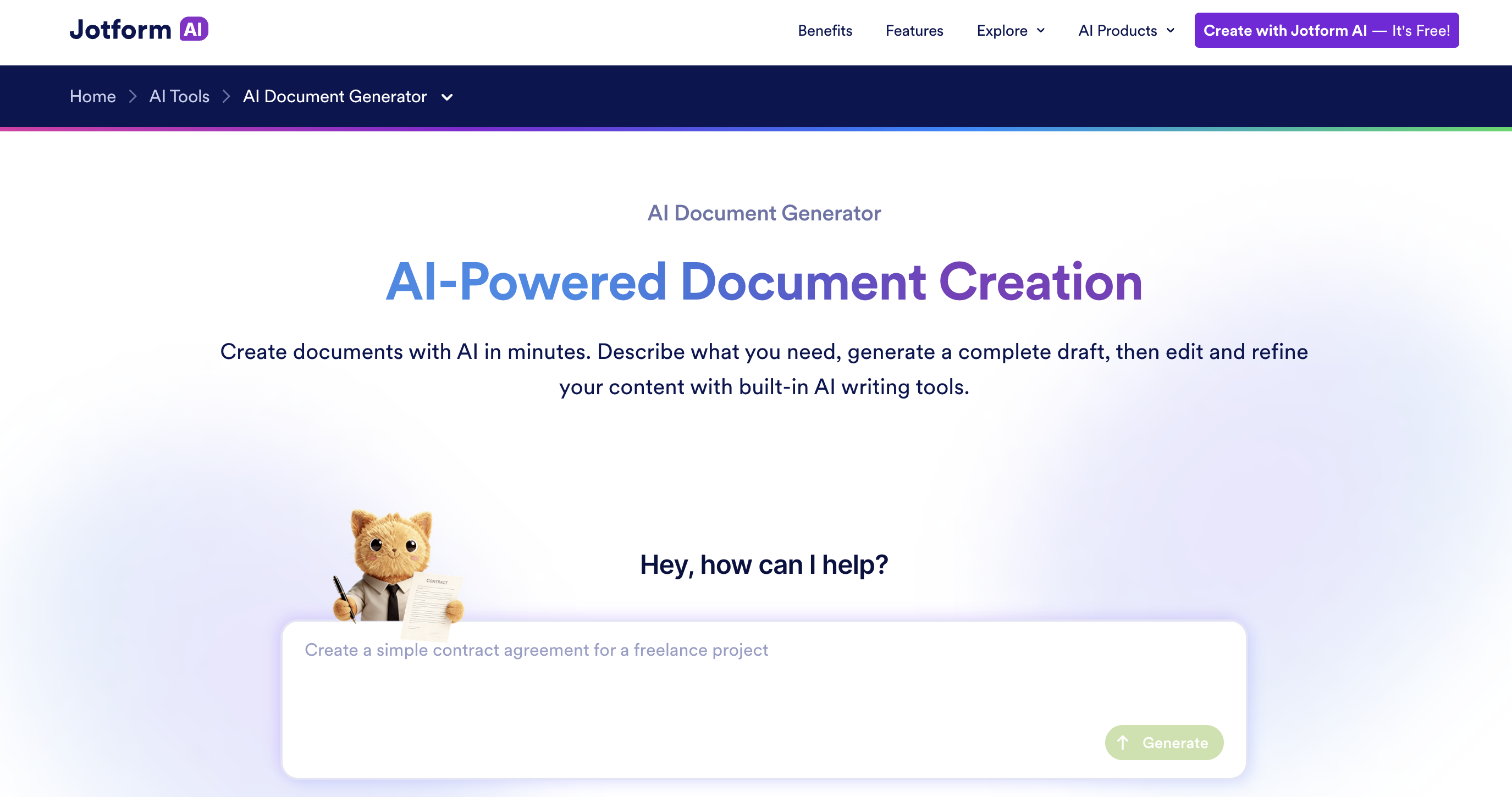
Jotform's AI documentation generator answers a question that most rivals ignore: what happens after the document is created? Its answer is to skip the middle entirely. Generation happens inside Jotform's Sign Builder, so what comes out isn't a file you'll print and chase signatures for - it's a live signing workflow with every blank already assigned to the right person.
How It Performed in Our Tests
The lease made the case. Landlord fields rendered in one color, tenant fields in another, signature and date blocks pre-assigned to each party - and the whole thing went from prompt to sent-for-signature to a completed, signed PDF in minutes, without leaving the tool. The finished file arrived carrying its own audit trail: document ID, timestamps, signer identity.
The trade-off lives in the drafting. Jotform's lease covered the essentials in seven brief sections with a polite nod to "Texas state law" - structurally sound, noticeably thinner than what the tools around it produced. The invoice computed our figures exactly.
The proposal ran five pages against our one-page prompt and came out plain, since Jotform builds for signing rather than layout.
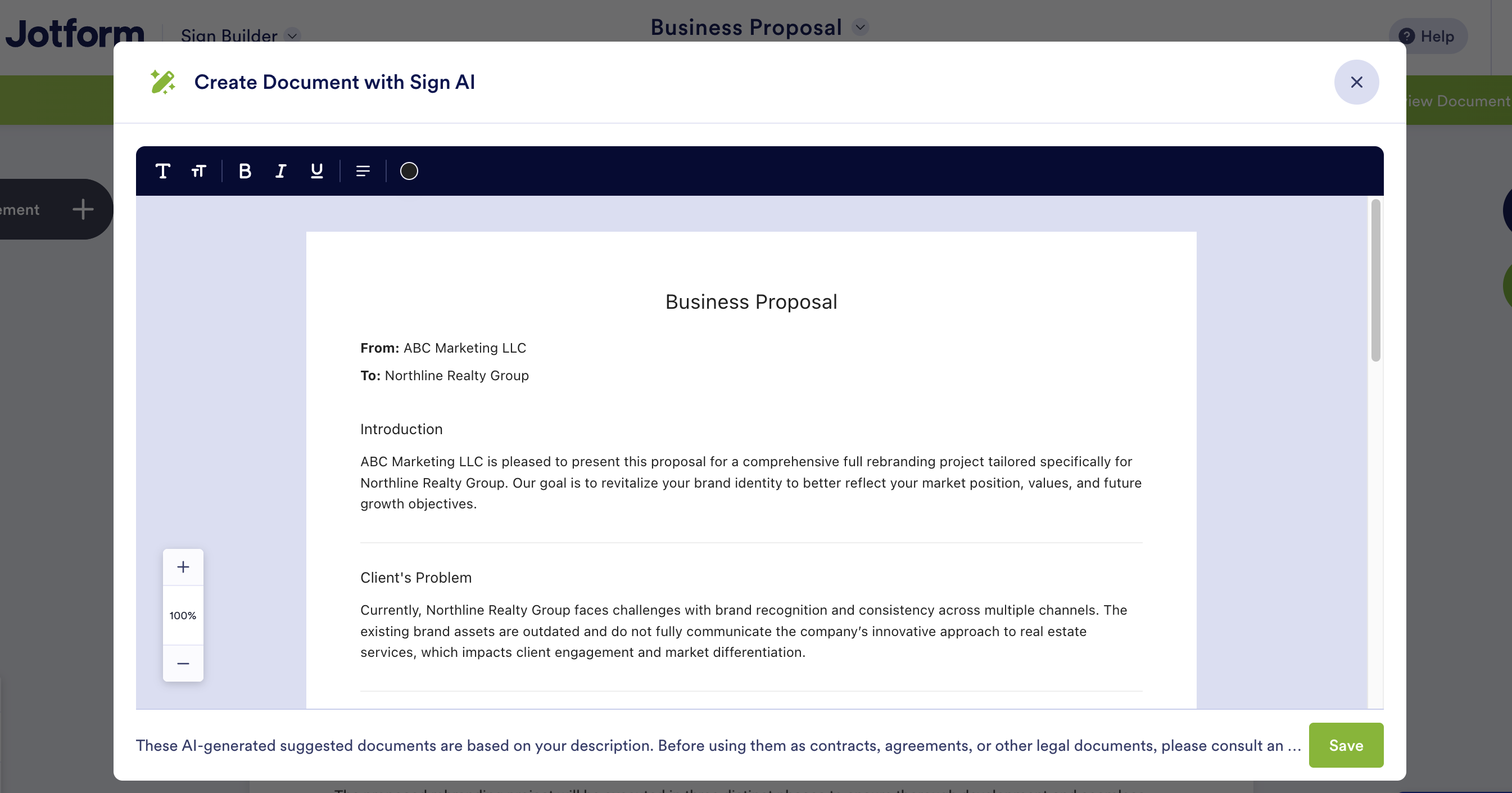
And one quirk to plan around: the completed PDF only arrives by email after every signer finishes, because Jotform treats your document as a signing envelope, not a download.
Key Features
- AI generation with signer-role field assignment built in
- Native e-signature flow with audit trail on completed documents
- Form-to-document automation from Jotform submissions
- Templates and approval flows around the generator.
Pricing
The free plan caps you at 5 forms total. Paid plans start at $34/month (billed annually; $39 month-to-month).
Pros & Cons
➕ Clean prompt-to-signed-document path;
➕ Includes fillable fields with roles;
➕ Audit trail included free.
➖ Thinnest legal drafting near the top of the list;
➖ The file only exists for you once everyone signs.
Verdict
Pick Jotform when the signature is the point. When the document's contents decide the outcome, generate with our top pick and sign wherever you like.
3. AI Doc Maker - Best Multi-Format Generator
Best for: fast free documents in any format
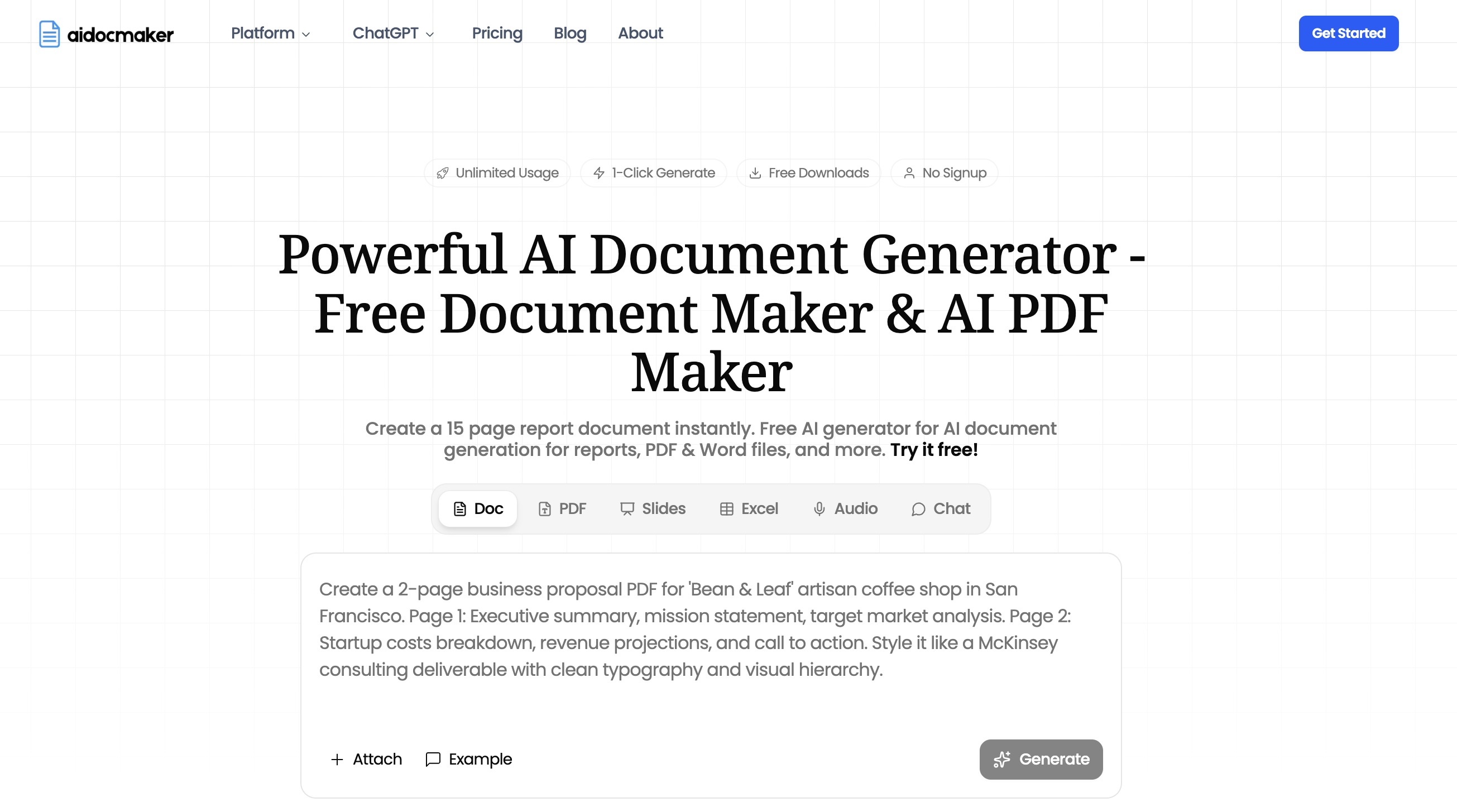
AI Doc Maker is a chat-first generator with a single prompt box that feeds five output types: documents, PDFs, slides, spreadsheets, and voiceovers. There's no account wall and no export gate: type the prompt, watch the agent work, download the file. Free usage is split between unlimited standard generations and a metered premium allowance.
How It Performed in Our Tests
The headline result: our one-page proposal came back one page - and designed, with a three-column phase layout, accent colors, and an "Accept Proposal" button. A finished sales piece where most rivals delivered drafts.
The lease brought the second surprise. It knew Texas law where it counts - deposit-return timing, the correct late-fee trigger date, even a smoke-alarm section no rival produced unprompted. The catch is what happens after generation: blanks are plain underscores rather than fillable fields, and the signature lines ended up scattered around the final sections instead of grouped where a signer would look.
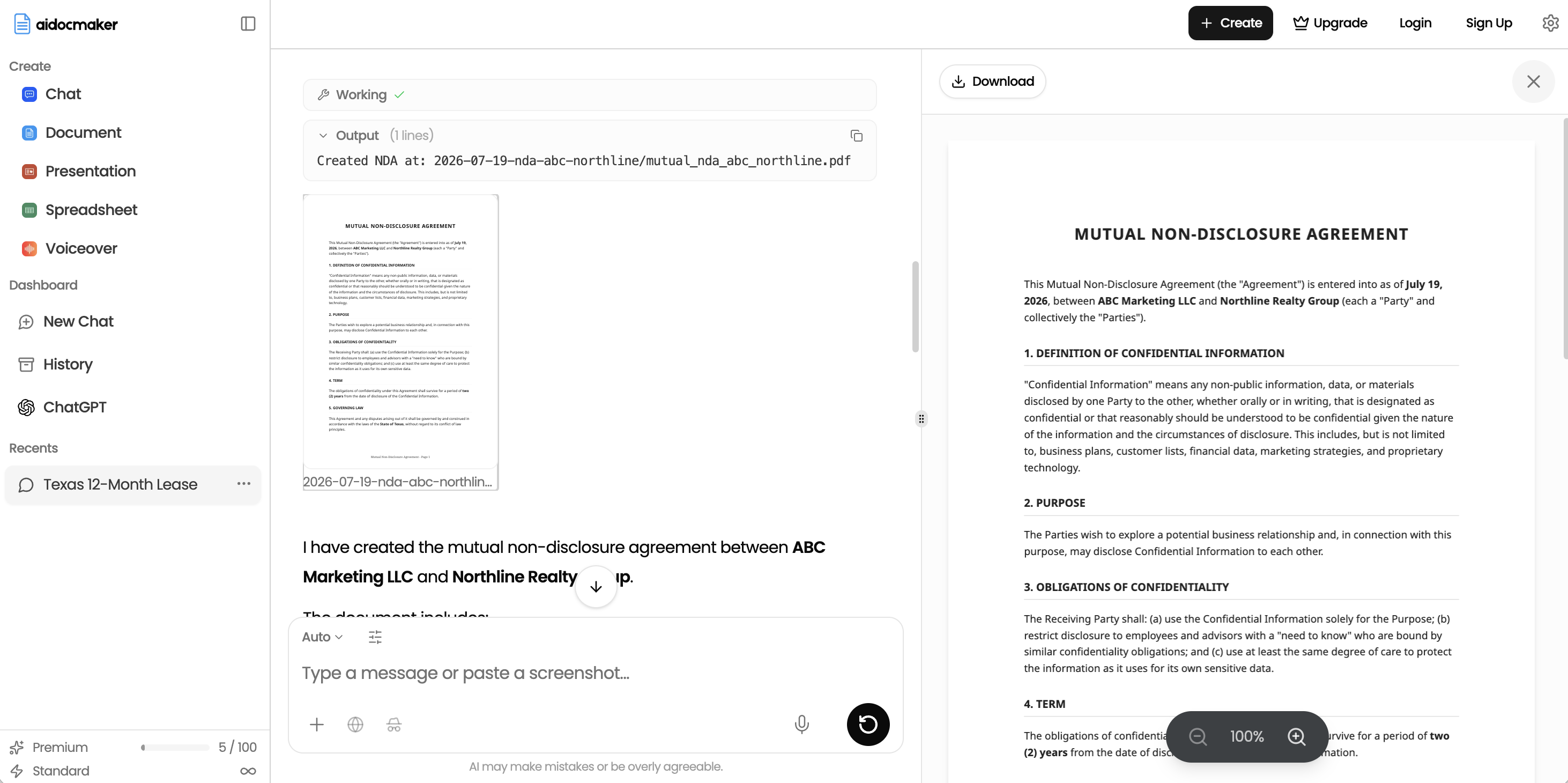
The NDA was correctly mutual but noticeably thin, and like a few rivals, the generator invents specifics nobody supplied - though here they stayed consistent: Texas addresses for Texas companies and a due date computed correctly at 30 days.
Also, the invoice math matched our figures exactly.
Key Features
- One prompt box for docs, PDFs, slides, spreadsheets, and voiceovers
- Agentic chat that revises the file in place
- Free downloads, no signup
- Featured in Wired and on OpenAI's GPT Store
Pricing
Free tier with monthly credit caps. Paid plans from $7/month.
Pros & Cons
➕ The most polished one-page proposal of the test
➕ Five output formats from one prompt box, docs through spreadsheets
➕ Zero-friction downloads, no account or card
➖ No fillable fields anywhere
➖ Lease signature lines land scattered instead of grouped
➖ The NDA runs thin next to the top tools
Verdict
The strongest pure free generator for quick, presentable files. When documents need fields, signing, or fuller legal depth, the tools above it earn their keep.
4. pdfFiller - Best for Document Depth and Editing
Best for: contract-heavy work where clause coverage outweighs turnaround speed
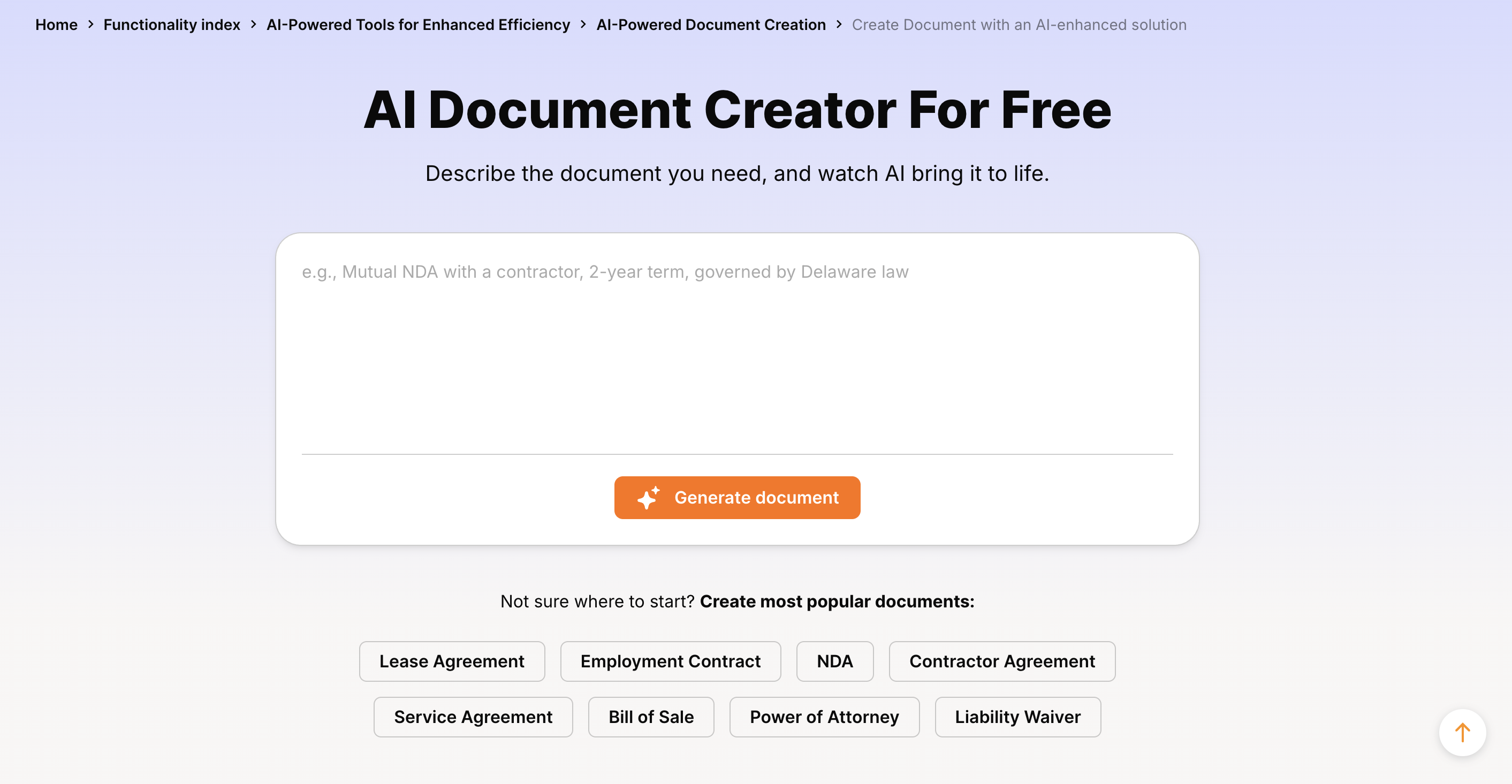
pdfFiller builds documents through an assistant chat: you describe what you need, the draft opens with inline fill-in fields, and the assistant suggests follow-ups. After our lease was generated, it asked whether to add parking assignments or gate codes.
Editing tools sit around the draft, though here they're spread across pricing tiers rather than bundled in.
How It Performed in Our Tests
Drafting length set pdfFiller apart. The lease ran 8 pages across 14 sections with state and federal layers - Texas Property Code citations plus Fair Housing, lead-paint disclosure, and a military clause.
The NDA reached 21 sections, including an exclusions table and a Defend Trade Secrets Act notice, and the 2-year term remained consistent throughout. Invoice math matched our check figures exactly.
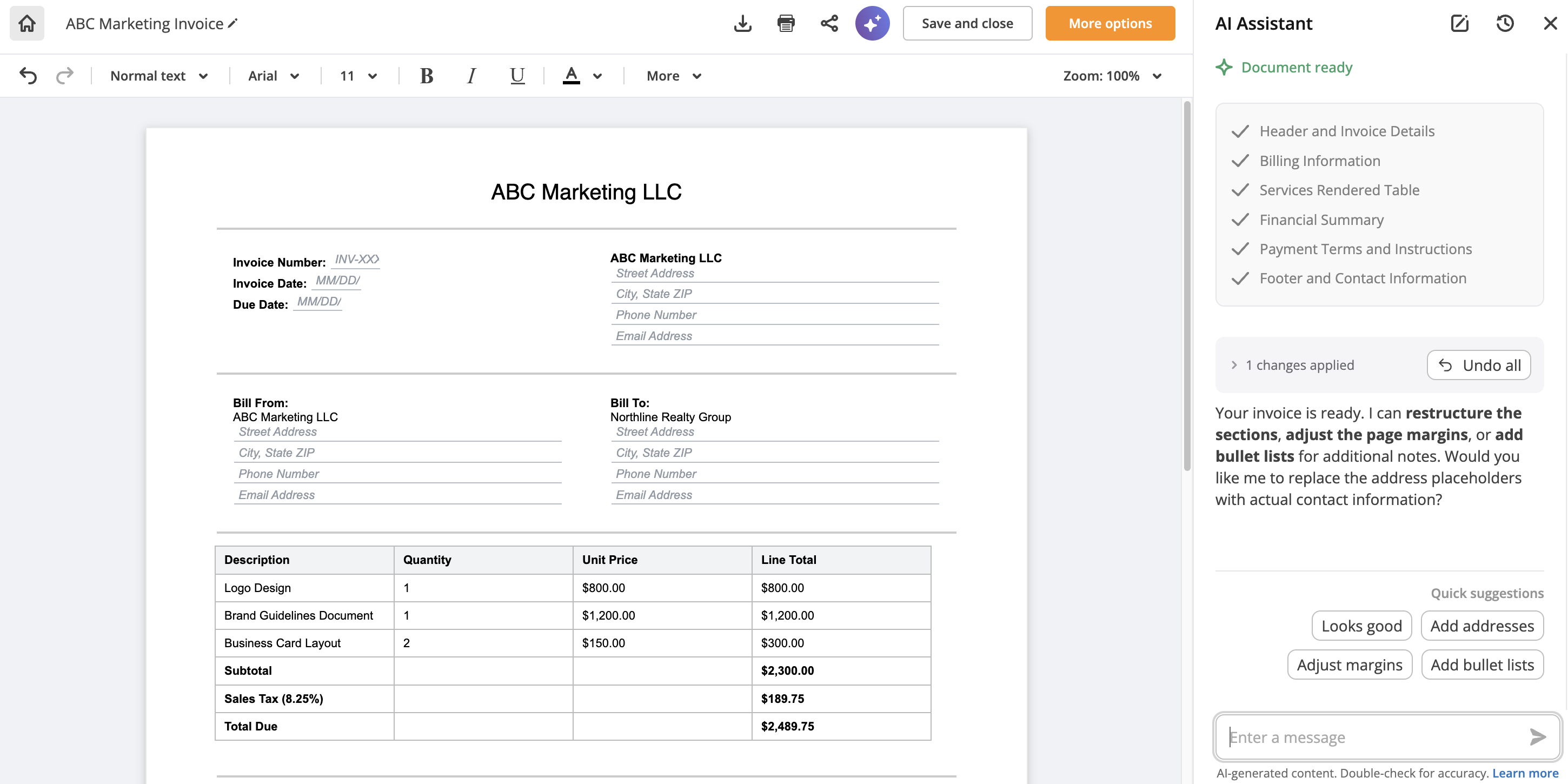
Still, the generator invents specifics nobody supplied. Our proposal came back with a San Francisco address for a company the NDA defines as a Texas LLC, and the NDA picked Harris County courts on its own - plausible-looking data a hurried reader could sign without catching.
The proposal also ran two pages, contrary to our one-page instruction. And output ends at a paywall: viewing is free, but downloading any file requires starting a 30-day trial with a card on file.
Key Features
- AI assistant chat with revision follow-ups
- Inline form-style fields in generated drafts
- Annotation and markup tools (fillable fields at Plus)
- E-signature via signNow at the top tier
Pricing
$20 Basic / $30 Plus / $40 Premium monthly. Fillable fields at Plus, e-signatures at Premium. No free download path.
Pros & Cons
➕ Longest, most clause-dense drafts of the seven;
➕ Useful revision follow-ups;
➕ DTSA and Fair Housing coverage no competitor matched.
➖ Invented specifics need line-by-line review;
➖ No download without a trial and card;
➖ Fillable fields and e-sign locked to higher tiers.
Verdict
Pick pdfFiller when clause coverage is the whole point, and you'll review every line before sending. For a finished document in hand today, the free-download tools above it win. But it can be a good pick for teams already paying for a PDF suite.
5. Docupilot - Best for Bulk Generation
Best for: generating documents in volume from data
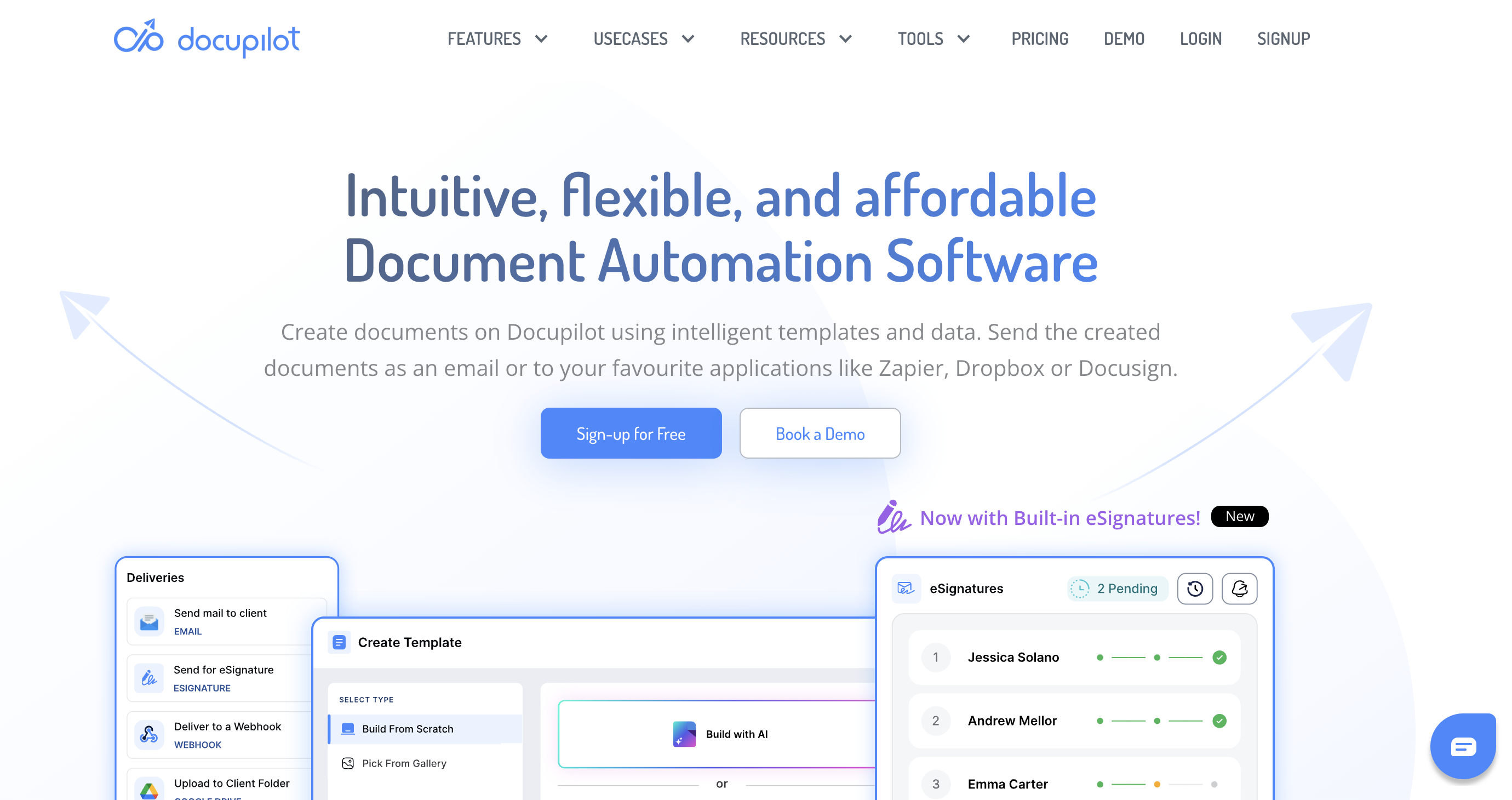
Docupilot works on a template-first model, and its AI reflects that. This document generation tool produces a reusable template with merge fields rather than a finished file. You map those fields to a spreadsheet, form, or CRM, and every row of data becomes a document.
How It Performed in Our Tests
The invoice showed why the model exists. The template computes the subtotal, tax, and total using formulas at generation time, so a batch of 100 invoices does its own math. The proposal came out surprisingly complete for a template output, with three phases and a timeline included.
The legal documents showed the model's cost. Ask for one lease, and you get template scaffolding to finish yourself - thin sections, no state-specific language - because the AI assumes you're building for reuse, not for today.
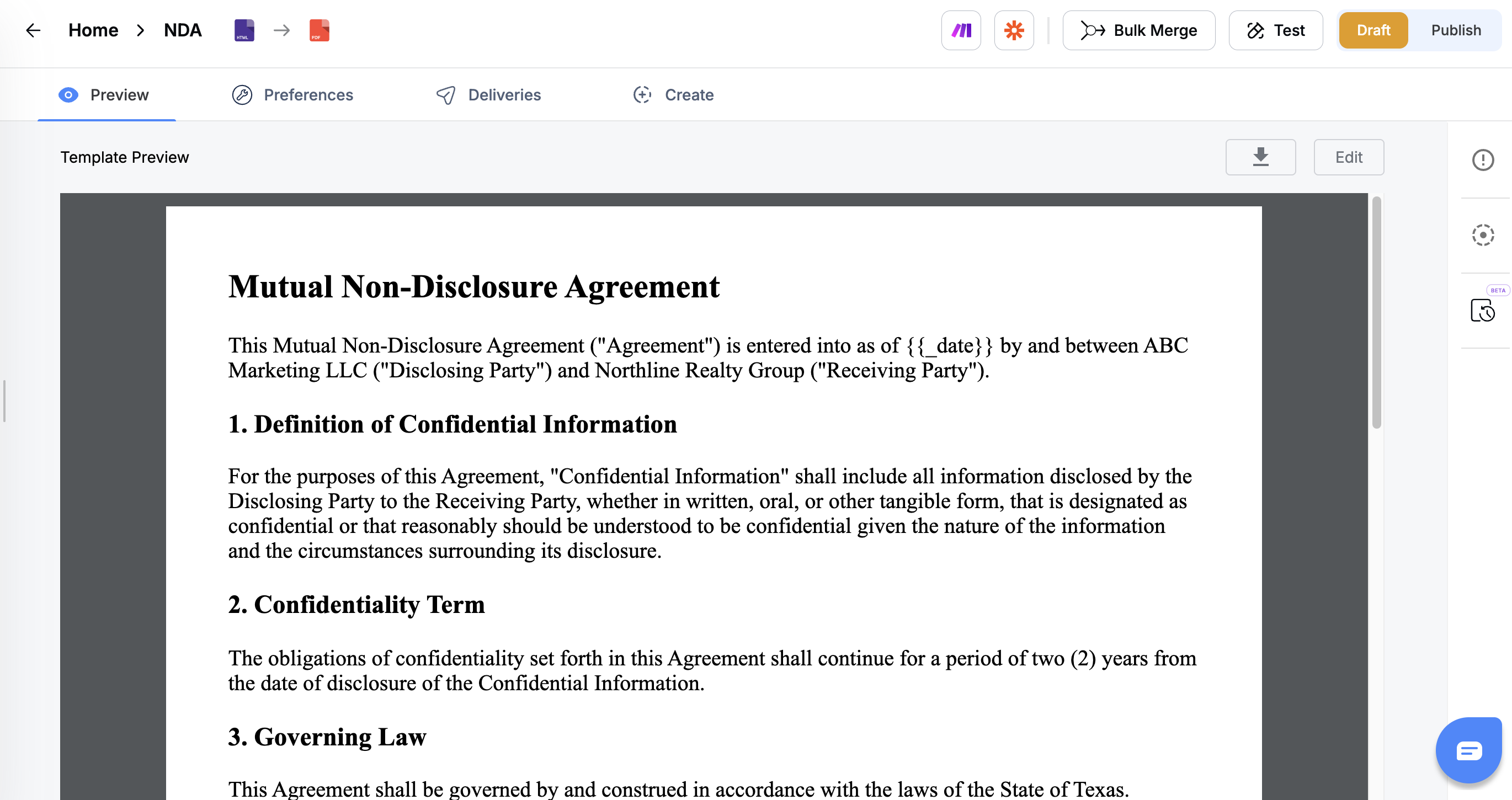
Our NDA came back with a deeper flaw: fixed Disclosing and Receiving parties, whereas the prompt asked for a mutual agreement in which both companies play both roles. That kind of miss looks fine at a glance and shows up at signing time.
The invoice template needed manual cleanup too before it would render.
Key Features
- AI template builder with merge-field mapping
- Formula engine that calculates at generation time
- Batch generation from spreadsheets, forms, and CRM data
- Delivery automations: email, cloud storage, e-signature handoff
Pricing
Plans start at $29/month. Each delivered document counts against your monthly quota.
Pros & Cons
➕ Unmatched data-to-documents throughput;
➕ Batch math takes care of itself;
➕ Delivery automations cut manual sending.
➖ No prompt-to-finished-document path;
➖ AI-built legal templates needed structural fixes in our tests.
Verdict
Docupilot is the right tool when a single document design is sent to many recipients. For a single lease or NDA today, start with our top pick instead.
6. Gamma - Best Design-First Document Generation Tool
Best for: pitch decks and client-facing visuals
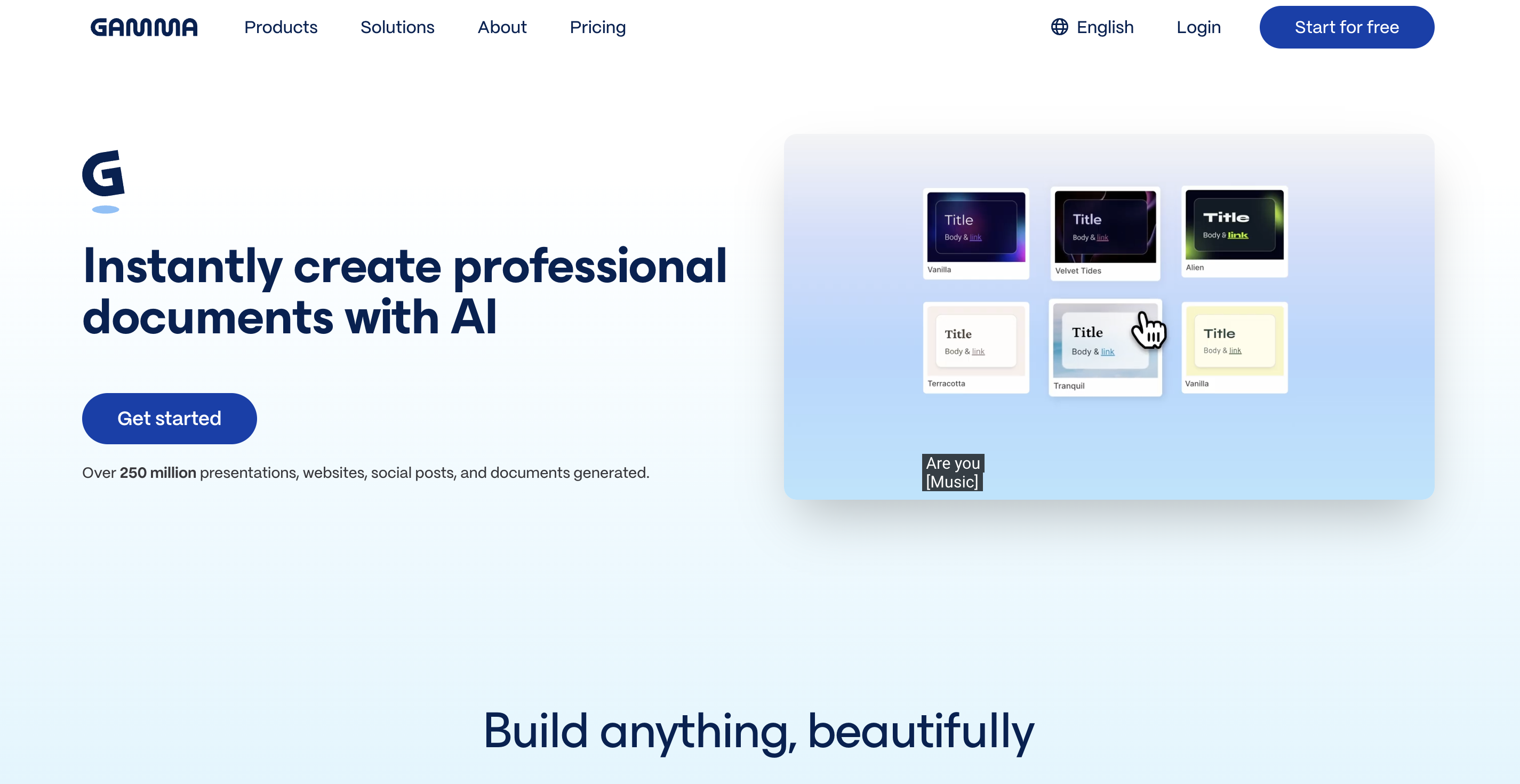
Gamma treats every document as a deck. A prompt becomes an outline, the outline becomes styled cards, and even a lease arrives looking like a branded presentation. In our tests, that made Gamma the best-looking document generation tool on this list. And the least usable one for legal files.
How It Performed in Our Tests
The surprise was substance: Gamma's lease knew Texas law better than most rivals, down to the state's late-fee timing rules and required disclosures. The format threw that advantage away. Blanks are underscores you can't type into, a timeline graphic sits where the clause list belongs, and every free-tier page carries a "Made with Gamma" badge.
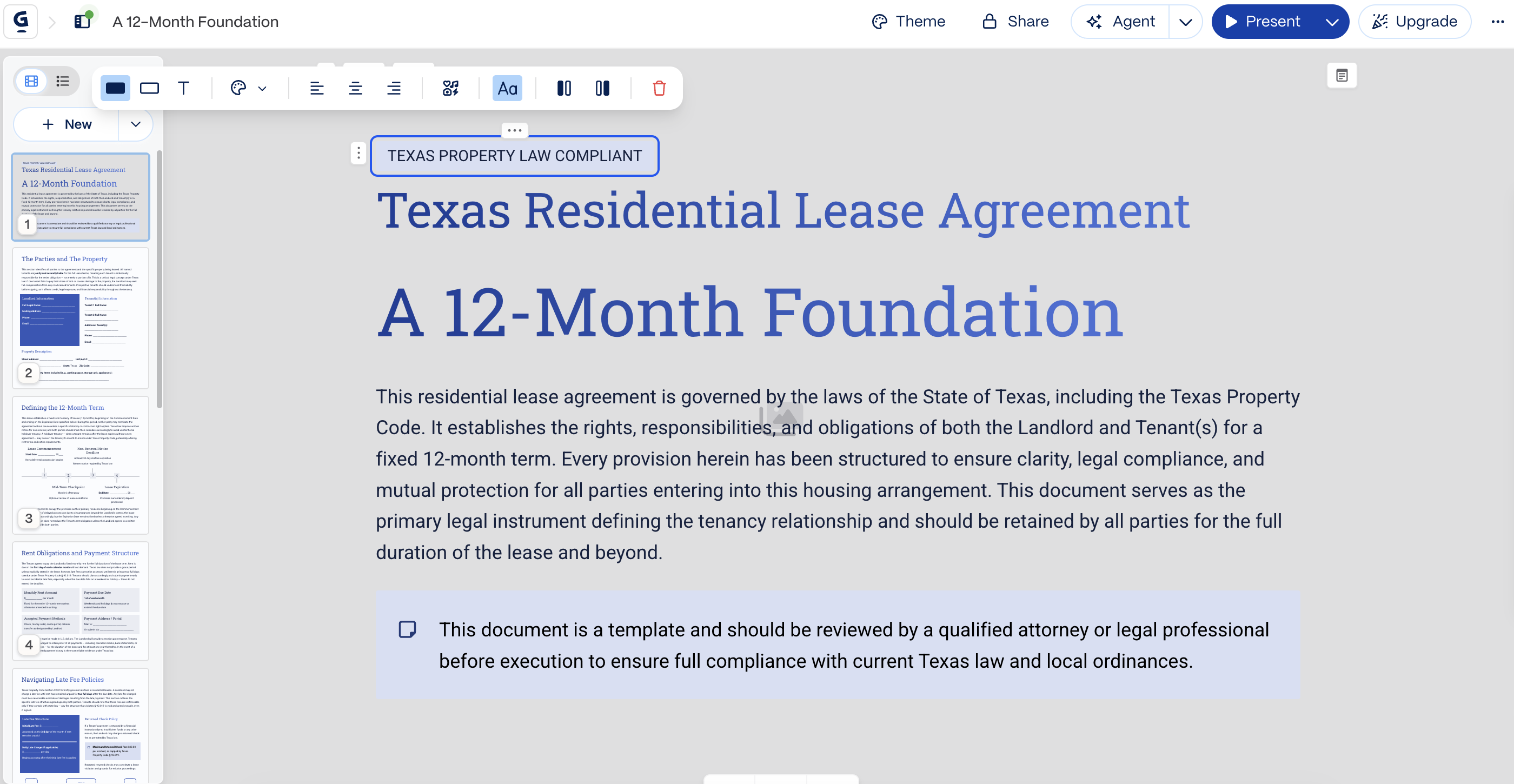
The free plan also has a habit of stopping early - our NDA was outlined at 15 cards, but generation paused at 11 with an upgrade prompt. Even the invoice, computed to the penny, arrived as a four-slide deck.
The proposal summarized the tool in a single document. Seven gorgeous pages against a one-page instruction, an invented $41,000 project fee, and Gamma's own reminder left sitting in the output: "replace with your actual pricing before sending this proposal to the client." Beautiful work; you must proofread like a hawk.
Pricing
Free with 400 one-time credits and Gamma branding. Paid plans run about $8-10/month (Plus) to $15-20/month (Pro).
Pros & Cons
➕ Best-looking output of the seven AI document creators;
➕ Strong legal knowledge underneath;
➕ Correct math when needed.
➖ Nothing is fillable or signable;
➖ Free tier badges every page and can stop mid-document;
➖ It can invent pricing and contacts.
Verdict
Gamma is the pick when visuals do the selling. For any contract anyone needs to fill in, sign, or file, each tool above it is a better home.
7. Notion AI - Best for Internal Team Docs
Best for: teams drafting inside their Notion workspace
Notion AI isn't a standalone AI document maker - it writes into a Notion page, and that one fact decides everything. Drafting feels native: a prompt in the sidebar, a structured page out, with headings, tables, and checkboxes you can edit like any Notion content. Exporting is where it fell apart.
How It Performed in Our Tests
Every PDF came out wearing workspace furniture - a "Status: In progress" table, a "Draft" tag, a page-title footer - on a lease. Empty fields simply vanish in export, so dates and addresses print as gaps mid-sentence. You'd catch that while editing; a client shouldn't have to.
The drafting underneath was solid and occasionally thoughtful. The lease got Texas deposit and late-fee rules right, the NDA stayed properly mutual, and the invoice was Notion's best output - exact math and a correctly computed Net 30 due date.
What impressed us most was restraint: where some rivals invented fees and contacts, Notion's proposal shipped its pricing table as honest empty dollar signs and built its timeline from real dates.
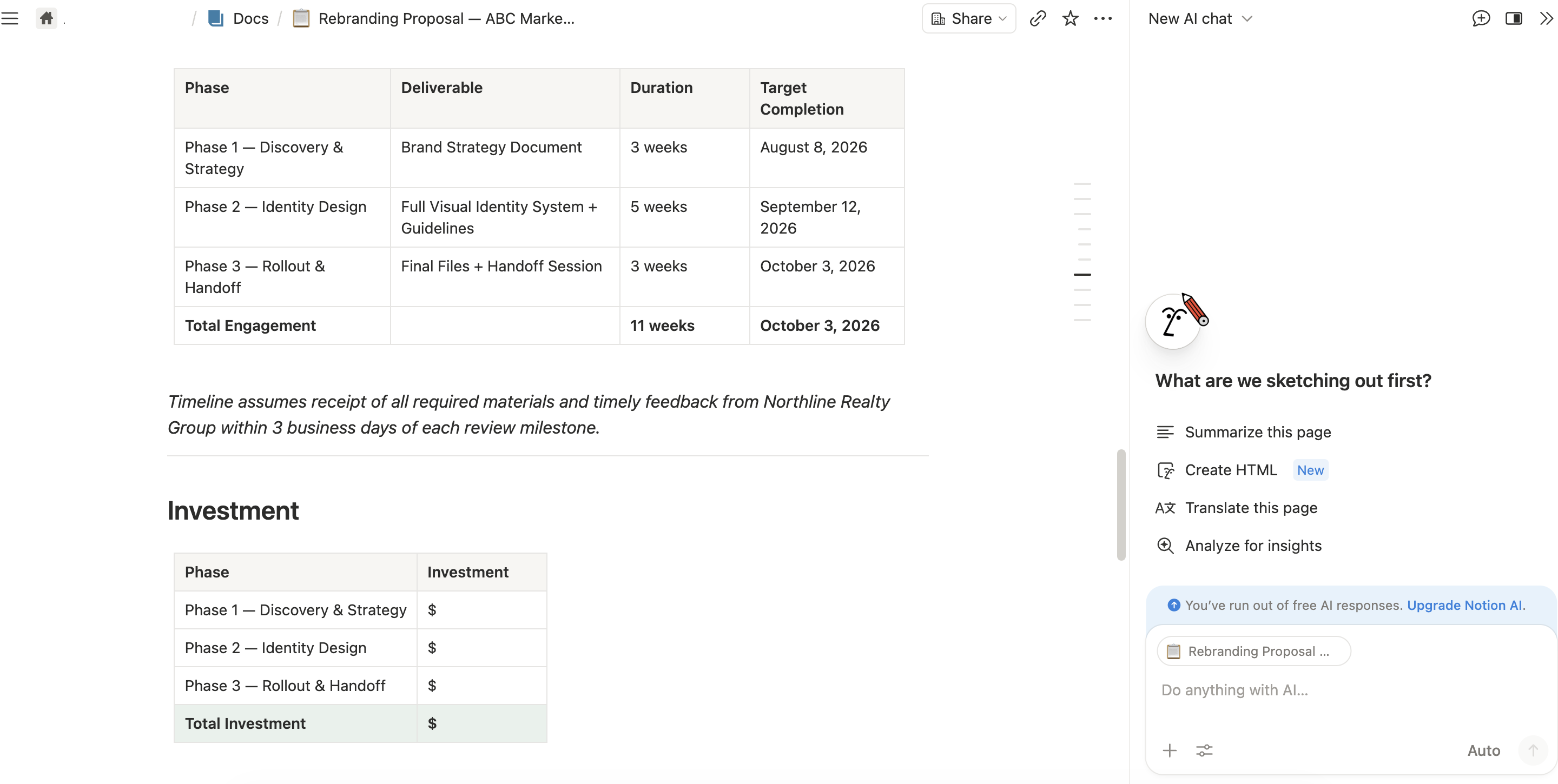
It still ran five pages against a one-page prompt, and the lease skipped disclosures that three rivals caught.
Pricing
Full Notion AI now requires Business: $20 per user/month on an annual plan, or $24 per user/month monthly. Free and Plus get only a limited trial.
Pros & Cons
➕ Notion AI has native drafting with workspace context;
➕ The most honest handling of unknowns in our test;
➕ Exact invoice math.
➖ Exports carry workspace clutter and vanishing blanks;
➖ Missing standard disclosures;
➖ Priciest entry point of the seven.
Verdict
This AI for document creation is built for teams that live in Notion and draft for internal use - briefs, wikis, working agreements. Anything leaving the workspace needs a cleanup pass first.
Choosing the Right AI Document Generator for Your Needs
What kind of platform you need really depends on what you're producing, how you work, and where those documents will end up. There are five things to check to quickly weed out the options that just aren't right for you.
Match the Tool to Your Document Type
When you're dealing with legal forms and contracts, you're going to want a document generation tool that's got some serious structure - we're talking numbered clauses, defined terms, and signature blocks - that's when FormsPal can help.
On the other hand, if you're creating visual one-pagers, Gamma is your go-to, and if it's documents generated from form answers, then Jotform is the way to go. And that pattern just keeps going - the right tool is more about the kind of files you're producing than how many features the tool has got.
Decide Between One-Off and Bulk Generation
If you're only generating a document every now and again, you're probably going to want to use a prompt-based tool - just type in what you need and you're done. But if you're generating the same document over and over again - say 50 contracts with different names in each one - then you're better off going with a template system like Docupilot. The initial setup might take an hour, but after that every file takes seconds.
The only problem with this is that you'll be paying that setup cost every time you need to generate a document, which can add up quickly.
Check What Really Happens After Generation
This is where platforms start to show their true colors. If your workflow wraps up with a signature, then a text generator that cuts off after the words leaves you piecing together exports, imports, and tools - so make sure the platform is editing, filling, and signing before you do anything else. A finished product is worth a lot more than a fancy first draft.
Test the Free Tier With a Real Document
Every tool on offer here has a free option, and spending 20 minutes with a real file from your own business will tell you way more than any comparison chart.
Keep an eye out for limits on how many times you can use AI to generate text, whether there are watermarks on exported content, and features that are locked behind pricier plans.
Run Some Due Diligence Before Using a Platform for Business
Look for encryption in transit and at rest, audit trails on signed documents, and two-factor login. Any team that works with sensitive info in a heavily regulated field should ensure the platform has SOC 2 or HIPAA certification before uploading anything important.
And when it comes to signatures, platforms that comply with the rules in the US (the ESIGN Act) and the EU (eIDAS) will produce e-signatures that courts will recognize. And yes, using AI to make your documents look pretty doesn't change that.
What Is the Best AI Document Generator?
We boiled our testing down to one simple question: can any of these tools actually produce a document that's useful in real life? FormsPal answered it best - statute-aware legal drafts, exact invoice math, and a straight path from generated file to filled, signed document, all without payment or an account.
Get started with FormsPal and generate your first document for free - no account needed.
FAQs
What's the real difference between an AI text generator and an AI document generator?
An AI text generator creates content, while AI document generation tools give you a finished file. The structure of an AI document includes numbered clauses, tables, and signature blocks, and so does the output. A text generator gives you a reply to copy and paste, whereas an AI document generator produces a formatted Word or PDF file ready to download and use.
Can an AI document generator create legally binding documents?
The generator will produce a draft for you, but what makes a document binding is proper execution, including signatures, capacity, and terms that comply with the laws in your jurisdiction. Use the AI output as a starting point, and ask an attorney to review anything with serious consequences before you sign it. Every tool in this list carries a similar disclaimer for a reason.
Is there a free AI document generator worth using?
Yes, FormsPal lets you create up to five documents per day for free, and you don't need an account. It's a good option if you only need to make documents occasionally. Paid plans may suit users who need extra features, such as e-signing or document storage, or create documents often.
What's the best AI PDF maker for fillable forms?
FormsPal ranked first in our tests. It's the only AI PDF creator on this list that generates a document with marked fields and moves it into a fill-and-sign workflow in one click. Rival tools produce the text but leave the form-building work to the user.
How accurate are AI-generated documents?
The structure is usually accurate, but you still need to check the details. A specific prompt often produces a better result, while vague instructions may lead to placeholders or missing information. Always double-check names, amounts, dates, and legal references before sending a document. AI can speed up drafting, but every file still needs review.