
Updated:
A board meeting minutes template is a ready-made form for board decisions. It sets a fixed order for the date, directors present, motions, votes and next steps. Board secretaries need it most, especially for regular meetings of nonprofit and company boards.
This page explains what board minutes cover, gives a filled-in example and lists what to leave out. Select Create My Document at the top of this page to fill in your own copy online, then save or print it.
Build Your Document
Answer a few simple questions to make your document in minutes
Save and Print
Save progress and finish on any device, download and print anytime
Sign and Use
Your valid, lawyer-approved document is ready
Board meeting minutes are the written account of a board of directors meeting: who attended, which motions came up, how each vote ended and who took on each task. Once the board approves them, the minutes become its own account of what it decided. Nonprofit boards, company boards, advisory boards and committees all keep them.
Minutes are not a transcript. They give each decision and the reason behind it in a few lines, so a director who missed the meeting can see what changed.
Boards keep minutes because they give the whole board one shared memory of its decisions, its open tasks and the reasons behind each choice. They help in several ways:
Every kind of board meeting gets its own set of minutes, written on the same template so the set reads as one series:
Minutes of a first board meeting tend to be longer, since that meeting often adopts governing documents, elects officers and approves early business steps. Use the same sections and add a line for each item the board adopts.
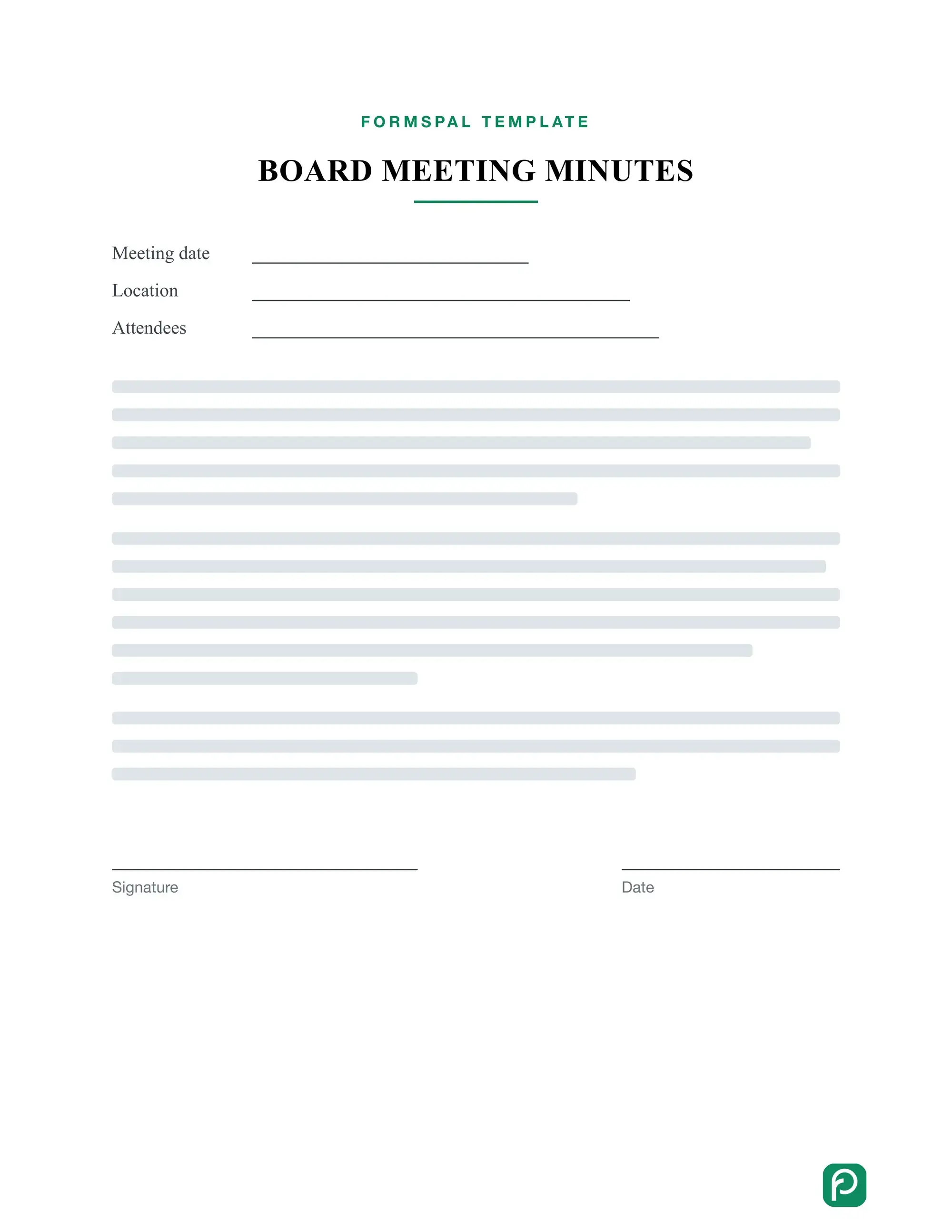
A board meeting minutes template follows the order of the meeting itself: heading, attendance, approval of earlier minutes, reports, motions and votes, action items and adjournment. Filling in the same sections each time makes every set of minutes easy to scan and compare.
| Section | What to write | Sample wording |
|---|---|---|
| Heading | Organization name, meeting type, date, time and place | "Regular meeting of the Board of Directors" |
| Attendance | Directors present and absent, guests, and who chaired | "Present: the chair, the treasurer and the secretary" |
| Previous minutes | Whether the board approved the last minutes, with any corrections | "Minutes of the last meeting approved as corrected" |
| Reports | Who reported and where the full report is kept | "Treasurer's report received; copy attached" |
| Motions and votes | The motion's wording, who moved and seconded it, and the result | "Motion to approve the budget, moved and seconded, passed" |
| Action items | The task, the person who owns it and the due date | "The secretary sends the approved budget to all directors" |
| Adjournment | The next meeting date, the time the meeting ended and the secretary's signature line | "Meeting adjourned; next meeting date noted" |
The form turns these sections into fill-in fields, so the secretary writes short entries instead of full paragraphs. A board with its own order of business can rename the sections to match it.
For staff, team or committee meetings, the general meeting minutes template uses the same layout with fewer formal parts.
Board meeting minutes include who met, what was proposed and what the board decided, in the order it happened, with each entry kept short and factual. Make sure your minutes cover:
Note when a director arrives late or leaves early. Attendance at the moment of each vote shows who took part in it. Always write down whether a quorum was present when the chair called the meeting to order.
The quorum comes from the bylaws or, when they are silent, from the law of the state where the organization is incorporated, so the default varies by state. For a Delaware corporation, a majority of the total number of directors is a quorum unless the certificate of incorporation or the bylaws require a greater number (8 Del. C. § 141(b)). Unless the certificate of incorporation provides otherwise, Delaware bylaws may set a lower quorum, but never less than one third of the total number of directors (8 Del. C. § 141(b)).
For each vote, write the motion as it was worded, then the result: passed, failed or tabled. Ask the chair whether your board lists the count or the names of those voting for and against, and follow your governing documents where they cover it. When a director steps out of an item because of a conflict of interest, note it at that item.
To write board meeting minutes, prepare from the agenda before the meeting, note decisions and action items during it, then turn your notes into a clean draft for the board to approve. The steps below follow that order.
Good board minutes come from writing down the decision, not the debate, and from keeping pace with the meeting instead of transcribing it. Keep these quick tips in mind:
Use short phrases while the meeting runs and turn them into full sentences in the draft. If a motion is unclear, ask the chair to restate it before the vote. Keep the tone neutral: the minutes describe what the board did, not how the room felt.
A clean draft of board minutes uses the past tense, the third person and the same headings as the template, so each set looks like the last. A few habits keep it accurate:
A board meeting minutes example shows how short each entry can be: a heading, attendance, a line or two per decision and the action items that follow. The names and figures below are made up.
Maple Street Community Garden Board, regular meeting
Called to order at 6:00 p.m. by the chair, M. Okafor. Present: five board members, including the secretary. Absent: one board member. A quorum was present.
Previous minutes: approved without changes.
Treasurer's report: received; copy attached to these minutes.
Motion to approve the spring budget, moved by director A. Rivera and seconded by director J. Chen. Passed, 4 for and 1 against.
Action item: director J. Chen sends the final budget to all board members.
Next meeting: first Tuesday of the month at 6:00 p.m. Adjourned at 7:10 p.m.
Minutes taken by the secretary. Signature and date.
A motion entry in board minutes gives the motion in the words the board voted on, names who moved and seconded it, and ends with the result in one line. A simple pattern is: motion, mover, seconder, result.
Motion: to sign a one-year lease for the storage shed at $40 a month. Moved by director A. Rivera, seconded by director L. Park. Result: passed, 5 for and 0 against.
When the board amends a motion, note the amendment and its result before the vote on the main motion. A withdrawn or tabled motion gets one line saying so.
Board minutes leave out opinions, side conversations, long summaries and word-for-word quotes, because the minutes show decisions and do not replay the debate. Leave out:
A common mistake is writing down who said what in every exchange. Record the motion and the result instead, and your minutes stay short and easy to read.
Write that a discussion took place and what it was about, then move on to the motion. A line such as "The board discussed the venue options" is enough.
Instead of summarizing a report or presentation in the minutes, note who presented it and where readers can find the full copy. Attach a copy to the minutes when the board wants one.
Side conversations and chatter between agenda items stay out of board minutes, even when they run long or touch on board business. If the board talked about something off the agenda, note the topic in a few words and leave it at that.
Board minutes become final when the board approves them at a later meeting; until then they stay a draft, and any corrections go into the approved version. Mark each unapproved copy as a draft so nobody mistakes it for the final text.
Once the board approves the minutes, the secretary signs and dates the final copy and sends it to the directors. Keep them in one shared folder, filed by meeting date, with any handouts. A consistent file name for each meeting makes a specific set easy to find later.
Ask your organization how long it keeps board papers, and follow that policy for minutes too.
Board minutes differ from an agenda and from personal notes: the agenda is the plan for the meeting, notes are the secretary's working draft, and approved minutes are the board's account of what happened.
| Document | What it is | When it is made |
|---|---|---|
| Agenda | The list of topics and motions planned for the meeting | Before the meeting |
| Secretary's notes | Short phrases taken while the meeting runs | During the meeting |
| Draft minutes | A clean write-up of the notes for the chair and directors to check | Soon after the meeting |
| Approved minutes | The final version the board has approved and the secretary has signed | At or after the next meeting |
Use the agenda as the outline for your minutes, then fill in the motions, votes and action items as the meeting goes on.
Usually the board secretary does. If the secretary is away, the board can pick another member or an assistant. Choose the minute taker before the meeting and share the agenda with them in advance, so they know what to expect.
Yes. An advisory board or a board committee can use the same board meeting minutes template: change the heading to the group's name and list its members. Where the group makes recommendations instead of decisions, write each recommendation in the place of a motion.
Yes. Fill in the board meeting minutes template on your computer, or print it and write by hand. Pick the method you can keep up with, and tell the board which one you chose before the meeting starts.
The template on this page is a fillable PDF form that you can save, download and print. If your board keeps its minutes in Word, copy the same sections into a Word document and use them in the same order.
The secretary usually signs the approved minutes, and some boards ask the chair to sign as well. Your board's governing documents or past practice tell you who signs at your organization.
As short as the meeting allows. Most of the length should come from motions, votes and action items, not from the discussion. A reader should be able to scan the page and see what the board decided.
Select Create My Document at the top of this page and answer a few simple questions. You can save your progress, finish on any device, and download or print the finished minutes.
General information, not legal or tax advice.
