
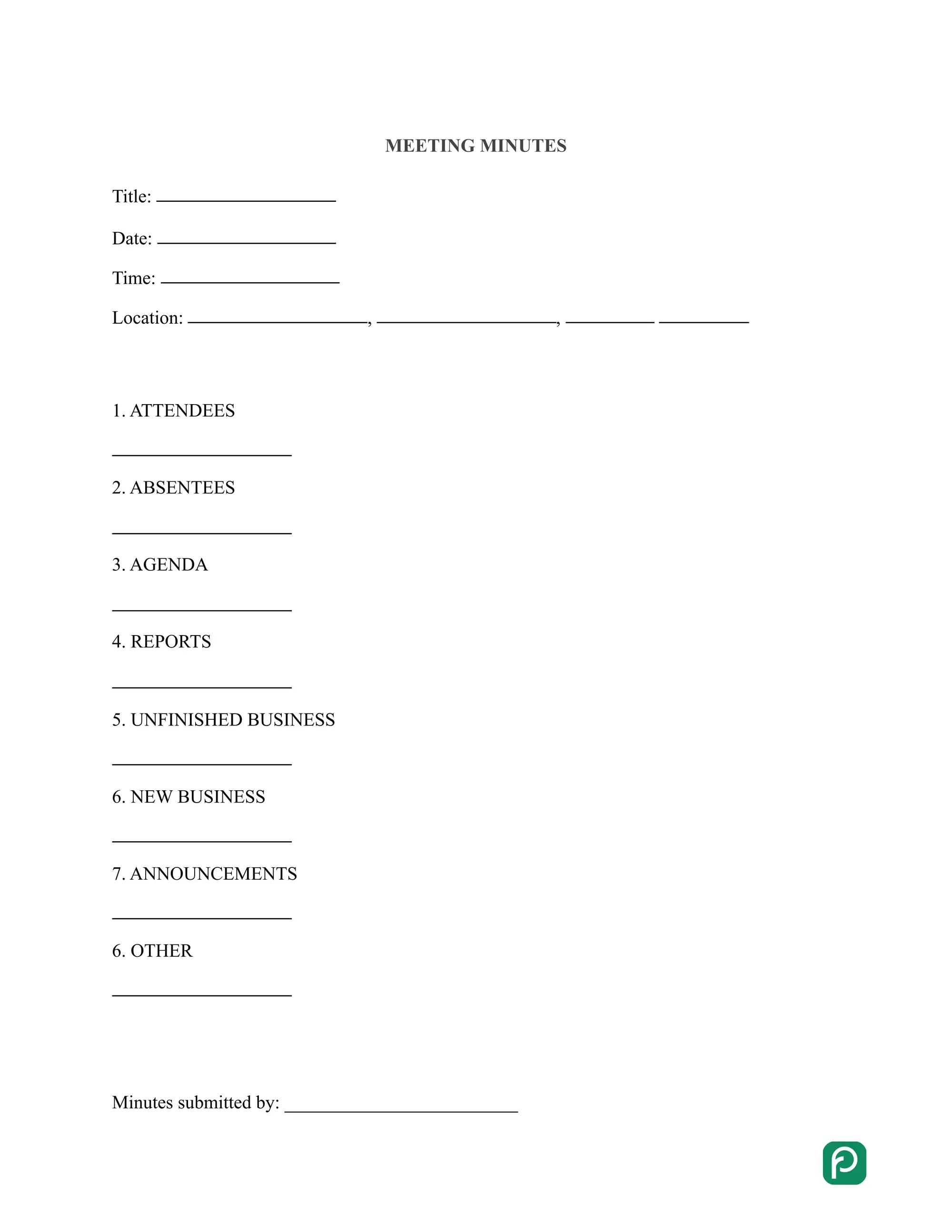
A meeting minutes template is a ready-made document for recording a meeting: who attended, what was discussed, which decisions were made and who is responsible for what next. Use the free template below to capture each meeting in a clear, consistent format. Participants and anyone who missed the meeting can then refer back to it at any time.
Last Updated: October 2026. This guide is reviewed and updated regularly to reflect current law. If you notice an error or outdated information, please contact us.
Build Your Document
Answer a few simple questions to make your document in minutes
Save and Print
Save progress and finish on any device, download and print anytime
Sign and Use
Your valid, lawyer-approved document is ready
Meeting minutes are a written record of what was discussed and achieved during a meeting. A good set of minutes lists the tasks and goals of the meeting and helps the group review the results at the next one. Participants can refer to the notes at any time, so nothing important gets lost.
Written minutes help in several practical ways:
In some cases, having meeting notes might be a legal requirement. For instance, a disciplinary meeting with employees might require meeting minutes.
Some people treat minutes as a minor task next to the matters discussed at the meeting. The time is worth spending, though. Without proper notes, participants may remember the meeting differently and act on different versions of the same decision. Deadlines can then be missed, and even important tasks can be forgotten.
Meeting minutes cover a handful of core details: what the meeting was about, who took part, what was decided and what happens next. The list below shows what to put in the document, starting with the very first items.
To see how these details fit together in a finished document, use the free meeting minutes template on this page.
Meeting minutes can vary by length, members, frequency, and other parameters. A short weekly check-in needs a different level of detail than a board meeting with formal votes. Pick the type that matches your meeting, then adjust the template to fit.
| Frequency | Typical use |
|---|---|
| Annual | Any type of business that holds a meeting once a year can create these. They usually cover annual accounting, tax records, and other company reports. |
| Quarterly | Created at a meeting held every third month, usually to review the results of the previous quarter and set goals for the next one. |
| Monthly | Formal meeting minutes aimed at solving current problems, discussing strategies, organizational matters, etc. |
| Weekly | They record meetings held week to week and usually cover action items, roadblocks, and questions for the coming weeks. |
Meeting minutes templates might also be used for school board meetings, church meetings, non-profit organization meetings, etc. However, when it comes to an informal meeting, formal meeting attributes such as minutes, a chairperson, or an agenda are not generally used.
The document changes with its type, but a basic set of meeting minutes follows 4 steps. Prepare an agenda before the meeting, list who attended, note down what was discussed, and get the minutes approved and signed. Here is what each step involves.
Start by preparing a meeting agenda. It outlines the key points of the meeting: the topics to be discussed, the approximate time for each of them, and who will be speaking. An agenda helps participants follow the outline and know what to expect from the gathering.
Minutes also show who took part. The best way to check who is present is to make a roll call, and then note the names in the minutes.
Minutes work as a list of bullet points for every topic raised at the meeting. Outline only the main points. If there is an argument at the meeting, note down the arguments of both sides in the minutes.
Some questions at a meeting might require a voting procedure. If it takes place, the results of voting should be put in the minutes. The names of the voters might be included as well unless the voting is anonymous.
Finally, ask the chairperson to approve the minutes. The chairperson reviews the document and can remove details that do not belong in it. Once the minutes are signed, you can share them with the participants.
Before you share the minutes, run through this quick check:
Most meeting minutes templates have four parts, and you fill them in from top to bottom. Work through the steps below in order and keep each entry short, so the finished minutes are easy to scan later.
Meeting minutes templates can be different based on the type of company, length, members, etc. This is why you must know what exact type you need to get a proper meeting minutes template.
To see what the finished document looks like, use the free meeting minutes template above. You can customize it for your own needs.
Here is a short example of filled-in minutes for a weekly team meeting. It uses made-up names, so you can see how the sections fit together before you fill in your own.
A well-designed template still produces weak minutes when the note-taking process goes off track. The most common mistakes are listed below, and each one is easy to avoid with a little preparation.
Include the date, time and place of the meeting, who attended and who was absent, the topics discussed, the decisions made, and the action items with owners and due dates. Finish with the date of the next meeting and the signatures of the secretary and the facilitator.
Keep them as short as the meeting allows. A one-page form works for most regular meetings, while a longer form suits meetings with many topics or votes. Focus on decisions and next steps rather than a word-for-word record.
The secretary usually keeps the minutes. If your group has no secretary, choose one person before the meeting starts, so the facilitator can concentrate on leading the discussion.
Meeting notes are informal and personal. Meeting minutes are the shared, structured document for the meeting, with names, decisions and action items in a fixed order. Many people take notes during the meeting and turn them into minutes afterward.
Send them soon after the meeting, while the discussion is still fresh in everyone's memory. Prompt distribution helps participants confirm their commitments, and it gives absent colleagues a quick way to catch up on the discussion.
Use the free meeting minutes template on this page. Select Create My Document, answer a few questions, and save, print or download the finished document at any time.
General information, not legal or tax advice.
