

Completing the AF Form 77 Letter of Evaluation online is straightforward with our PDF editor. Any user can fill in the af77 air force form here within minutes. We continuously improve our platform based on user feedback to keep it practical and up-to-date. Here is what you need to get started:
Step 1: Click the "Get Form" button at the top of this page to open our PDF editor. You will find all the tools needed to work with your document.
Step 2: The PDF editor lets you fill in blank fields, add custom text, modify existing entries, and insert graphics. You can also sign the form electronically within the editor.
The form requires you to enter specific information. Follow these instructions carefully to ensure accuracy:
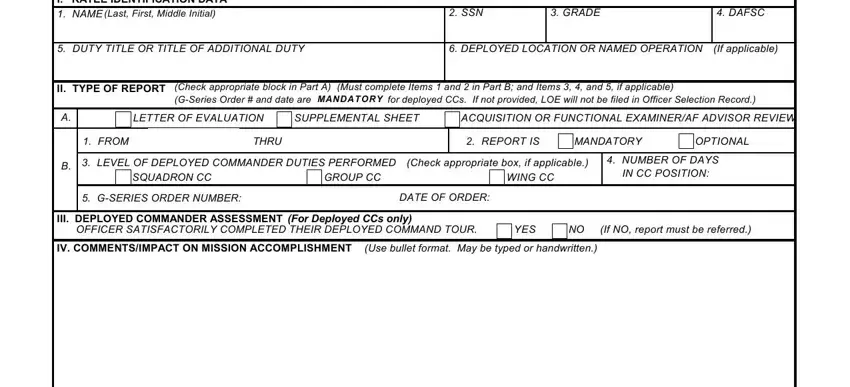
1. Start with the ratee identification section, which includes the following fields:
2. Complete the remaining sections: V RATER IDENTIFICATION DATA, NAME (First, Middle Initial, Last), DUTY TITLE, DATE, SSN, SIGNATURE, and the GENERAL INSTRUCTIONS. Complete the Deployed Commander Assessment, covering leadership, team building, and problem-solving in mission fulfillment. Confirm the submission date meets the NLT seven calendar day requirement after the ratee departs the deployed location. Include referral report procedures if applicable and document all mission accomplishment information.
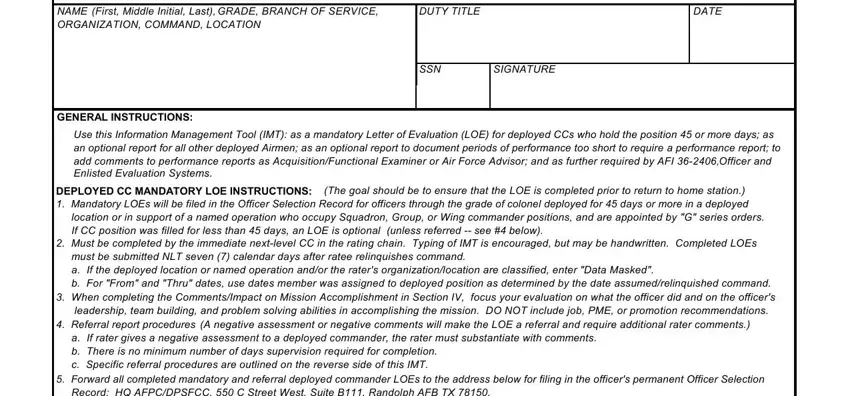
Pay close attention to the NAME (First, Middle Initial, Last) and submission deadline fields. These are the most critical entries on the form.
Step 3: After reviewing all completed fields, click "Done" to finalize. Start a 7-day free trial to download or edit the af77 form from your account page. FormsPal's secure platform protects your personal data throughout the process.
For other Air Force and military forms, explore the Air Force Form 24, Air Force Form 1562, Military Power of Attorney Form, and Military Dependent Form.