
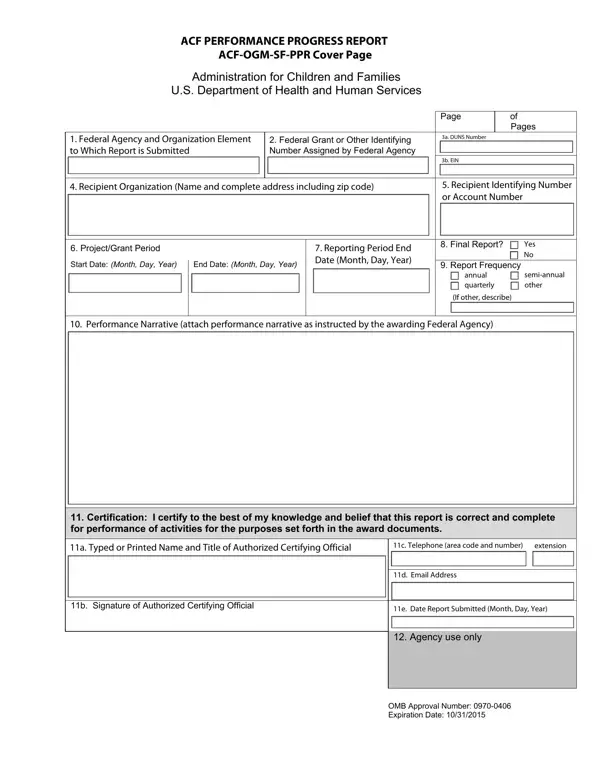
The ACF Performance Progress Report form (official form number ACF-OGM-SF-PPR) is the federal government's standardized tool for grant recipients to demonstrate accountability over ACF-funded programs. Organizations that receive grants from the Administration for Children and Families, including state agencies, tribal organizations, nonprofits, and community-based programs, are required to submit this report at intervals specified in their award documents.
The form collects key information including the Federal Agency and Organization Element, grant identification numbers, DUNS and EIN numbers, recipient organization details, project and grant period dates, and reporting period endpoints. A separate performance narrative must accompany the form to detail major activities completed, achievements reached, problems encountered, significant findings, dissemination activities, and plans for the next reporting period.
An authorized official must certify the report to confirm its completeness and accuracy. The ACF uses the collected data to monitor program outcomes, ensure transparency in the use of federal funds, and guide program improvements. Organizations managing similar federal reporting requirements may also need the human services form VS-111 or the CACFP 115 form for related federal programs.
| Question | Answer |
|---|---|
| Form Name | ACF Performance Progress Report Form |
| Form Length | 4 pages |
| Fillable? | Yes |
| Fillable fields | 43 |
| Avg. time to fill out | 9 min 25 sec |
| Other names | ACF-OGM-SF-PPR, SF-PPR, Performance Progress Report Coversheet |
ACF Performance Progress Report Form isn’t the one you’re looking for?