
Ackermans Account Form PDF Details

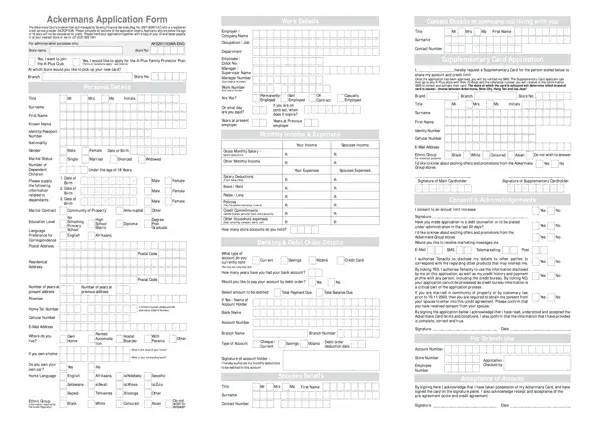
Applying for an Ackermans Account gives you access to credit facilities for purchases at Ackermans and affiliated stores. The account is managed by Tenacity Financial Services, a registered credit provider in South Africa.

To qualify, you must be at least 18 years old and provide personal, employment, and financial information. Tenacity reviews your income and monthly expenses to determine your creditworthiness before extending credit.

The application also lets you apply for a Supplementary Card, which shares your credit limit with a second cardholder, subject to approval. You can opt in to an annual credit limit increase and set preferences for marketing communications from Ackermans.

All applicants must consent to a credit background check. Married applicants in community of property must provide spousal consent. The application complies with the National Credit Act, ensuring transparent and responsible credit terms.

QuestionAnswer
Form NameAckermans Account Form
Form Length3 pages
Fillable?No
Fillable fields0
Avg. time to fill out45 sec
Other namesackermans account application online application form, ackermans account application, how to open ackermans account, ackermans account

How to Edit Ackermans Account Form Online for Free

Before completing the Ackermans account form, prepare the following documents:

  • South African identity document or valid passport
  • Recent payslip or bank statement as proof of income
  • Proof of residence such as a utility bill or lease agreement not older than 3 months
  • Valid cell phone number and email address

Married applicants in community of property must include spousal consent and details. For a Supplementary Card, add the secondary cardholder's information to the form.

How to Edit Ackermans Account Form Online for Free

The Ackermans account application form can be completed online using the FormsPal PDF editor. Fill in, edit, and download the form in a few simple steps.

Step 1: Click the "Get Form" button at the top of this page to open the form in the FormsPal editor.

Step 2: The editor lets you add text, modify existing fields, and attach a signature. Fill in every section carefully to avoid delays in processing.

Here is what to complete in each part of the form:

1. Fill in all required fields in the personal information section, including your full name, ID number, date of birth, and contact details.

How to complete the Ackermans account application step 1

2. Complete the address and contact section: Language Preference, Postal Address, Residential Address, years at present address, Province, home telephone, cell number, email address, and home ownership status. Double-check each entry before continuing.

Completing address and contact details in the Ackermans account form

Step 3: Review all your entries and click "Done" to save. You can download the completed form as a PDF or send it via email from FormsPal. Your document is stored securely in your FormsPal account.

How to Submit the Ackermans Account Application

You can submit the completed form at your nearest Ackermans branch, or apply online via the official Ackermans website. In-store submissions allow staff to verify your documents on the spot. Online applications processed by Tenacity Financial Services may require scanned copies of your supporting documents.

Once your application is assessed and approved, you receive an Ackermans Card with a set credit limit. Pay your monthly instalment by debit order, EFT, or in cash at any Ackermans or Tenacity-affiliated store. For other credit needs, see our consumer credit application form.