
Form B2500A at a glance
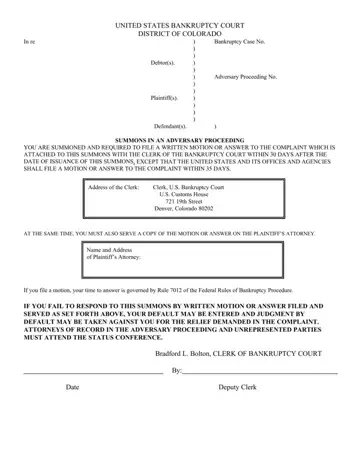
What it is: Form B2500A (Form 2500A) (12/15) is the Summons in an Adversary Proceeding of the United States Bankruptcy Court, District of Colorado, with a Notice to Litigants per GPO 2009-3 (1994-3).
What to bring and attach to Form B2500A
A copy of the Notice to Litigants and the attached income information should be served along with the Summons and Complaint.
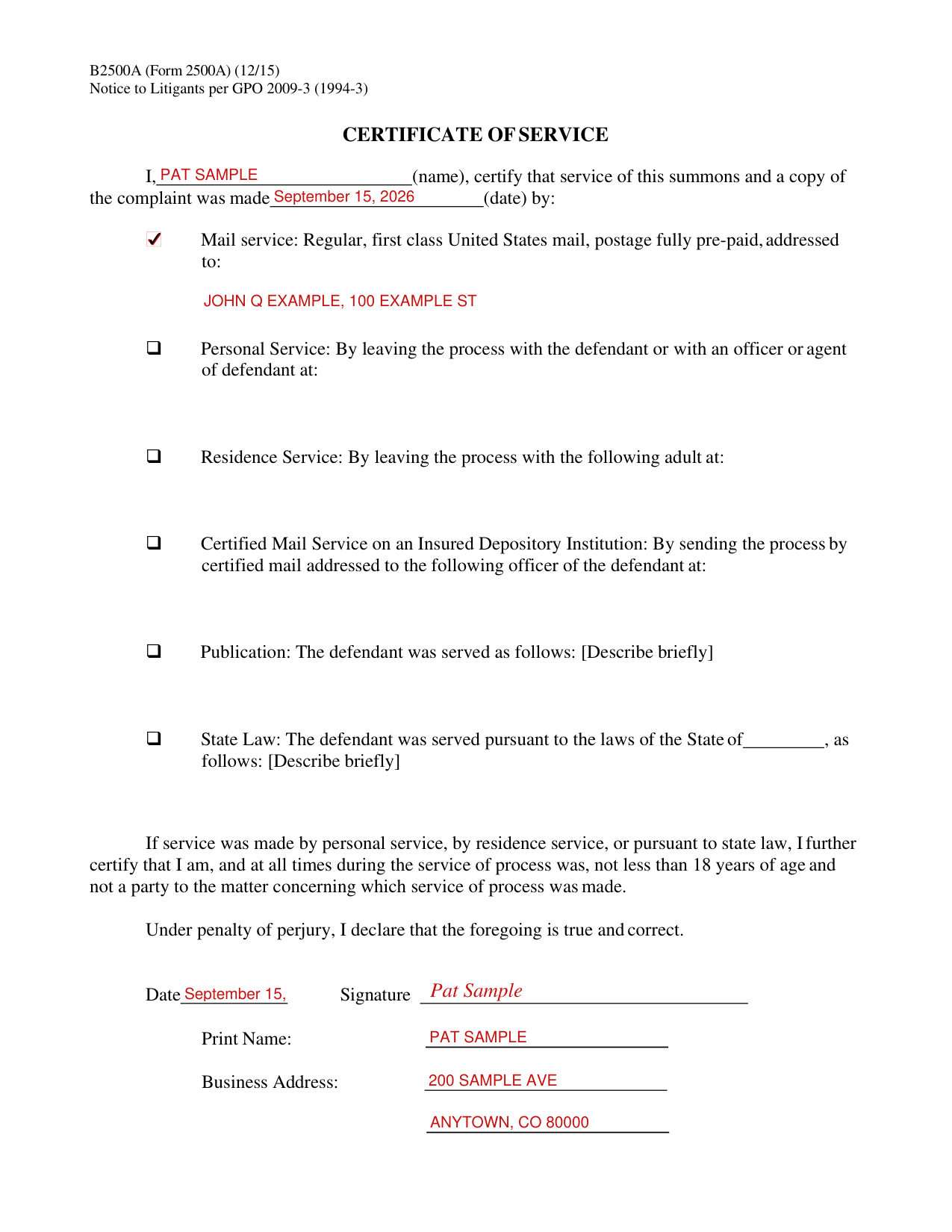
A filled-in Form B2500A example: a certificate of service for a summons served by mail
How to fill out Form B2500A, box by box
Tap a group of boxes to open it, and a picture to see it full size.
In re, Case No., Chapter, Plaintiff, Adv. Proc. No. and Defendant
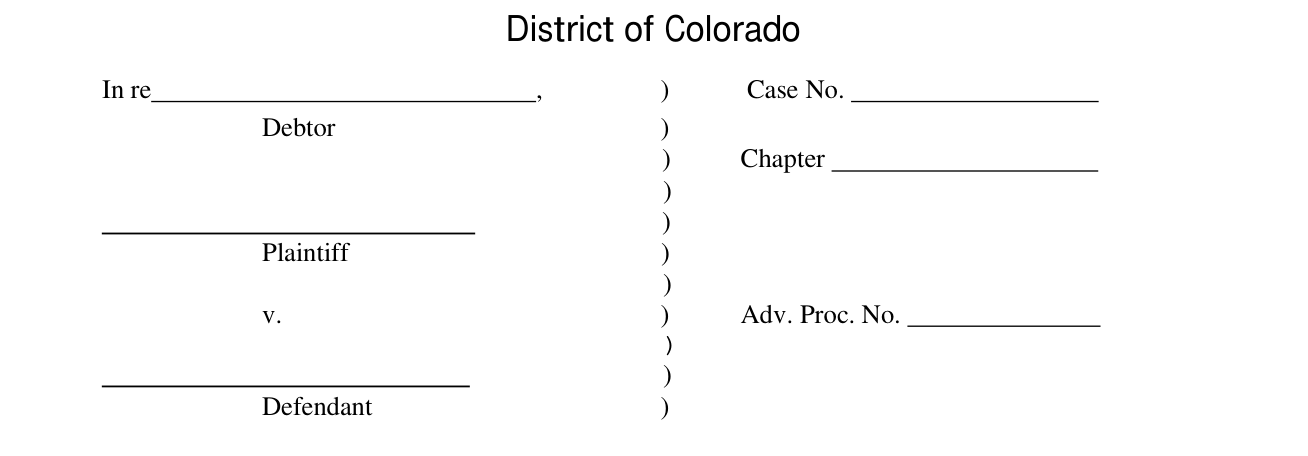
Enter the Debtor after In re, then the Case No., the Chapter, the Plaintiff, the Adv. Proc. No. and the Defendant.
Name and Address of Plaintiff's Attorney

Enter the Name and Address of Plaintiff's Attorney.
Clerk of the Bankruptcy Court, Date and By (Deputy Clerk)

The Date and the By (Deputy Clerk) line are for the Clerk of the Bankruptcy Court: the Date is the date of issuance of this summons.
Certificate of Service, name and date

Write your name after I and the date service of the summons and a copy of the complaint was made.
Mail service

If service was made by regular, first class United States mail, postage fully pre-paid, mark Mail service and write the address it was addressed to.
Personal Service

If service was made by leaving the process with the defendant or with an officer or agent of defendant, mark Personal Service and write where the process was served.
Residence Service

If service was made by leaving the process with an adult, mark Residence Service and write the adult and where the process was served.
Certified Mail Service on an Insured Depository Institution

If service was made by sending the process by certified mail to an officer of the defendant, mark Certified Mail Service on an Insured Depository Institution and write the officer and where.
Publication

If the defendant was served by publication, mark Publication and describe briefly how the defendant was served.
State Law

If the defendant was served pursuant to the laws of a State, mark State Law, write the State after the State of, and describe briefly how the defendant was served.
Personal Service, Residence Service and State Law: the age certification
If service was made by personal service, by residence service, or pursuant to state law, you further certify that you are, and at all times during the service of process were, not less than 18 years of age and not a party to the matter concerning which service of process was made.
Date, Signature, Print Name and Business Address

Fill in the Date, the Signature, Print Name and Business Address.
Under penalty of perjury, the signer declares that the foregoing is true and correct.
If your situation is different
You are summoned
You have been named as a defendant in an adversary proceeding, the outcome of which may affect your bankruptcy discharge. Even if you have already received a discharge, this is a serious matter that you should not ignore.
You are summoned and required to file a motion or answer to the complaint attached to the summons with the clerk of the bankruptcy court within 30 days after the date of issuance of the summons, except that the United States and its offices and agencies shall file a motion or answer to the complaint within 35 days.
The address of the clerk is Clerk, U.S. Bankruptcy Court, U.S. Custom House, 721 19th Street, Denver, CO 80202.
You must also serve a copy of the motion or answer upon the plaintiff's attorney at the same time you file with the clerk.
If you make a motion, your time to answer is governed by Fed. R. Bankr. P. 7012.
If you fail to respond to the summons, your failure will be deemed to be your consent to entry of a judgment by the bankruptcy court, and judgment by default may be taken against you for the relief demanded in the complaint.
Where to get help with Form B2500A
Individual litigants are entitled to appear without an attorney and represent themselves in the Bankruptcy Court. However, the rules can be quite technical and failure to comply with the rules can have severe consequences. Before deciding to appear on your own, you should consider consulting an attorney.
Sources
[1] Form B2500A (12/15), Summons in an Adversary Proceeding, United States Bankruptcy Court, District of Colorado (the Official source link on this page).
