
AF Form 2096 at a glance
What it is: DAF Form 2096 is the Classification/On-the-Job Training Action form, prescribed by DAFMAN 36-2689.
Who signs: The supervisor/requesting official enters the name, grade, title and duty phone, and the date, and signs. The member signs under III. Concurrence of member; the commander or authorized representative signs under VI. Approval by commander or authorized representative; the personnel official signs under VII. Action by personnel official.
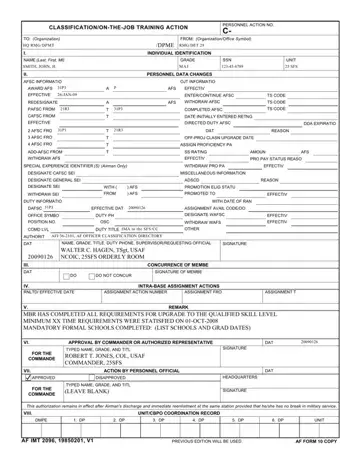
A filled-in AF Form 2096 example: a unit identifies the airman
How to fill out AF Form 2096, box by box
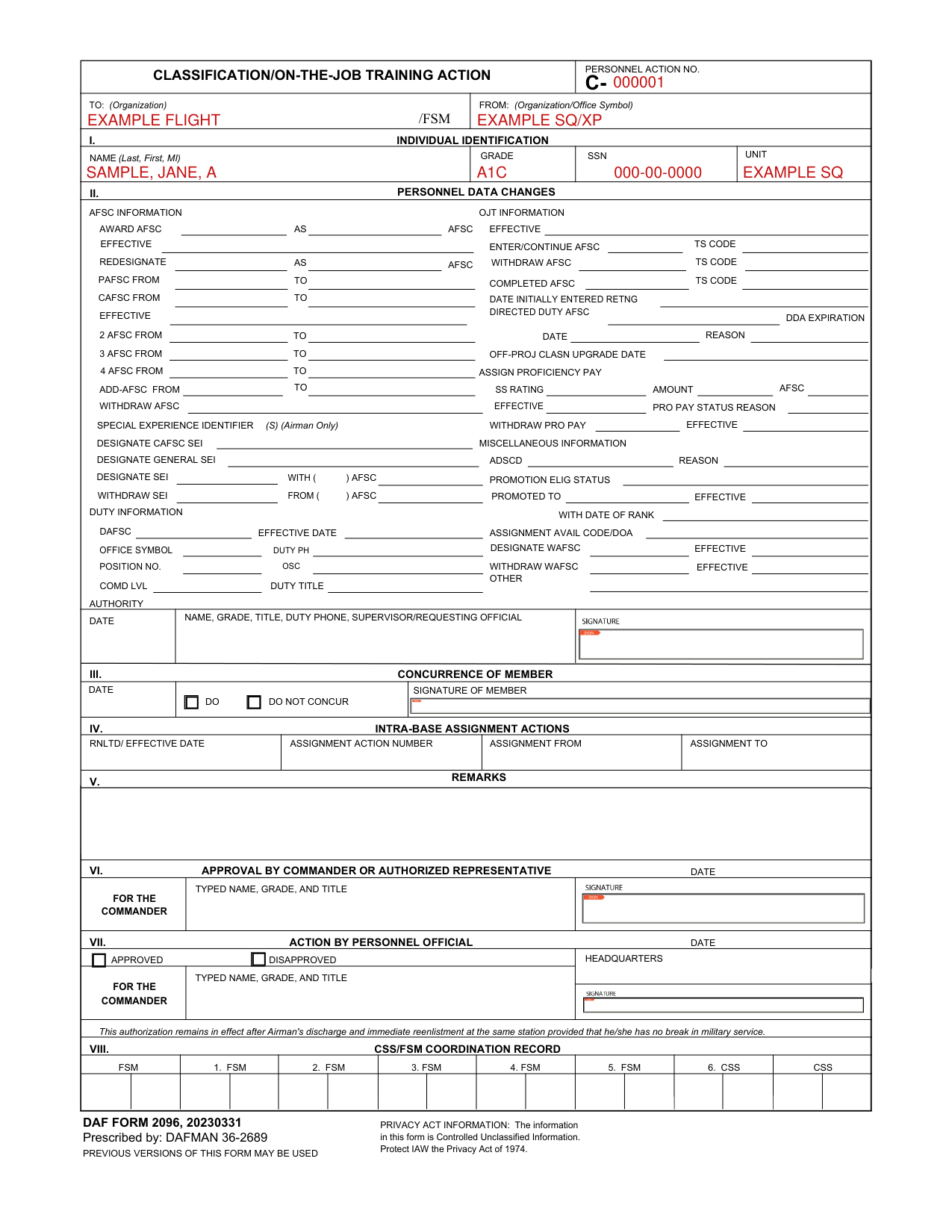
Personnel action number, organization and office symbol

Enter the personnel action no. after C-.
Enter the organization/office symbol after FROM: and the organization after TO:.
Individual identification

Under I. Individual identification, enter the name (Last, First, MI), grade, SSN and unit.
AFSC information

Under II. Personnel data changes, the AFSC information has Award AFSC, Enter/Continue AFSC, Redesignate, Withdraw AFSC and Completed AFSC; Enter/Continue AFSC, Withdraw AFSC and Completed AFSC each have a TS code.
Concurrence of member

Under III. Concurrence of member, mark do or do not concur, then add the date and the signature of member.
Approval by commander or authorized representative

Under VI. Approval by commander or authorized representative, enter the typed name, grade, and title for the commander and the date, and sign.
Action by personnel official

Under VII. Action by personnel official, mark approved or disapproved, enter the typed name, grade, and title for the commander and the date, and sign.
More rules for AF Form 2096
This authorization remains in effect after Airman's discharge and immediate reenlistment at the same station provided that he/she has no break in military service.
The information in this form is Controlled Unclassified Information, to be protected IAW the Privacy Act of 1974.
Previous versions of this form may be used.
Sources
[1] DAF Form 2096 (20230331), Classification/On-the-Job Training Action, prescribed by DAFMAN 36-2689 (the Official source link on this page).
