
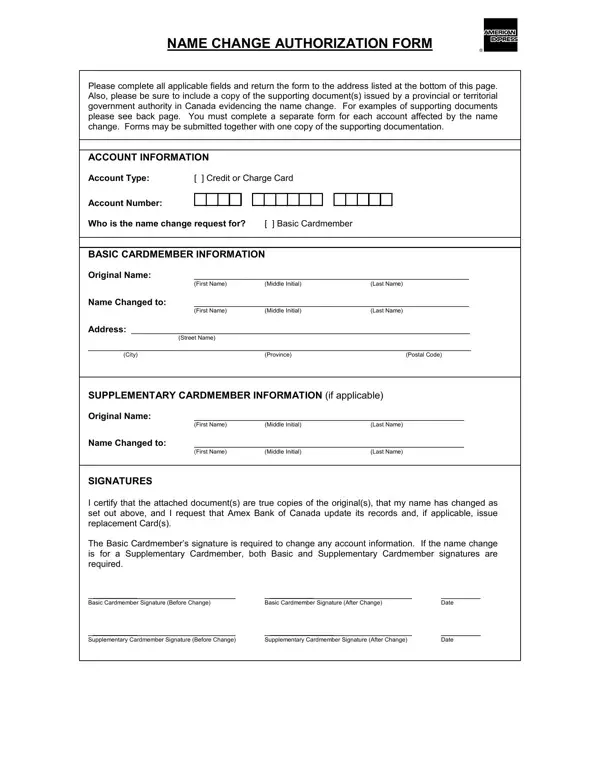
When life presents a reason for a name change, understanding the steps to update personal information with financial institutions becomes essential. For American Express cardholders in Canada, the Name Change Authorization Form is the first step toward ensuring that your credit or charge card reflects your new legal identity. Whether the name change follows a marriage, divorce, adoption, or court order, this form provides a direct pathway to update your account records.
The form asks for both your original and new names along with comprehensive account information. You will also need to provide supporting documentation issued by a provincial or territorial government authority. Accepted documents include marriage certificates, divorce decrees, and legal change-of-name certificates depending on the reason for your change. Both basic and supplementary card members must sign to authenticate the request.
Once completed, submit the form along with your supporting documents by fax or mail to Amex Bank of Canada. This two-step process keeps your account secure while ensuring your identity is properly verified throughout the update. If you need to understand the broader legal name change process, the petition for name change provides useful context on court procedures.
| Question | Answer |
|---|---|
| Form Name | American Express Name Change Form |
| Form Length | 2 pages |
| Fillable? | Yes |
| Fillable fields | 19 |
| Avg. time to fill out | 4 min 18 sec |
| Other names | express name form, american express com name, americanexpress com name, name change form amex canada |
American Express Name Change Form isn’t the one you’re looking for?