Please rate Aml Program Template

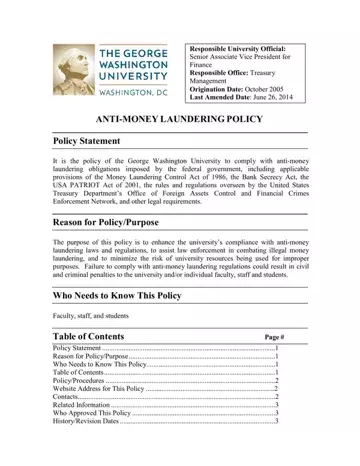
An effective anti-money laundering (AML) program rests on five core pillars established by federal regulators: internal controls, a designated compliance officer, ongoing employee training, independent auditing, and customer due diligence. The AML program template in this PDF documents each of these pillars, giving your organization a ready-to-customize compliance framework that satisfies requirements under the Bank Secrecy Act, the USA PATRIOT Act of 2001, the Money Laundering Control Act of 1986, and rules enforced by the Financial Crimes Enforcement Network (FinCEN) and the Office of Foreign Assets Control (OFAC).
The template captures specific compliance procedures that regulators require. These include customer identification and verification processes, thresholds for filing Currency Transaction Reports (CTRs) and Suspicious Activity Reports (SARs), recordkeeping timelines for transaction data, and the scope of employee training programs. It also documents the compliance officer role, outlining their authority to approve transactions, escalate suspicious activity, and liaise with law enforcement. Organizations that complete this template can demonstrate to examiners that their AML program is written, implemented, and regularly reviewed, which is a baseline requirement for financial institutions under the Bank Secrecy Act.
A wide range of regulated entities rely on AML program templates. Banks, credit unions, broker-dealers, and insurance companies must maintain written AML programs under federal law. Money services businesses (MSBs) such as currency exchanges, check cashers, and prepaid card issuers face similar obligations under FinCEN regulations. Nonprofits, universities, and other institutions that handle significant financial flows also adopt AML policies to mitigate exposure to money laundering or terrorist financing risks. This George Washington University policy document is a practical example of how an educational institution structures its anti-money laundering compliance commitments.
For related compliance forms, see the Wolfsberg Anti-Money Laundering Form and the DEFRA AML Form 2. Organizations seeking to build a full KYC program can also reference the KYC verification form templates available on FormsPal.
| Question | Answer |
|---|---|
| Form Name | AML Program Template |
| Form Length | 3 pages |
| Fillable? | No |
| Fillable fields | 0 |
| Avg. time to fill out | 45 sec |
| Other names | anti money laundering template, AML policy template, anti money laundering program template, anti money laundering policy sample, BSA AML policy template, AML compliance program template, money laundering policy template |
Aml Program Template isn’t the one you’re looking for?
Please rate Aml Program Template
