
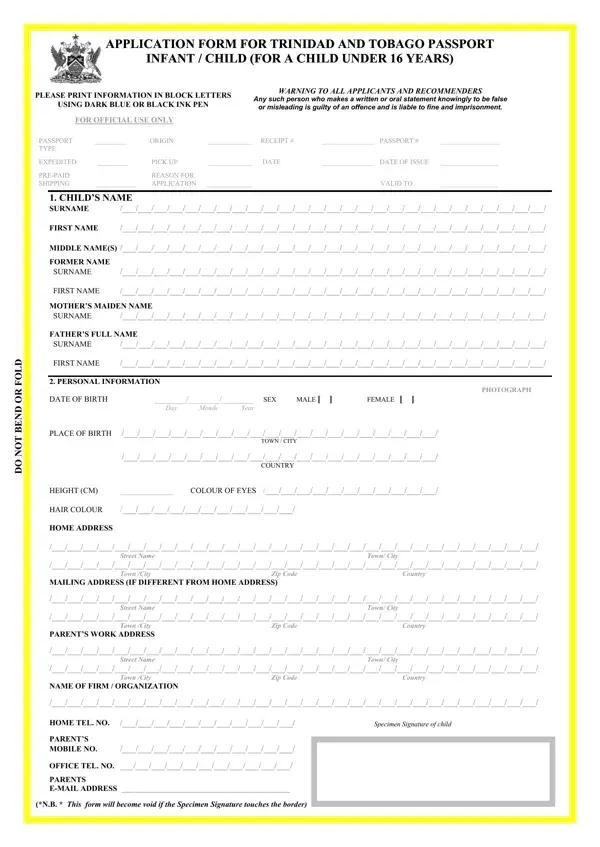
Applying for a Trinidad and Tobago passport for a child under 16 requires completing the official passport application and submitting supporting documents to the Passport Division. The process gathers comprehensive information about the child, their parents, and legal guardians to establish identity and citizenship.
Before you apply at the Passport Division, collect all required documents to avoid delays:
To apply for a child passport, schedule an appointment through the official TTConnect passport portal before visiting the Passport Division. Citizens in Trinidad can apply at the main office in Port of Spain or at a regional office. Walk-in applications at the Passport Division are not accepted. On the appointment date, the parent or legal guardian must attend in person with all required documents. Processing typically takes several weeks, so apply well in advance of any planned international travel. See also the Trinidad and Tobago Passport Form for adult applicants.
The passport application collects detailed information across multiple sections. Personal details include the child's full name, date of birth, place of birth, height, hair colour, and eye colour. Address details cover the child's home address and mailing address. Parental information includes both parents' names, work addresses, and contact numbers. The application also requires disclosing any previous passport or travel certificate issued to the child, providing references, and obtaining a signed recommender declaration. See related resources: Trinidad Birth Certificate Application and Child Passport Application Letter.
| Question | Answer |
|---|---|
| Form Name | Application Trinidad And Tobago Passport Form |
| Form Length | 4 pages |
| Fillable? | No |
| Fillable fields | 0 |
| Avg. time to fill out | 1 min |
| Other names | tt passport renewal form for child, passport forms child, passport renewal form, passport renewal form for child under 16 |
Application Trinidad And Tobago Passport Form isn’t the one you’re looking for?