
Form DE-103 at a glance
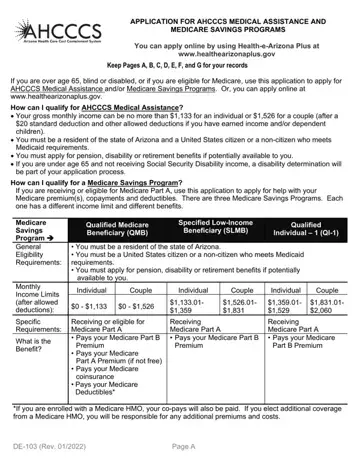
What it is: DE-103 (rev 08/2026) is the Application For AHCCCS Medical Assistance and Medicare Savings Programs.
Who signs: Sign the application.
If you are over age 65, blind or disabled, or if you are eligible for Medicare, you can use this application to apply for AHCCCS Medical Assistance and/or Medicare Savings Programs.
This application may be completed by you or anyone you choose who knows or can get the information needed to complete the application for you and your family members.
If you have a conservator or guardian, your conservator or guardian must complete this form for you.
You and your spouse can use the same application form to apply.
What to bring and attach to Form DE-103
Send current verification of all income listed (for example, check stubs, award letters, the most recent income tax forms, if self-employed). Copies are acceptable.
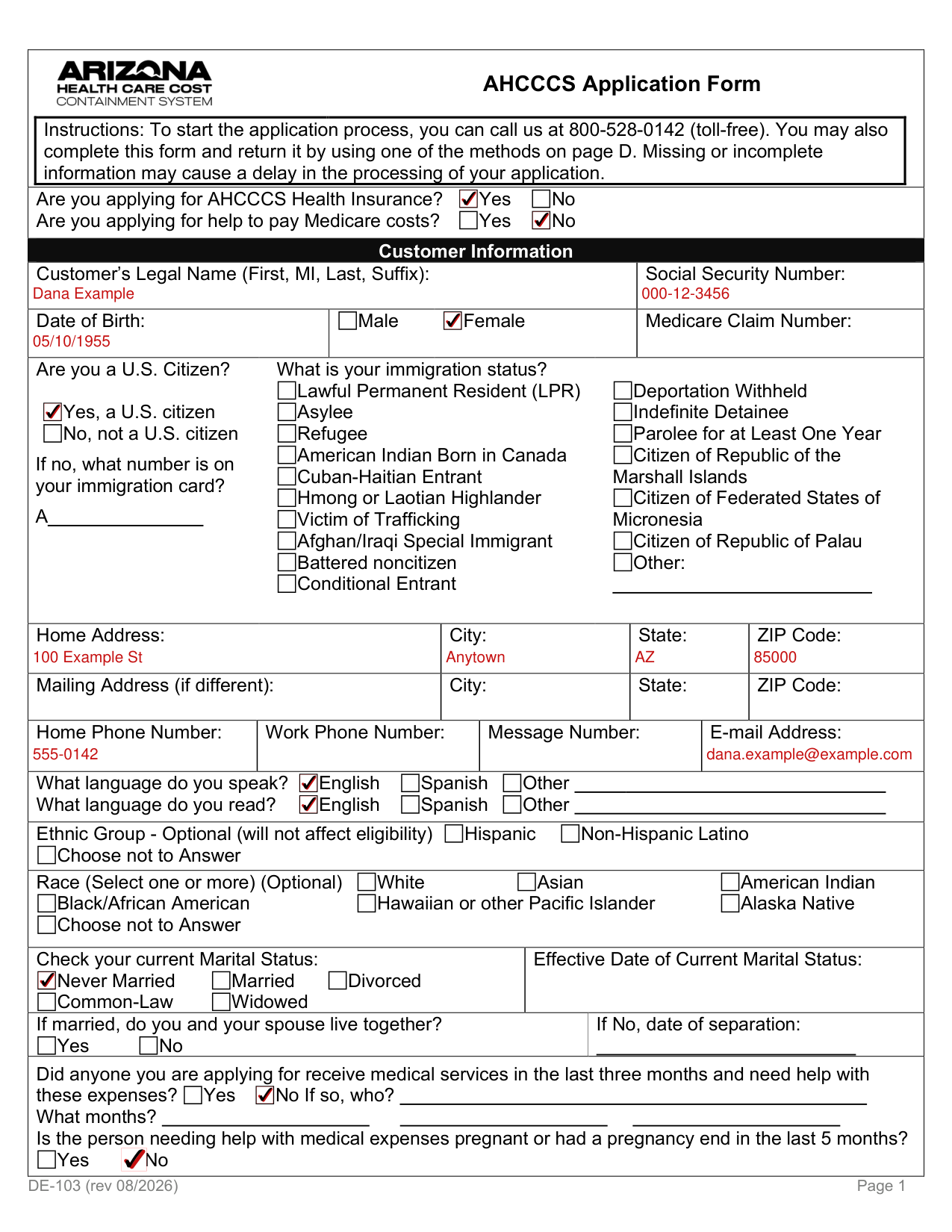
A filled-in Form DE-103 example: a single adult applies for AHCCCS Medical Assistance
How to fill out Form DE-103, box by box
Applying for AHCCCS Medical Assistance or help to pay Medicare costs

Check Yes or No on the application form when asked if you are applying for AHCCCS Medical Assistance or for help to pay Medicare costs.
You can check Yes to either question or to both.
Customer Information

You must provide or apply for a Social Security number (SSN) for every applicant.
Immigrants who are not legally able to obtain an SSN are not required to provide one.
Are you a U.S. Citizen?
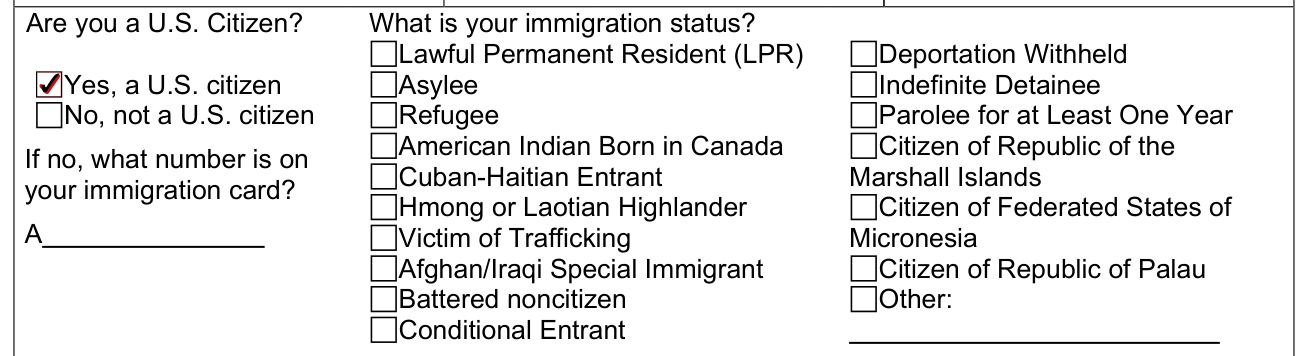
If no, what number is on your immigration card?
Ethnic Group and Race (Optional)

Ethnic Group is optional and will not affect eligibility.
Check your current Marital Status

If married, do you and your spouse live together? If No, date of separation:
Accommodations for Printed Letters
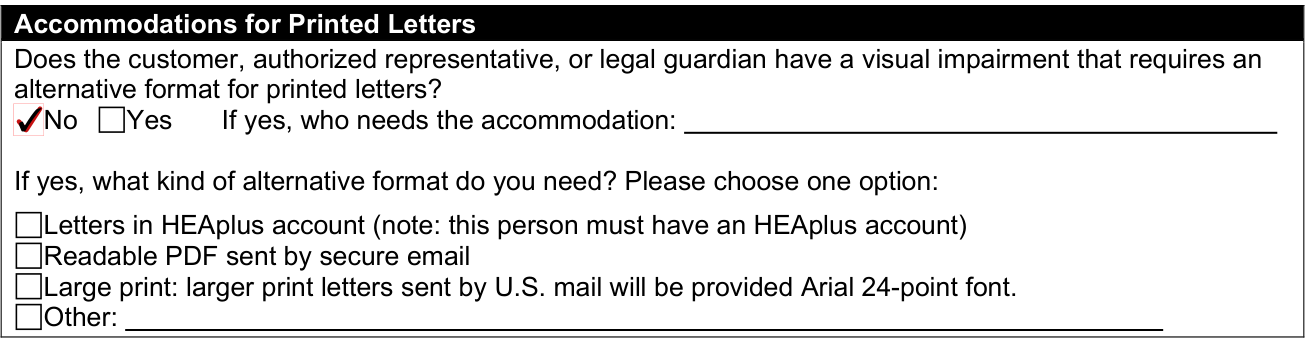
If yes, what kind of alternative format do you need? Please choose one option:
Authorized Representative
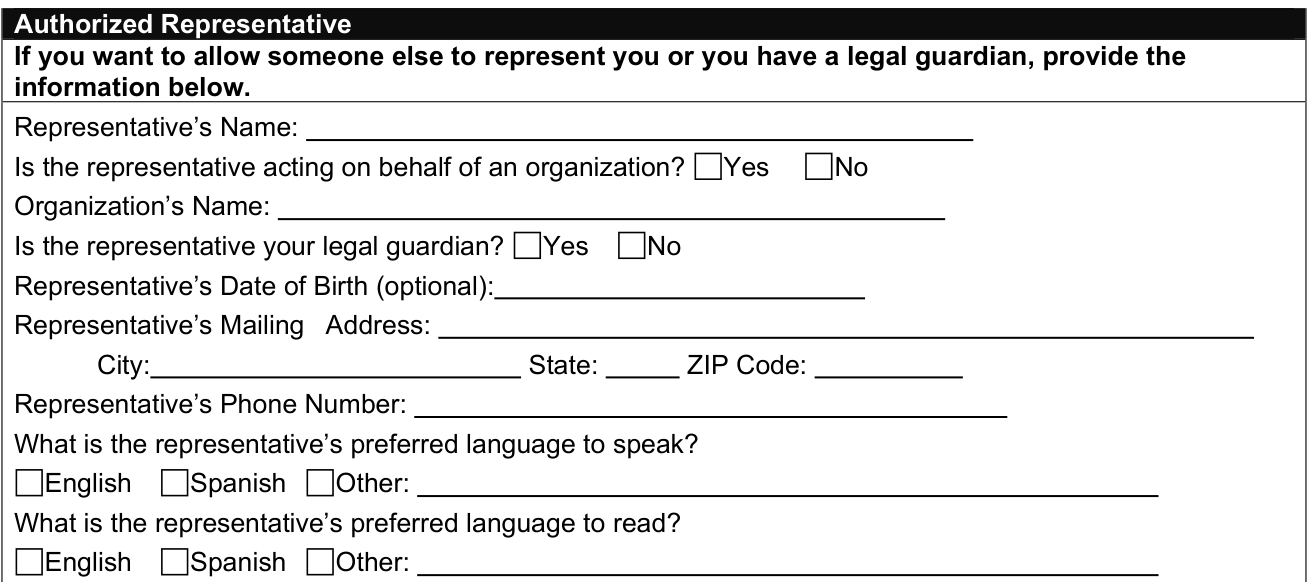
If you want to allow someone else to represent you or you have a legal guardian, provide the information in the boxes of this section.
Spouse's Information, If living together
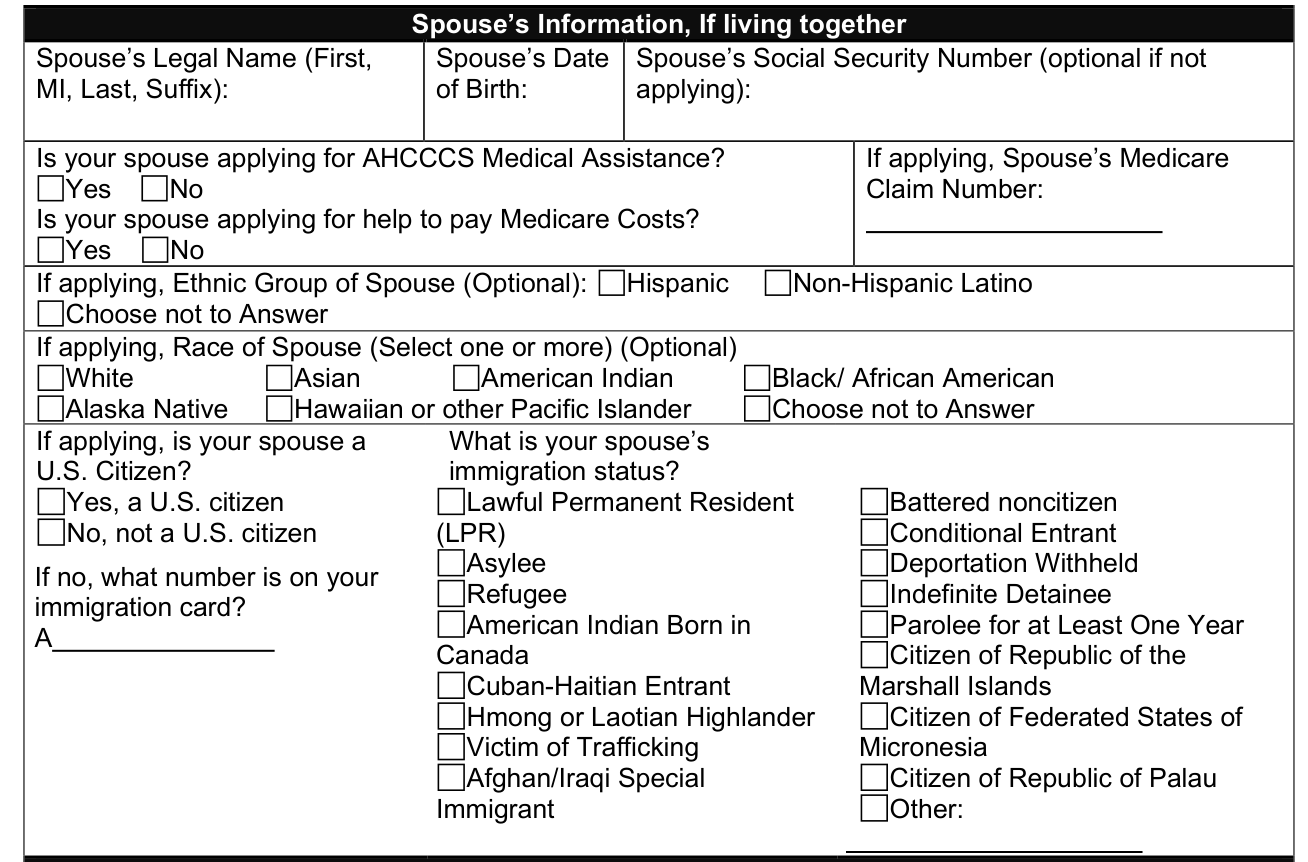
Providing a Social Security number for someone who is not applying is optional.
Dependent Children Information
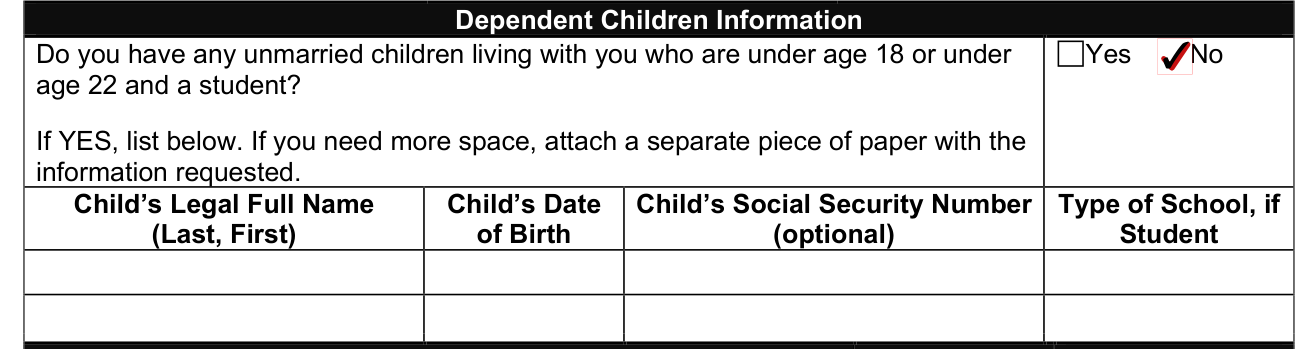
Do you have any unmarried children living with you who are under age 18 or under age 22 and a student? If YES, list in the boxes of this section. If you need more space, attach a separate piece of paper with the information requested.
Income
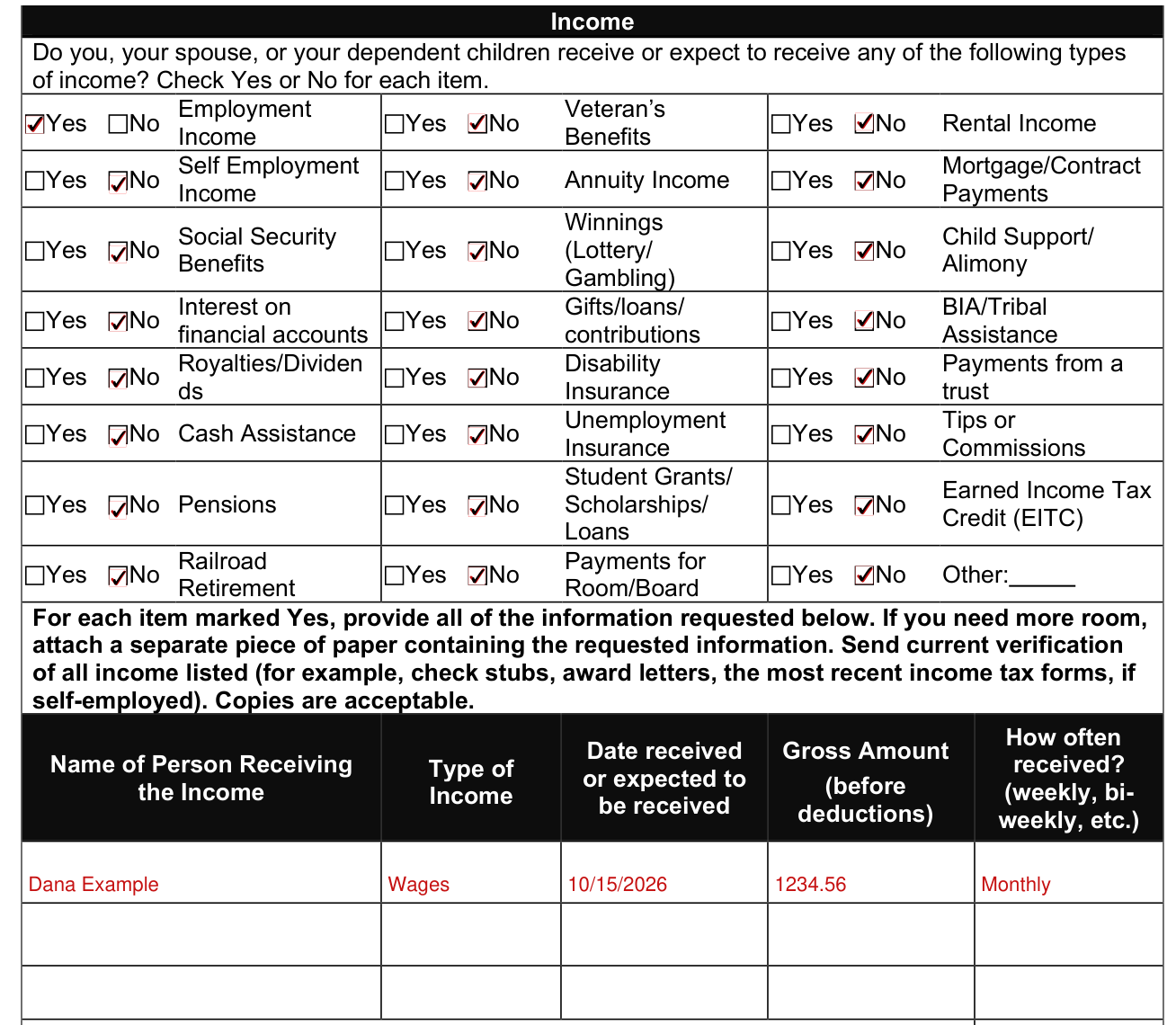
Do you, your spouse, or your dependent children receive or expect to receive any of the following types of income? Check Yes or No for each item.
For each item marked Yes, provide all of the information requested in the boxes of this section.
Change in income

Has there been a change in any of your income during the last three months or do you expect a change in income? If Yes, complete the boxes of this section.
Medical Coverage
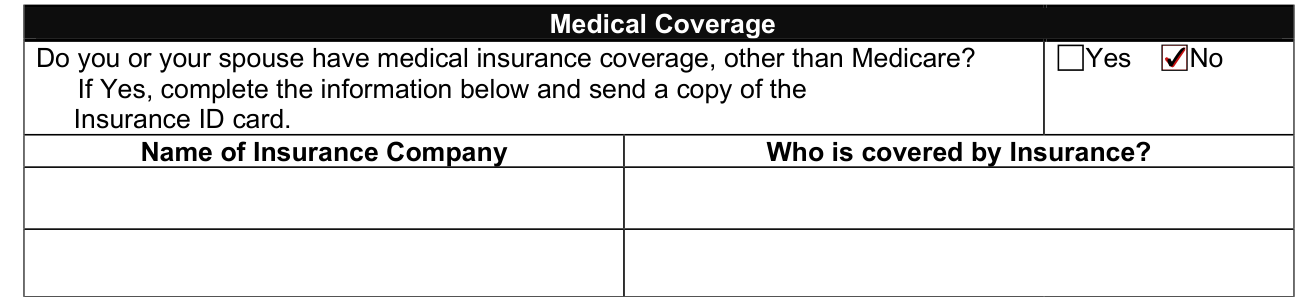
If Yes, complete the information in the boxes of this section and send a copy of the Insurance ID card.
If eligible for AHCCCS Medical Assistance or QMB, by signing this application, I agree to assign to AHCCCS all rights to third party payments of medical expenses, including insurance coverage, to the extent that costs are paid by AHCCCS.
Injury or illness resulting from an accident
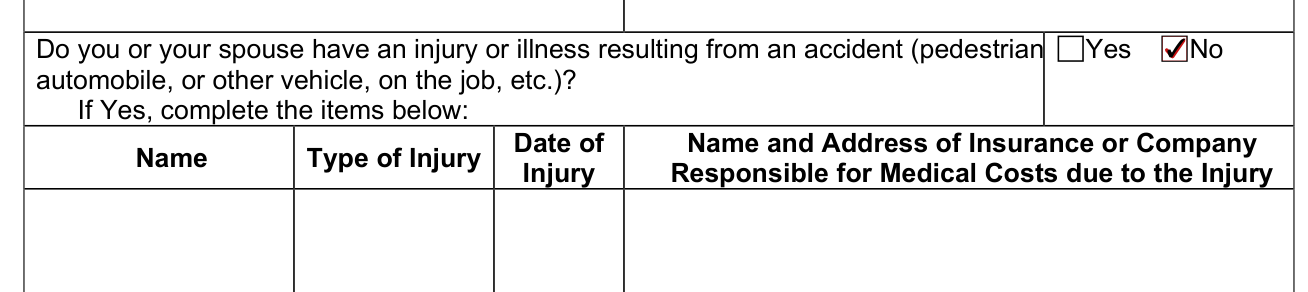
If Yes, complete the items in the boxes of this section:
Health Plan Choice

If you are applying for AHCCCS Medical Assistance, choose an AHCCCS Complete Care (ACC) plan that serves your county.
If you do not choose an ACC plan, one will be assigned to you.
Your Opportunity To Register To Vote

If you are not registered to vote where you live now, would you like to apply to register to vote here today?
If you do not check either box, you will be considered to have decided not to register to vote at this time.
Statement Of Truth

By signing you affirm that you have read and understand all the information on this application, and the statements are true and correct to the best of your knowledge, under penalty of perjury.
I do not have to give the citizenship or immigration status of persons who are not applying for healthcare benefits.
By signing you affirm that any photocopies you have provided are the same as the original.
You must not knowingly withhold or give false information with the intent to receive or to continue receiving AHCCCS benefits to which you are not entitled.
You will be required to pay back to AHCCCS any benefits you receive as a result of withholding or giving false information and you will be subject to criminal prosecution.
More rules for Form DE-103
Sign the application.
If you need more room, attach additional sheets of paper to provide all requested details.
Missing or incomplete information may cause a delay in the processing of your application.
Read page E for an explanation of your rights and responsibilities and providing a social security number.
If your situation is different
American Indian members
American Indian members may choose from American Indian Health Program or an ACC plan.
Common questions about Form DE-103
What are the income limits for AHCCCS medical assistance?
Your gross monthly income can be no more than $1,330 for an individual or $1,804 for a couple (after a $20 standard deduction and other allowed deductions if you have earned income and/or dependent children). You must be a resident of the state of Arizona and a United States citizen or a non-citizen who meets Medicaid requirements. If you are under age 65 and not receiving Social Security Disability income, a disability determination will be part of your application process. (checked October 20, 2026)
What do I need to apply for AHCCCs?
Attach all requested verification when you send your application. Answer all questions on pages 1 through 6 for each person applying.
What to do if income is too high for Medicaid?
Some people with income too high to qualify for AHCCCS Medical Assistance with no monthly premium may be able to get it by paying a monthly premium.
How does AHCCCS work with Medicare?
Be sure to tell your health plan that you have Medicare or any other health insurance. If you have Medicare, your prescription coverage under AHCCCS is limited.
How to talk to a real person at AHCCCS?
If you have any questions regarding these programs, or need help filling out the application, please call (602) 417-5010 and choose option 5, or toll free 1-800-528-0142.
Is there a deadline?
You may also request a hearing if a decision is not made on your application within 45 days and the delay is due to AHCCCS.
Where do I file it?
Keep pages A, B, C, D, E, F, and G for your records and mail, fax or take pages 1 through 6 to the MA-SP Office: AHCCCS Medical Assistance Specialty Programs (MA-SP) 150 N. 18th Ave 2nd Floor MD 15022 Phoenix AZ 85007 FAX: (602) 258-4619. You may also complete this form and return it by using one of the methods on page D.
Are there fees?
Most people do not have to pay a monthly premium for AHCCCS Medical Assistance. Your co-payment amount will vary depending on which AHCCCS program you are enrolled in and the services you need.
Is there a penalty?
Any person found guilty of fraud may be subject to fines, criminal prosecution, imprisonment or other penalties as provided for by applicable State and Federal laws.
Sources
[1] Form DE-103 (rev 08/2026), Application For AHCCCS Medical Assistance and Medicare Savings Programs, Arizona Health Care Cost Containment System (the Official source link on this page).
