
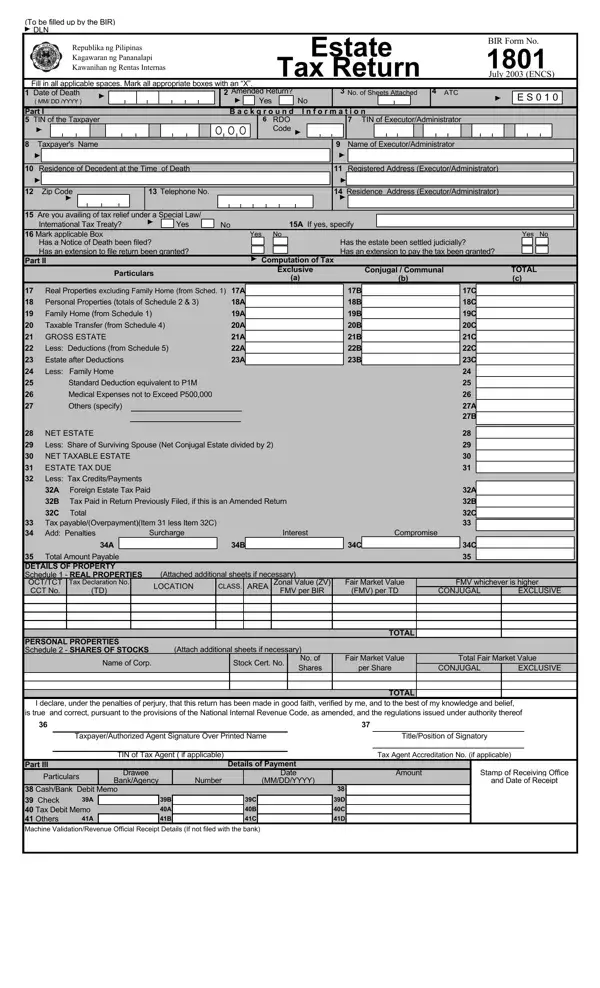
The BIR Form No. 1801, officially known as the Estate Tax Return, plays a vital role in the Philippine tax system for assessing estate taxes on the estates of deceased individuals. This form was introduced in July 2003 under the Enhanced New Computerized System (ENCS) and has been updated to reflect the Tax Reform for Acceleration and Inclusion (TRAIN) Law effective January 1, 2018.
Executors, administrators, or legal heirs must file this estate tax return regardless of their residency status. Filing is required when the gross value of the estate exceeds PHP 200,000, or when the estate includes registrable properties requiring clearance from the Bureau of Internal Revenue, such as real property, motor vehicles, or shares of stock.
The TRAIN Law imposes a flat estate tax rate of 6% on the net taxable estate. The net taxable estate equals the gross estate minus allowable deductions. Key deductions include a standard deduction of PHP 5 million, a family home deduction of up to PHP 10 million, funeral expenses, judicial expenses, and claims against the estate. For income tax obligations during a decedent's lifetime, see the BIR Form 1701 Annual Income Tax Return.
The estate tax return must be filed and any estate tax due must be paid within one year from the date of the decedent's death. The Commissioner may grant an extension of up to 30 days in meritorious cases. Late filing incurs surcharges, interest, and compromise penalties. Businesses with estate-related withholding obligations may also need to file the BIR Form 1601-C Monthly Withholding Tax Return.
The estate tax return requires the decedent's Taxpayer Identification Number (TIN), a complete inventory of real and personal properties, applicable tax exemptions under special laws or international tax treaties, and computations for gross estate, deductions, and net taxable estate. Additional schedules cover taxable transfers, deductions, and the estate tax table, with supporting documents for every claim.
| Question | Answer |
|---|---|
| Form Name | BIR Form 1801 |
| Form Length | 3 pages |
| Fillable? | No |
| Fillable fields | 0 |
| Avg. time to fill out | 45 sec |
| Other names | bir form 1801, bir form 1801 january 2018, bir form 1801 how to fill up, bir 1801 |