
Building Permit Application at a glance
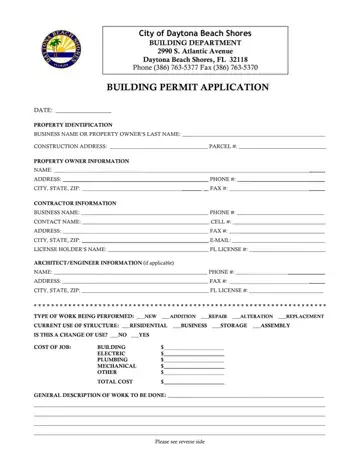
What it is: The Building Permit Application of the City of Daytona Beach Shores Building Department: application is hereby made to obtain a permit to do the work and installations as indicated.
Who signs: Both the owner and the contractor must sign the application.
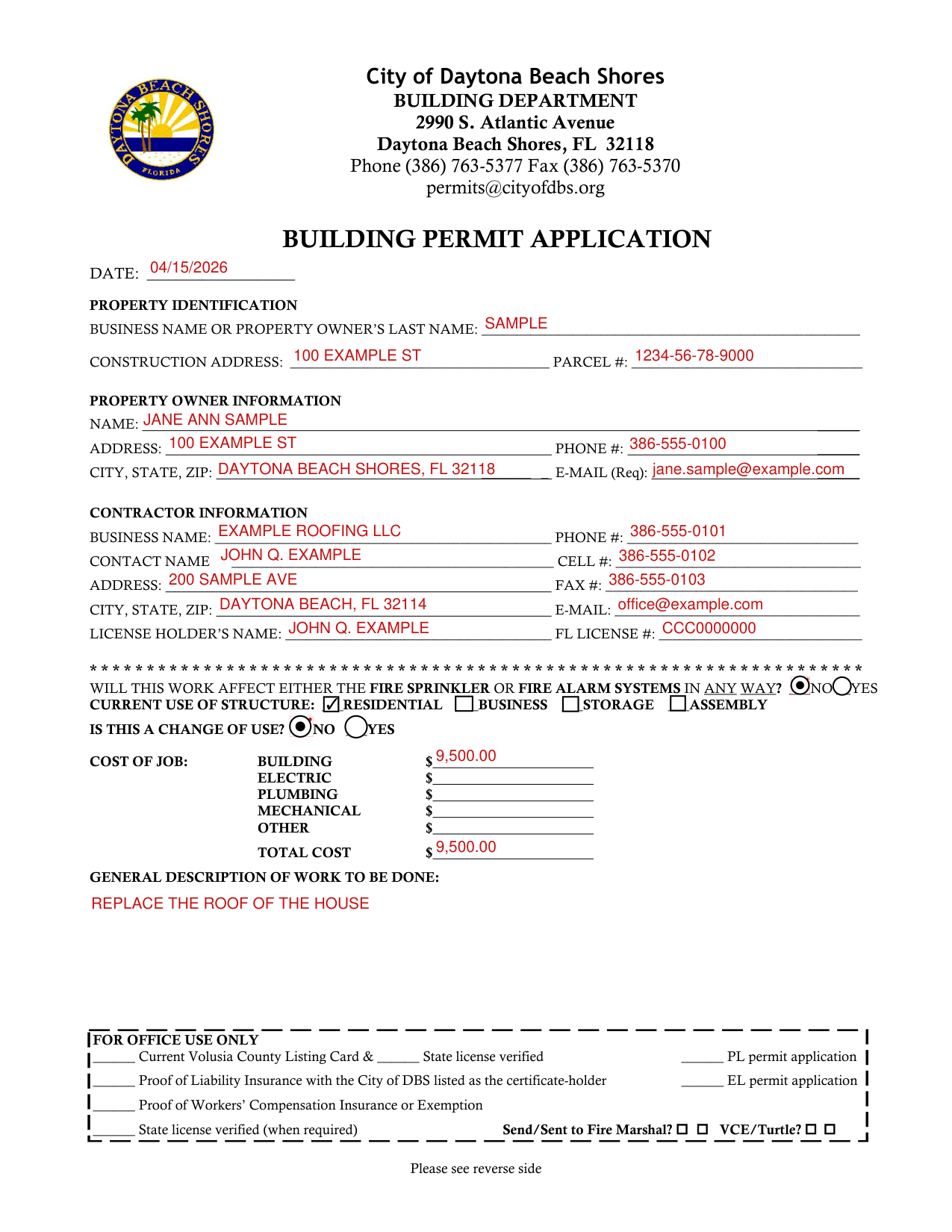
A filled-in Building Permit Application example: an owner roofs a house
How to fill out Building Permit Application, box by box
Date and property identification

Enter the DATE.
Under PROPERTY IDENTIFICATION, enter the BUSINESS NAME OR PROPERTY OWNER'S LAST NAME, the CONSTRUCTION ADDRESS and the PARCEL #.
Property owner information

Under PROPERTY OWNER INFORMATION, enter the NAME, ADDRESS, PHONE #, CITY, STATE, ZIP and E-MAIL.
Under PROPERTY OWNER INFORMATION, the E-MAIL line is marked (Req).
Contractor information

Under CONTRACTOR INFORMATION, enter the BUSINESS NAME, PHONE #, CONTACT NAME and CELL #.
Under CONTRACTOR INFORMATION, enter the ADDRESS, FAX #, CITY, STATE, ZIP and E-MAIL.
Enter the LICENSE HOLDER'S NAME and the FL LICENSE #.
Fire systems, current use and change of use

Mark No or Yes for "Will this work affect either the fire sprinkler or fire alarm systems in any way?"
Mark the CURRENT USE OF STRUCTURE: RESIDENTIAL, BUSINESS, STORAGE or ASSEMBLY.
Mark NO or YES for IS THIS A CHANGE OF USE?
Cost of job and description of work
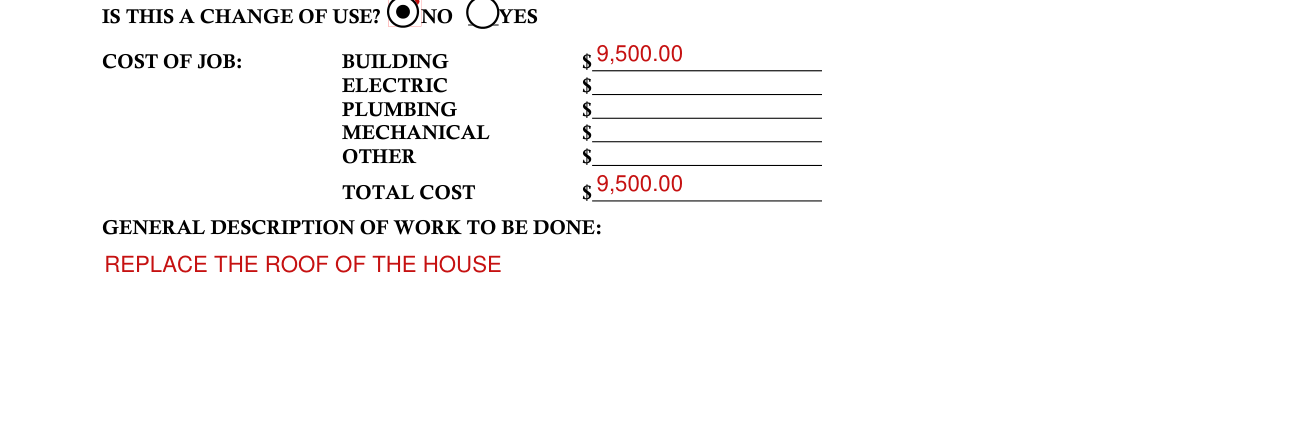
Under COST OF JOB, enter the BUILDING, ELECTRIC, PLUMBING, MECHANICAL and OTHER.
Enter the TOTAL COST.
Describe the GENERAL DESCRIPTION OF WORK TO BE DONE.
Architect/engineer information (if applicable)

Under ARCHITECT/ENGINEER INFORMATION (if applicable), enter the NAME, PHONE #, ADDRESS, FAX #, CITY, STATE, ZIP and FL LICENSE #.
Certification or after-the-fact permit

Certify that no work or installation has commenced prior to the issuance of a permit and that all work will be performed to meet the standard of all laws regulating construction in this jurisdiction, OR mark THIS IS AN AFTER-THE-FACT PERMIT (Additional permit fees will apply).
Signing before a notary public
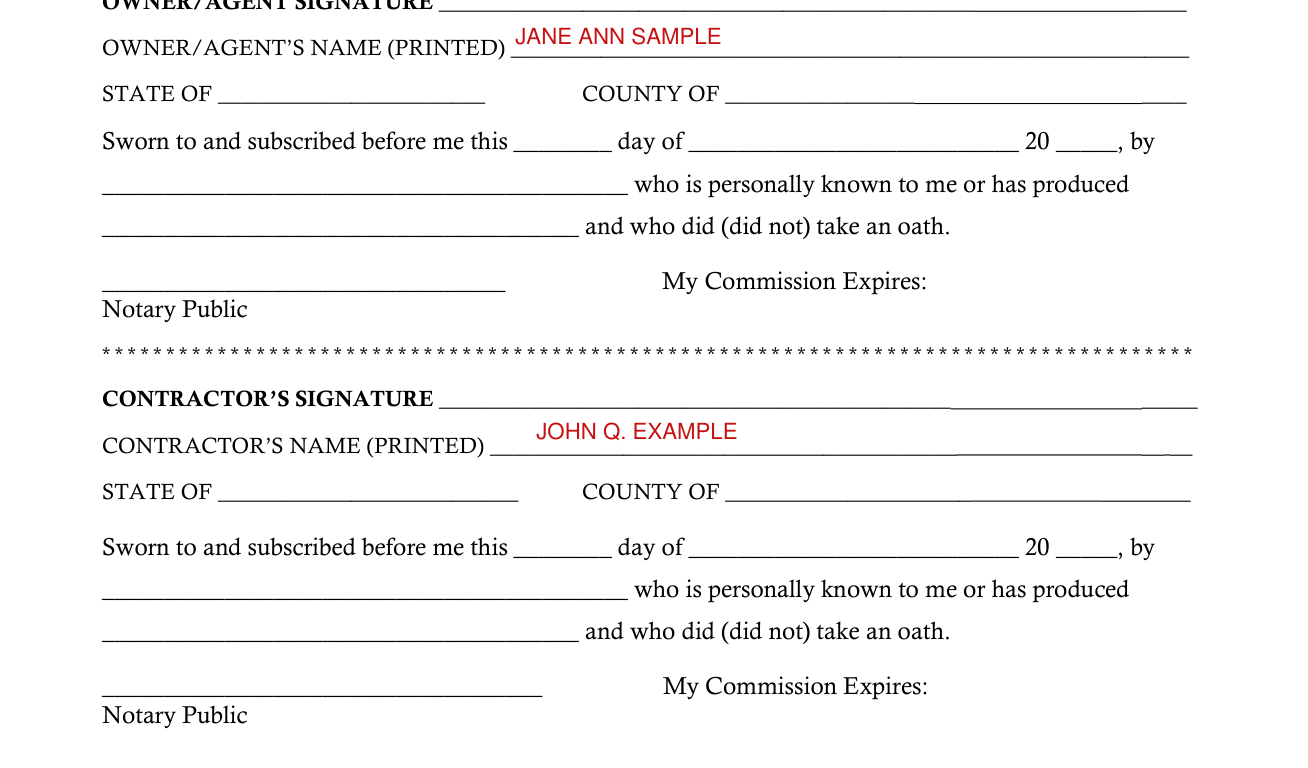
Sign on the OWNER/AGENT SIGNATURE line and enter the OWNER/AGENT'S NAME (PRINTED).
Before a Notary Public, under the OWNER/AGENT SIGNATURE, at STATE OF and COUNTY OF: Sworn to and subscribed before me this day of 20, by who is personally known to me or has produced, and who did (did not) take an oath. My Commission Expires:
Sign on the CONTRACTOR'S SIGNATURE line and enter the CONTRACTOR'S NAME (PRINTED).
Before a Notary Public, under the CONTRACTOR'S SIGNATURE, at STATE OF and COUNTY OF: Sworn to and subscribed before me this day of 20, by who is personally known to me or has produced, and who did (did not) take an oath. My Commission Expires:
More rules for Building Permit Application
A separate permit may be required for electrical work, plumbing, signs, wells, pools, furnaces, boilers, heaters, tanks, air conditioners, etc.
Warning to owner: your failure to record a notice of commencement may result in your paying twice for improvements to your property.
A notice of commencement must be recorded and posted on the job site before the first inspection.
If you intend to obtain financing, consult with your lender or an attorney before commencing work or recording your notice of commencement.
Common questions about Building Permit Application
What am I certifying when I sign?
By signing you certify that all the information is accurate and that all work will be done in compliance with all applicable laws regulating construction and zoning.
Sources
[1] Building Permit Application, City of Daytona Beach Shores Building Department (the Official source link on this page).
