
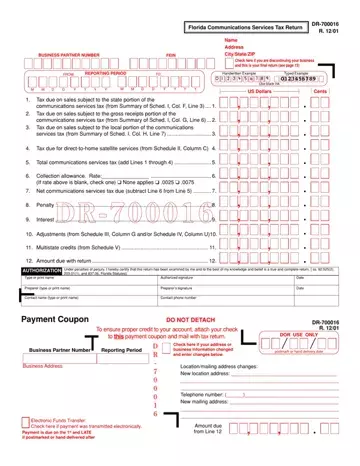
Form DR-700016 at a glance
What it is: Form DR-700016 is the Florida Communications Services Tax Return.
Who signs: Fill in Type or print name, Authorized signature and Date.
Where and when to file: Make the check payable to Florida Department of Revenue and send it with the return to PO Box 6520, Tallahassee FL 32314-6520. Or file online using the Department's website at floridarevenue.com/taxes/filepay.
Where to get it: Forms are available online at floridarevenue.com/forms.
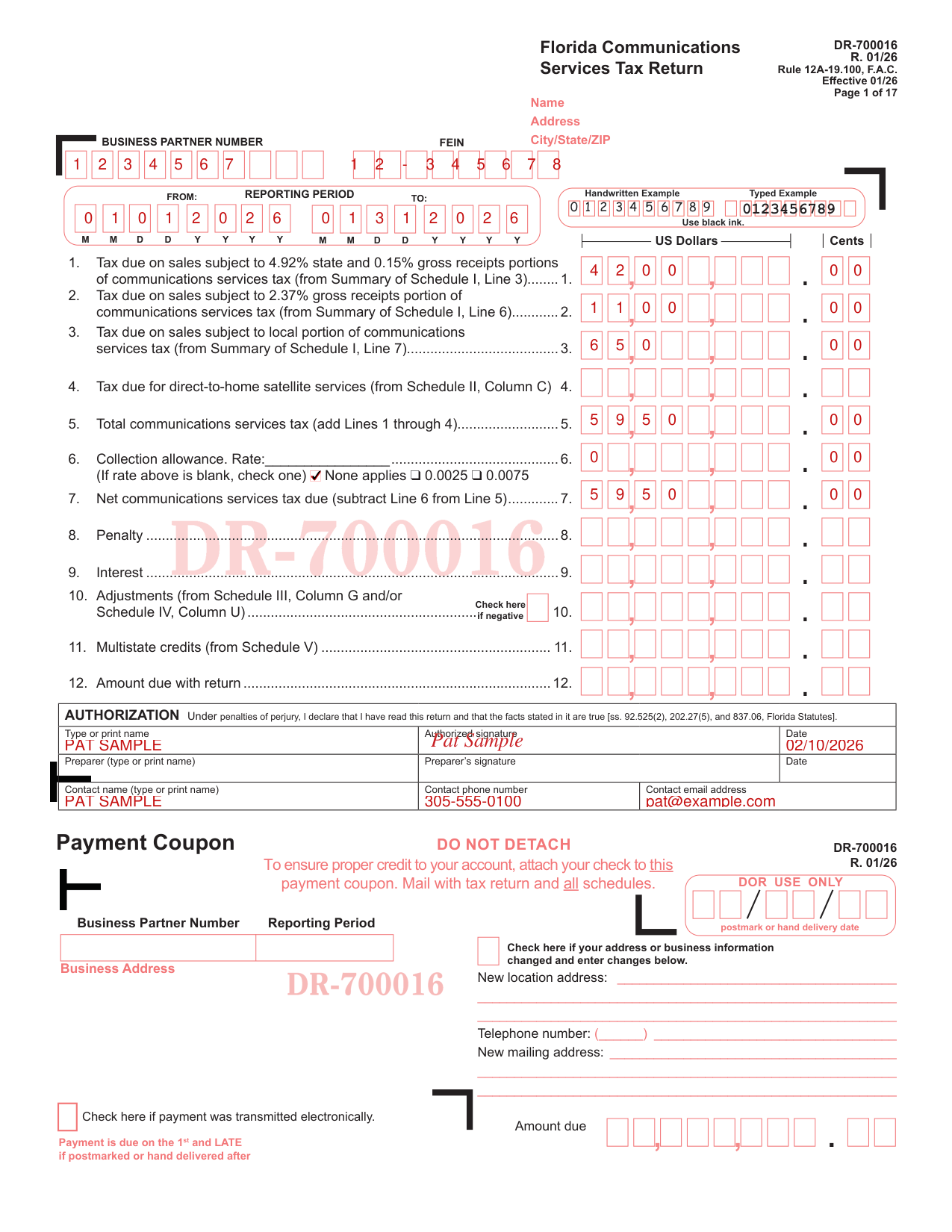
A filled-in Form DR-700016 example: Pat Sample files for January 2026
How to fill out Form DR-700016, box by box
Business Partner Number, FEIN and Reporting Period

Enter the BUSINESS PARTNER NUMBER and the FEIN. For the REPORTING PERIOD, fill in FROM and TO.
Use black ink.
Tax due on sales, Lines 1 to 4

On Line 1, enter the tax due on sales subject to 4.92% state and 0.15% gross receipts portions of communications services tax, from Summary of Schedule I, Line 3. On Line 2, enter the tax due on sales subject to 2.37% gross receipts portion of communications services tax, from Summary of Schedule I, Line 6. On Line 3, enter the tax due on sales subject to local portion of communications services tax, from Summary of Schedule I, Line 7.
On Line 4, enter the tax due for direct-to-home satellite services, from Schedule II, Column C.
Total, collection allowance and net tax due (Lines 5 to 7)

On Line 5, enter the total communications services tax: add Lines 1 through 4.
On Line 6, Collection allowance, write the Rate. If the rate above is blank, check one: None applies, 0.0025 or 0.0075.
On Line 7, enter the net communications services tax due: subtract Line 6 from Line 5.
Penalty, interest, adjustments, credits and amount due
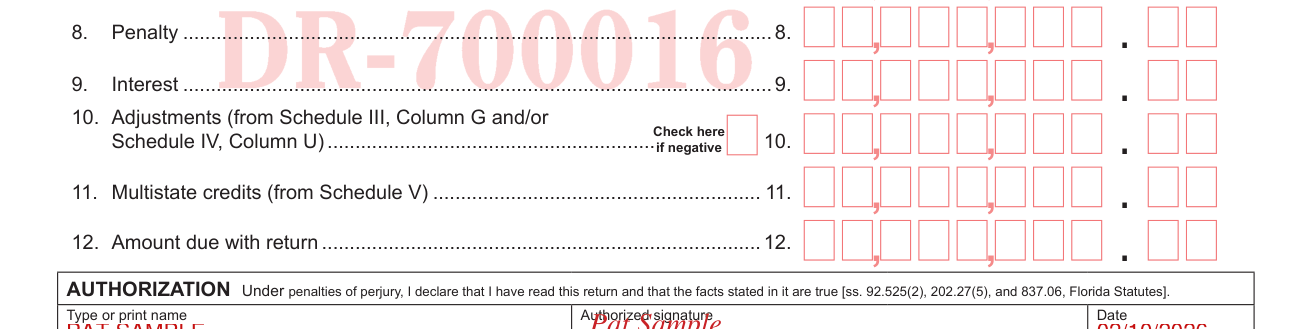
Enter the Penalty on Line 8 and the Interest on Line 9.
Enter Adjustments from Schedule III, Column G and/or Schedule IV, Column U on Line 10. Check here if negative.
Enter Multistate credits from Schedule V on Line 11.
Enter the Amount due with return on Line 12.
Authorization

Under penalties of perjury, you declare that you have read this return and that the facts stated in it are true (ss. 92.525(2), 202.27(5), and 837.06, Florida Statutes).
Fill in Type or print name, Authorized signature and Date.
Fill in Preparer (type or print name), Preparer's signature and Date.
Fill in Contact name (type or print name), Contact phone number and Contact email address.
Payment Coupon
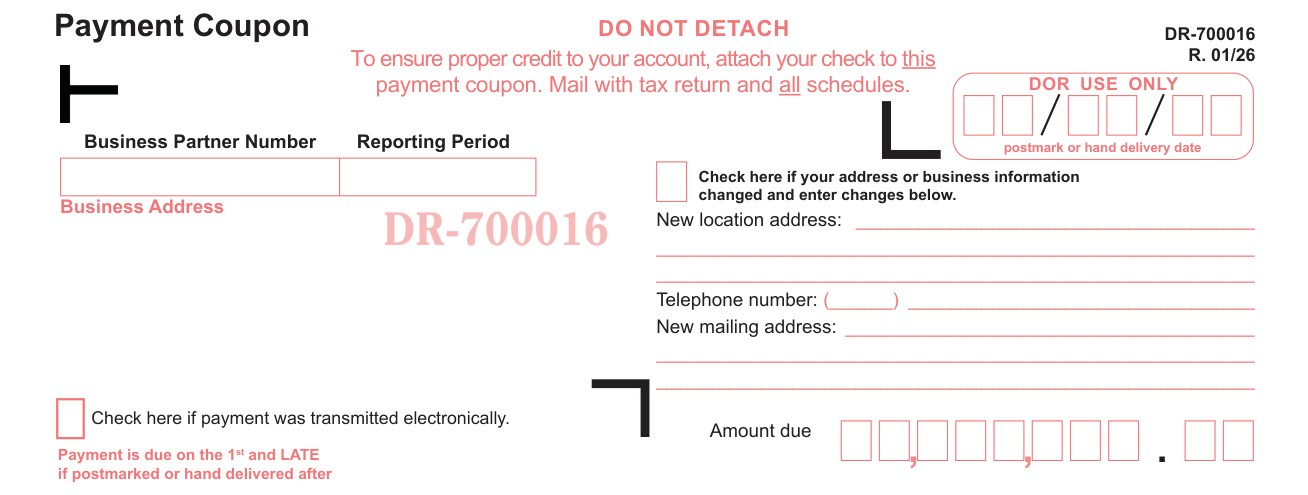
Do not detach the Payment Coupon. To ensure proper credit to your account, attach your check to the payment coupon. Mail with tax return and all schedules.
On the Payment Coupon, enter the Business Partner Number, Reporting Period and Amount due.
Check here if payment was transmitted electronically.
Check here if your address or business information changed and enter changes below. Under Business Address, write the New location address, Telephone number and New mailing address.
More rules for Form DR-700016
Instructions for Completing the Florida Communications Services Tax Return (Form DR-700016N) are available online at floridarevenue.com/forms in the Communications Services Tax section.
If your situation is different
You complete Schedule I
If you complete Schedule I, then you must also complete Summary of Schedule I.
Complete Columns B, C, and E for all jurisdictions in which you provide or use communications services.
Attach the schedule, summary, and all other supporting schedules to the tax return.
You are a direct-to-home satellite service provider
Direct-to-home satellite service providers must complete Schedule II (and Schedule III, if needed) and attach to the tax return.
In Schedule II, fill in A. Taxable Sales, B. 11.44% Tax Rate and C. Net Tax Due, and enter the Net Tax Due amount on Page 1, Line 4.
In Schedule III, Direct-to-Home Satellite Services Adjustments, use the last day of the reporting period in MM/DD/YY format for the Reporting period.
In Schedule III, add Columns D, E, and F for G. TOTAL ADJUSTMENTS and enter this amount on Page 1, Line 10.
You complete Schedule IV
If you complete Schedule IV, attach it to the tax return. See Instructions for completing this Schedule.
You complete Schedule V
If you complete Schedule V, attach it to the tax return.
Enter B. Beginning Date (MMDDYYYY) and C. Ending Date (MMDDYYYY).
For H. TOTAL CREDITS, add the totals of Columns D through G and enter this amount on Page 1, Line 11.
Common questions about Form DR-700016
Where do I file it?
The Department maintains a free and secure website to file and pay communications services tax. To file and pay, go to the Department's website at floridarevenue.com/taxes/filepay.
Sources
[1] Florida Communications Services Tax Return, Form DR-700016 (R. 01/26), Florida Department of Revenue (the Official source link on this page).
