
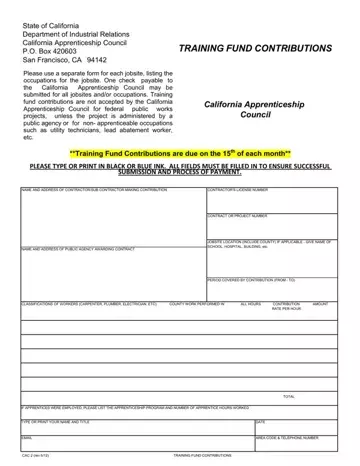
Form CAC 2 at a glance
What it is: CAC 2 is the Training Fund Contributions form of the California Apprenticeship Council.
Who signs: Type or print your Name and Title, and enter the Date.
A filled-in Form CAC 2 example: a contractor reports one jobsite for March 2026
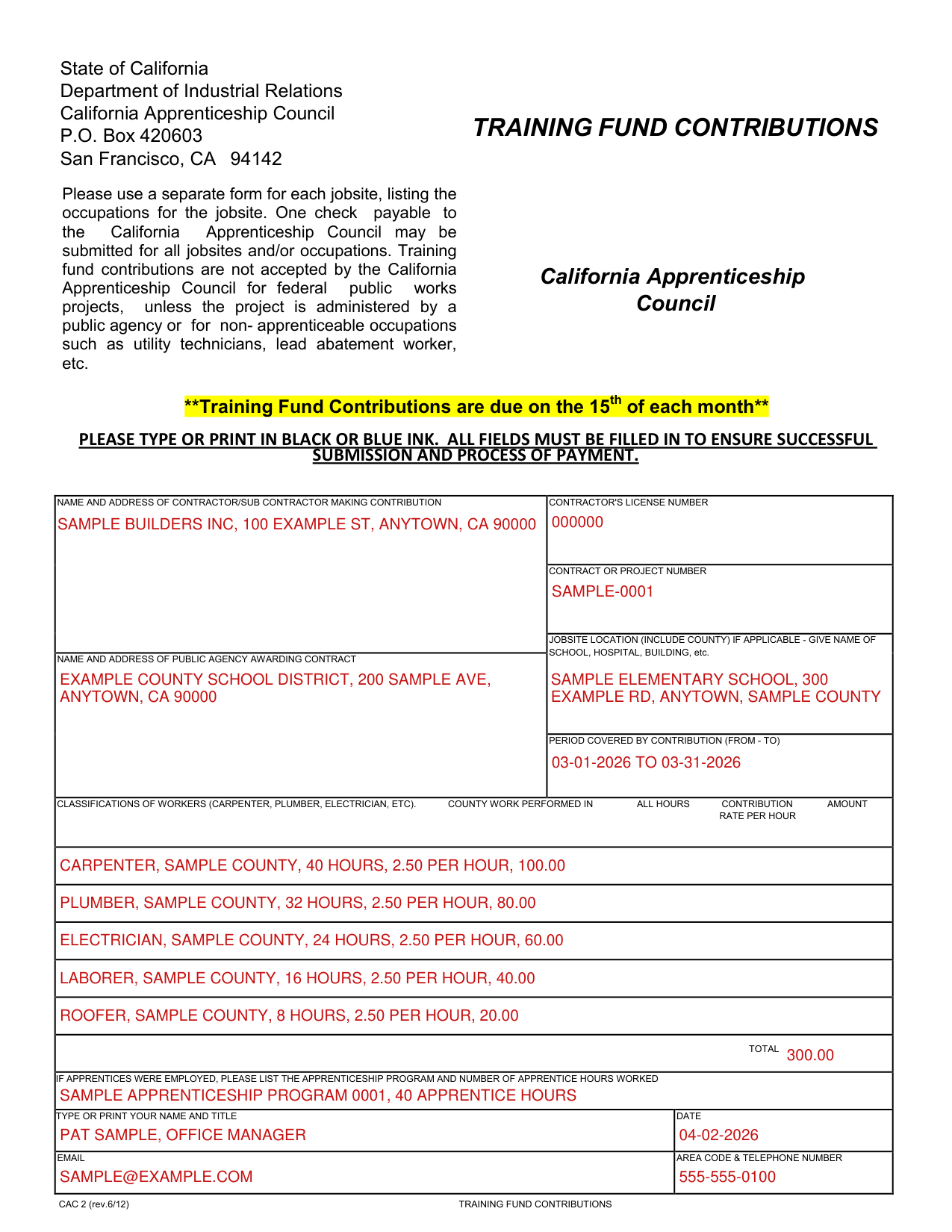
How to fill out Form CAC 2, box by box
Contractor, license number and contract number
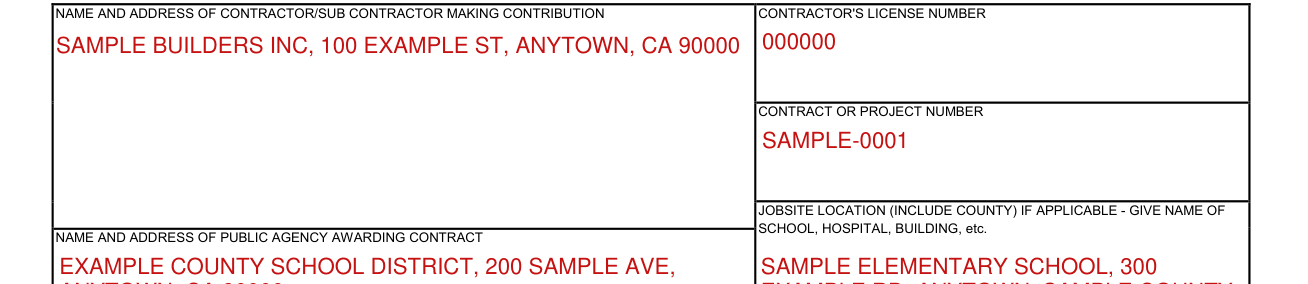
Enter the Name and Address of Contractor/Sub Contractor making Contribution and the Contractor's License Number.
Enter the Contract or Project Number.
Jobsite, public agency and period covered

Enter the Jobsite Location (include county); if applicable, give the name of the school, hospital, building, etc.
Enter the Name and Address of Public Agency Awarding Contract.
Enter the Period Covered by Contribution (From - To).
Classifications of workers, hours and amounts
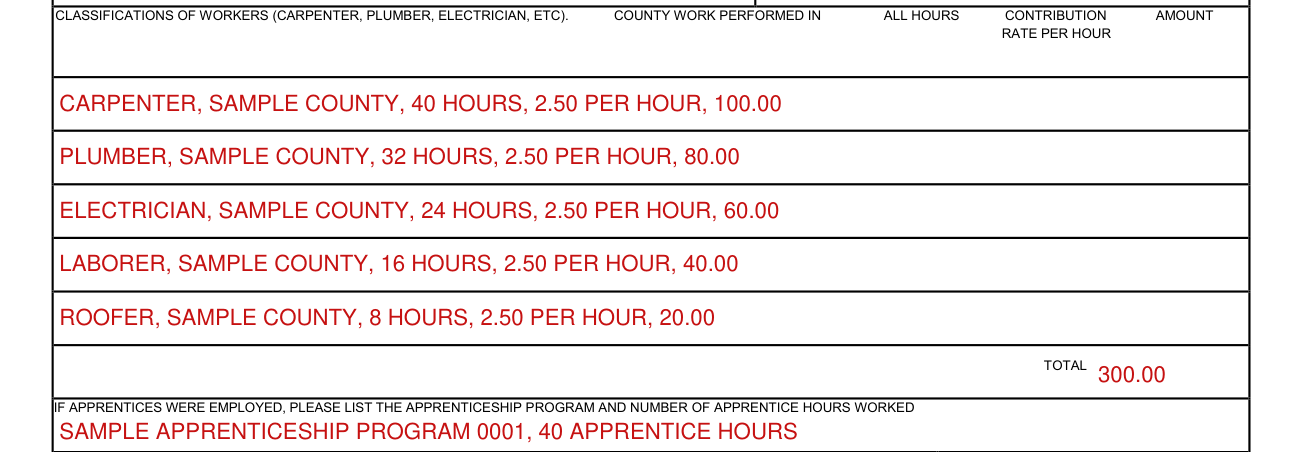
Classifications of Workers (Carpenter, Plumber, Electrician, etc), County Work Performed In, All Hours, Contribution Amount and Rate per Hour.
Enter the Total.
Apprentices

If apprentices were employed, list the Apprenticeship Program and Number of Apprentice Hours Worked.
Email and telephone number

Enter your Email and Area Code & Telephone Number.
More rules for Form CAC 2
Type or print in black or blue ink; all fields must be filled in to ensure successful submission and process of payment.
If your situation is different
One check for all jobsites and/or occupations
One check payable to the California Apprenticeship Council may be submitted for all jobsites and/or occupations.
Common questions about Form CAC 2
What is a CAC-2 form?
CAC 2 is the Training Fund Contributions form of the California Apprenticeship Council. Use a separate form for each jobsite, listing the occupations for the jobsite.
Is there a deadline?
Training Fund Contributions are due on the 15th of each month.
Where do I file it?
State of California Department of Industrial Relations, California Apprenticeship Council, P.O. Box 420603, San Francisco, CA 94142.
When is this form not the right one?
Training fund contributions are not accepted by the California Apprenticeship Council for federal public works projects, unless the project is administered by a public agency or for non-apprenticeable occupations such as utility technicians, lead abatement worker, etc.
Sources
[1] Form CAC 2 (rev.6/12), Training Fund Contributions, California Apprenticeship Council (the Official source link on this page).
