
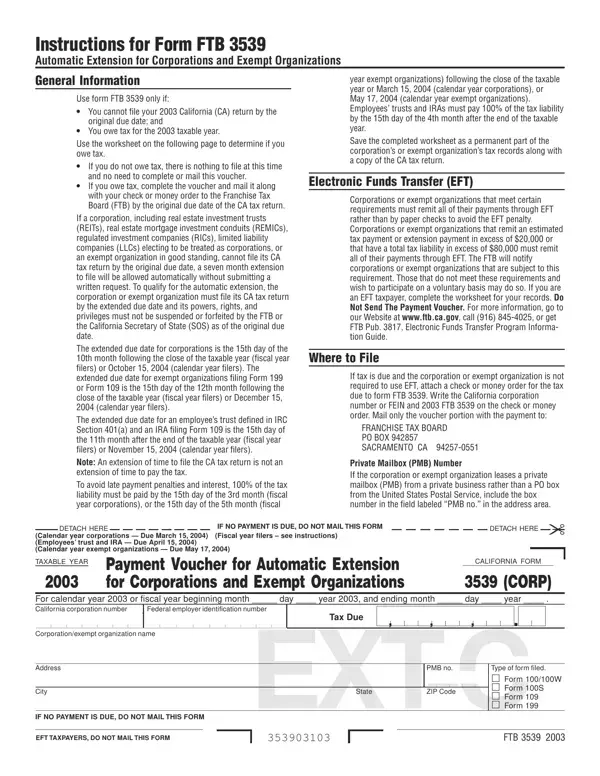
You'll be able to prepare form3539 without difficulty with the help of our PDFinity® editor. To make our tool better and less complicated to work with, we continuously come up with new features, bearing in mind suggestions coming from our users. With a few easy steps, you may begin your PDF journey:
Step 1: Open the PDF doc in our tool by clicking the "Get Form Button" at the top of this page.
Step 2: This editor lets you modify PDF forms in a variety of ways. Modify it with your own text, adjust existing content, and place in a signature - all within a few mouse clicks!
It's easy to fill out the pdf with our practical guide! This is what you want to do:
1. When filling out the form3539, be sure to include all of the necessary blank fields within its corresponding section. It will help to speed up the process, allowing your information to be handled swiftly and appropriately.
2. Once your current task is complete, take the next step – fill out all of these fields - TAX PAYMENT WORKSHEET FOR YOUR, Total tentative tax Include, Enter the result here and on form, How to Complete the Tax Payment, Line Enter the total tentative, If filing Form Form W or Form S, Page , FTB , Line Enter the estimated tax, and Line Tax due If the amount on with their corresponding information. Make sure to double check that everything has been entered correctly before continuing!
Concerning If filing Form Form W or Form S and How to Complete the Tax Payment, be sure that you review things in this current part. Both of these are considered the most significant ones in this page.
Step 3: When you've reread the details in the blanks, click on "Done" to complete your FormsPal process. Sign up with FormsPal today and immediately obtain form3539, set for download. Every single change you make is handily saved , which enables you to edit the file later on if necessary. If you use FormsPal, you can complete forms without having to worry about personal information incidents or records getting distributed. Our protected software helps to ensure that your personal data is stored safely.
Common Questions About California Form 3539
Does FTB 3539 give me more time to pay my taxes?
No. The extension is for filing your return only. You must still pay 100% of your estimated income tax liability by the original due date to avoid penalties and interest. Submitting FTB 3539 with full payment by the deadline grants the automatic extension to file.
Who is required to use Electronic Funds Transfer (EFT)?
Corporations and exempt organizations that made an estimated tax or extension payment exceeding $20,000 in any prior year, or whose prior year tax liability exceeded $80,000, are required to pay electronically. Check the Franchise Tax Board for the most updated list of EFT requirements and available payment services.
Can I use FTB 3539 if no taxes are due?
No. If your entity has no tax balance due for the year, you do not need to file FTB 3539. The automatic extension to file applies without this form when no taxes are owed. For individual income tax extension payments, see our FTB Form 3519 page. Use the FormsPal search tool to find other California tax forms by name, format, or filing purpose.
