Please rate California Gun Permit Application Rev. October 2025

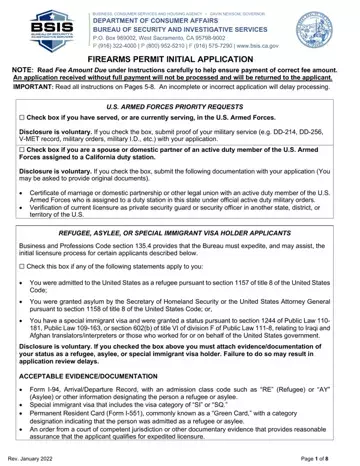
The California Gun Permit Application is the official initial application form issued by the Bureau of Security and Investigative Services (BSIS) under the Business, Consumer Services, and Housing Agency. This firearm permit allows eligible security professionals to carry an exposed firearm while on duty. It is not the same as a CCW (concealed carry weapon) permit, which county sheriff offices issue to private citizens. The BSIS firearm permit applies to licensed security guards, alarm agents, and patrol operators only.
Eligibility Requirements
To be approved for a California firearm permit, applicants must hold an active BSIS security or patrol license. Required documentation includes a completed firearms range qualification form signed by a certified, approved instructor. A criminal background check is mandatory, and any felony conviction, certain misdemeanors, or domestic violence restraining order will disqualify an applicant. Special provisions apply to active-duty military personnel, refugees, asylees, and special immigrant visa holders.
Application Process and Fees
The form requires accurate personal information, your current license details, and employer association records. Fee amounts are listed in the form instructions and must match exactly to avoid delays or rejection. Some applicants qualify for expedited processing. Once approved, the Bureau notifies you by mail. Applicants in areas like San Diego, Los Angeles, and San Francisco should also check their local county requirements. Some county offices require an appointment to submit documents in person. Providing false information on this application carries severe legal consequences under California law. A firearms permit does not authorize carrying a concealed weapon (CCW).
Looking for related forms? See the Firearms Permit Renewal Application, the License to Carry Firearms Application, and the Federal Firearms License Application.
| Question | Answer |
|---|---|
| Form Name | California Gun Permit Application |
| Form Length | 8 pages |
| Fillable? | Yes |
| Fillable fields | 50 |
| Avg. time to fill out | 2 min |
| Issuing Agency | Bureau of Security and Investigative Services (BSIS) |
| Permit Type | Exposed Firearm Permit (not a CCW permit) |
| Training Required | Yes - approved firearms range qualification by a certified instructor |
| Background Check | Required - criminal history review mandatory |
| Other names | how to get a gun license, gun license application, gun permit application, firearms application ca, BSIS firearms permit, security guard firearm authorization |
California Gun Permit Application isn’t the one you’re looking for?
Please rate California Gun Permit Application Rev. October 2025
