Please rate California Vehicle Salesperson License

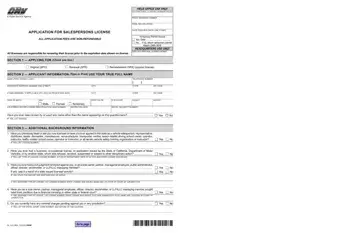
A vehicle salesperson in California is any person employed by a licensed motor vehicle dealer to sell, solicit, or negotiate the sale of new or used vehicles on the dealer's behalf. To work in this capacity legally, every individual must obtain a valid license from the California DMV by submitting a completed OL 16S application. The licensing process ensures that all vehicle sales professionals meet the state's requirements for honesty, transparency, and consumer protection.
Any person who represents a franchised or independent motor vehicle dealer in California and performs any of the following activities must hold a current and valid license:
Operating as a vehicle salesperson without a license violates California Vehicle Code Section 11800. Violations may result in criminal charges, monetary fines, and suspension of the sponsoring dealership's license. Both the salesperson and the employing dealer can face penalties for unlicensed sales activity.
The OL 16S form supports three types of applications, each serving a different licensing stage:
All application fees are non-refundable regardless of whether the application is approved, denied, or withdrawn. Applicants should confirm the current fee schedule with the California DMV before submitting payment.
The form collects complete personal and professional background information from each applicant. Required disclosures include:
All information provided on the application becomes part of the public record. The DMV may share it with authorized government agencies for background verification. Omitting or misrepresenting any information can result in denial, revocation, or criminal prosecution.
Not every person involved in vehicle transactions requires a salesperson license. Common exemptions include:
If you work in California's vehicle industry and need additional documentation, related forms include the DMV Public Service License, the Application for Licensing Motor Vehicles (ALV-8), and the Dealership Application Form. For post-sale documentation, explore our Vehicle Purchase Agreement templates.
| Question | Answer |
|---|---|
| Form Name | California Vehicle Salesperson License |
| Form Length | 3 pages |
| Fillable? | No |
| Fillable fields | 0 |
| Avg. time to fill out | 45 sec |
| Other names | application salespersons license dmv, ca dmv salesperson application, application salespersons license get, california salespersons license dmv |
California Vehicle Salesperson License isn’t the one you’re looking for?
Please rate California Vehicle Salesperson License
