Please rate Cert 125

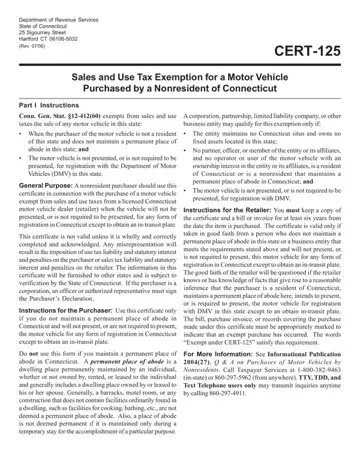
The Cert 125 form is a Connecticut sales and use tax exemption certificate issued by the Department of Revenue Services (DRS). Nonresidents who want to purchase a motor vehicle in Connecticut without paying Connecticut state sales and use tax must complete this form before the sale is finalized.
You may use the Cert 125 exemption certificate if you meet all three conditions:
Both individual purchasers and business entities may qualify. If two or more buyers purchase the vehicle together, each must sign the form.
The Cert 125 form has five numbered sections. Two sections require signatures:
Both parties must sign the form before the sale closes. The retailer keeps a copy and the purchaser retains the original for their records.
The Cert 125 tax exemption is authorized under Connecticut General Statute §12-412(60). Misrepresentation on the form or submitting an incomplete certificate can result in the full Connecticut sales tax becoming due plus statutory interest. Review every field carefully before signing.
Looking for other exemption forms? You may also need the Uniform Sales Tax Certificate for multistate purchases or the ST-3 Tax Exemption Form. For other Connecticut documents, see the Connecticut Capital Improvement Form.
| Question | Answer |
|---|---|
| Form Name | Cert 125 |
| Form Length | 2 pages |
| Fillable? | No |
| Fillable fields | 0 |
| Avg. time to fill out | 30 sec |
| Other names | cert 125 form, ct cert 125, hbse cert 125, pdffiller form 125 |
Cert 125 isn’t the one you’re looking for?
Please rate Cert 125
