


Form CHFS-305 at a glance
What it is: Form CHFS-305, the Commonwealth of Kentucky Authorization for Disclosure of Protected Information, must be completed to authorize the disclosure of protected information.
Who signs: Your signature acknowledges that you have read, understand, and authorize the release of your information.
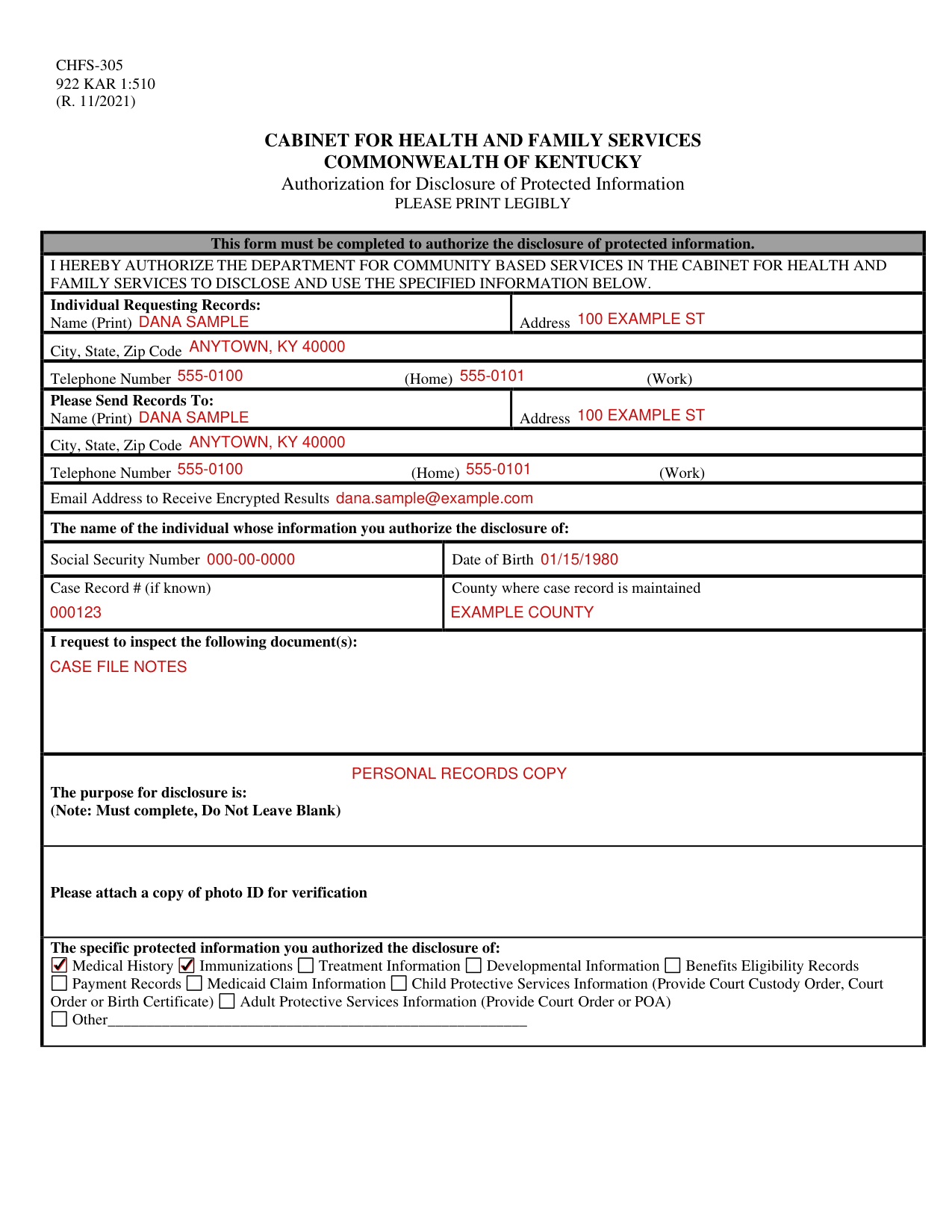
A filled-in Form CHFS-305 example: Dana Sample requests her own records
How to fill out Form CHFS-305, box by box
Individual Requesting Records

Enter your Name (Print) and Address under Individual Requesting Records, then the City, State, Zip Code and the Telephone Number (Home) (Work).
Please Send Records To

Under Please Send Records To, enter the Name (Print), Address, City, State, Zip Code and Telephone Number (Home) (Work).
Enter the Email Address to Receive Encrypted Results.
The individual whose information you authorize the disclosure of

For the individual whose information you authorize the disclosure of, enter the Social Security Number, Date of Birth, Case Record # (if known) and the County where case record is maintained.
Documents to inspect and the purpose for disclosure
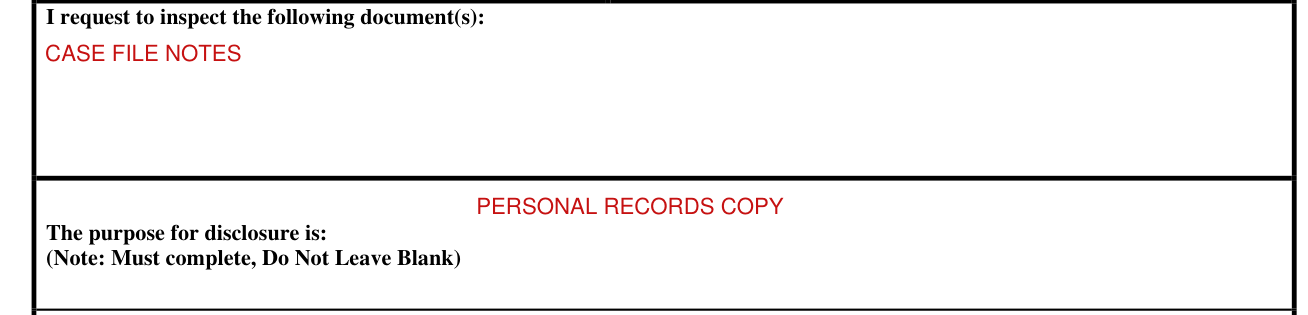
Under I request to inspect the following document(s), list the documents.
The purpose for disclosure must be completed: Do Not Leave Blank.
The specific protected information

Mark the specific protected information you authorize the disclosure of: Medical History, Immunizations, Treatment Information, Developmental Information, Benefits Eligibility Records, Payment Records, Medicaid Claim Information, Child Protective Services Information, Adult Protective Services Information or Other.
For Child Protective Services Information, provide Court Custody Order, Court Order or Birth Certificate.
For Adult Protective Services Information, provide Court Order or POA.
Signature and date

Your signature acknowledges that you have read, understand, and authorize the release of your information.
Sign on the Signature line and enter the Date.
More rules for Form CHFS-305
Please attach a copy of photo ID for verification.
This authorization will expire in ninety (90) days.
You have the right to revoke this authorization at any time, however you must do so in writing.
Actions already taken based on this authorization prior to revocation will not be affected.
You have the right to a copy of this authorization.
Authorizing the use/disclosure of public information is voluntary, and you need not sign this authorization in order to assure service.
You may request to inspect or receive a copy of information to be used or disclosed, as provided in 45 CFR 164.524.
Any disclosure carries with it the potential for an unauthorized disclosure and the information may not be covered by federal confidentiality rules.
Information may be subject to re-disclosure and no longer protected.
For any alcohol and/or drug abuse treatment information disclosed: this information has been disclosed to you from records whose confidentiality is protected by federal law. Federal regulations, 42 CFR Part 2, prohibit you from making further disclosures without the specific written authorization of the person to whom it pertains, or as otherwise specified by such regulations. A general authorization for disclosure is not sufficient for this purpose.
Please do not send money with the request for records. The office will notify you of the amount due once the records are available.
Common questions about Form CHFS-305
Is there a deadline?
Complete this form and submit it within ten (10) days to the Cabinet for Health and Family Services, Department for Community Based Services, Records Management Section, 275 East Main St., Section 3E-G, Frankfort, Kentucky, 40621, OR submit completed form with legible ID to CHFSDCBS.RMS@ky.gov.
Are there fees?
The records requests charge is ten cents ($0.10) per page after twenty (20) pages, plus postage (checked October 22, 2026).
Sources
[1] Form CHFS-305 (R. 11/2021), Authorization for Disclosure of Protected Information, Cabinet for Health and Family Services, Commonwealth of Kentucky (the Official source link on this page).