
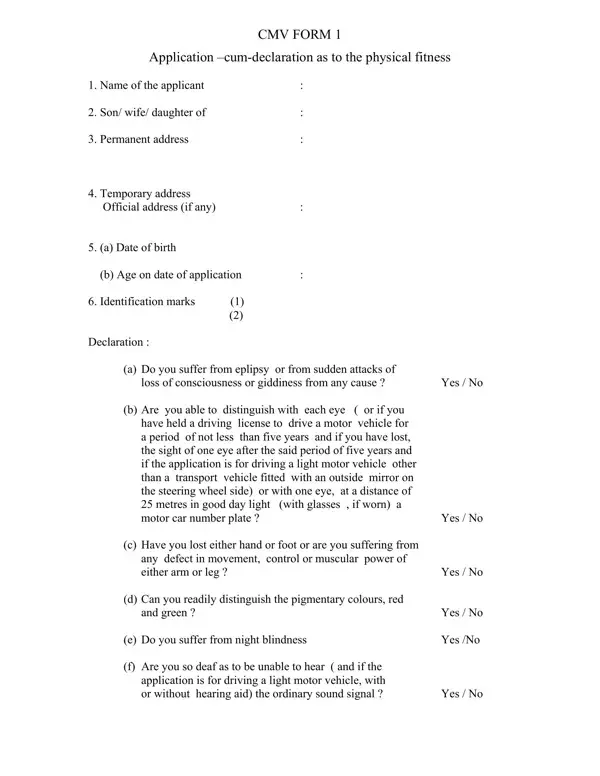
India's CMV Form 1 is the official self-declaration PDF for driving licence applicants, requiring individuals to confirm their physical fitness to operate a motor vehicle. The form covers six key health areas: epilepsy and loss of consciousness, visual acuity and colour perception, limb function and movement control, night blindness, hearing ability, and any other condition that could impair safe driving. The application must be submitted together with CMV Form 1-A, the accompanying medical certificate completed by a registered medical practitioner, to Regional Transport Offices (RTOs) across the country.
Applicants answer each health question with "Yes" or "No." Anyone who answers "Yes" to a condition must obtain additional medical documentation before the RTO can process the driving licence application. The Indian Motor Vehicles Act requires this fitness assessment for all new and renewal applications, reflecting the government's commitment to reducing accidents caused by undisclosed health conditions on the road.
This self-declaration is mandatory for applicants seeking a new driving licence, renewing an existing licence, or converting a learner's licence to a permanent driving licence in India. The form is also known as "Form 1 Self Declaration," "Self Declaration Form RTO," "Self Declaration Form Parivahan," and "Form 1 for Driving Licence." Related documents include the driver licence application form and the certificate of medical fitness form, which serves as the Form 1-A companion document required from a registered medical practitioner.
Is the form digitally fillable? The standard CMV Form 1 PDF has no built-in fill fields (0 fillable fields). Use FormsPal's online editor to type directly onto the document and download a completed copy.
What is Form 1-A? CMV Form 1-A is the medical certificate portion completed by a registered doctor. It must accompany the self-declaration when submitting to the RTO.
How long does it take? Most applicants complete the self-declaration in about 1 minute. Also see the RTO Form 30 and the self declaration form for other related driving licence documents.
| Question | Answer |
|---|---|
| Form Name | Cmv Form 1 |
| Form Length | 4 pages |
| Fillable? | No |
| Fillable fields | 0 |
| Avg. time to fill out | 1 min |
| Other names | form1, form 1, form 1 self declaration online, form 1 self declaration rto editable |