
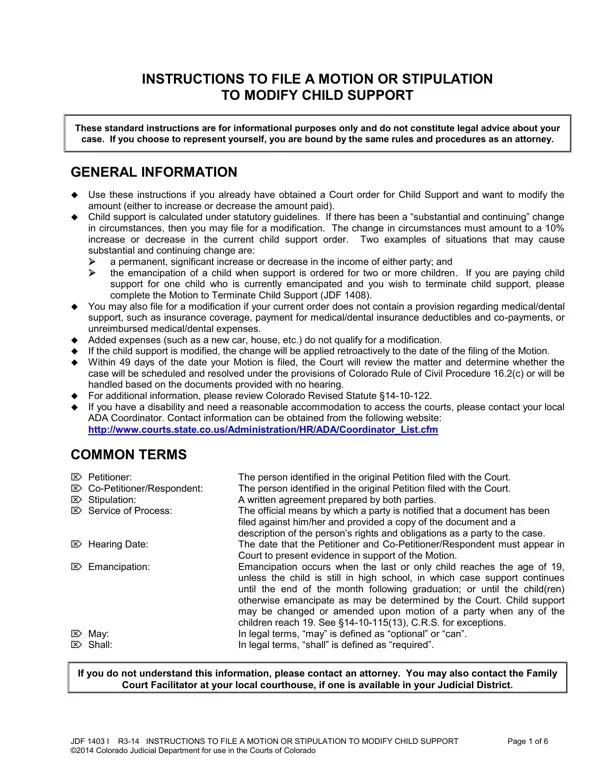
Life changes and so do financial situations, pushing individuals to seek adjustments to existing child support orders to better reflect current circumstances. The Colorado Modify Child Support form provides a structured tool for either party to request a reassessment of support payments based on new evidence.
Colorado allows child support modifications under a "substantial and continuing" change. An economic shift significant enough to warrant a recalibration of payment obligations qualifies. Common triggers include substantial changes in income, the emancipation of a child, or a need to address medical or dental support not previously covered.
Either party may file a motion to modify child support unilaterally or through a stipulation agreement, with the option for a hearing-free court review. The process requires accurate financial information from both parties, and retroactive application of modifications is possible under Colorado law. The Agreed Motion to Terminate Child Support is a related form when support obligations are being fully ended.
| Question | Answer |
|---|---|
| Form Name | Colorado Modify Child Form |
| Form Length | 6 pages |
| Fillable? | No |
| Fillable fields | 0 |
| Avg. time to fill out | 1 min 30 sec |
| Other names | motion modify child, jdf1403i, colorado modify child, co file stipulation |
Colorado Modify Child Form isn’t the one you’re looking for?