Please rate Commercial Lease Application

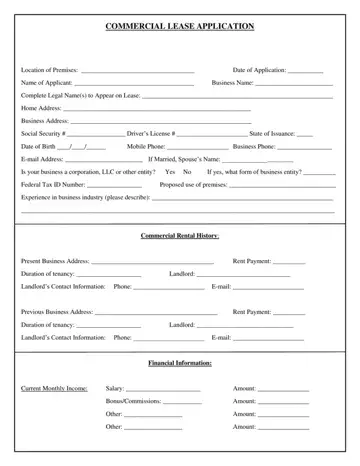
A commercial lease application is the standard first step when a business wants to rent commercial property. Landlords use it to verify the financial strength and track record of every applicant before offering a tenancy. The form covers everything from business structure and rental history to detailed financial statements and a signed consent for background and credit checks.
The application is divided into several key sections:
Commercial landlords review the completed form to assess risk. A strong application shows a debt-to-income ratio below 40%, a clean rental history with no evictions, and a credit score above 680. Established businesses with documented revenue tend to receive faster approval than start-ups. If your business is new, consider preparing a personal financial statement or offering a larger security deposit alongside your application.
Before the landlord sends a formal lease, they often request a commercial lease letter of intent to confirm the key terms first. Once your application is approved, the binding contract you will sign is the commercial lease agreement.
Incomplete entries are the most common reason applications stall or get rejected. Keep these points in mind when filling out the form:
If the landlord wants to review your business's credit independently, you may also need to complete a business credit application in addition to this form.
| Question | Answer |
|---|---|
| Form Name | Commercial Lease Application |
| Form Length | 3 pages |
| Fillable? | Yes |
| Fillable fields | 141 |
| Avg. time to fill out | 28 min 57 sec |
| Other names | commercial rental application, commercial real estate application, printable commercial rental application form, commercial lease application |
Commercial Lease Application isn’t the one you’re looking for?
Please rate Commercial Lease Application
