
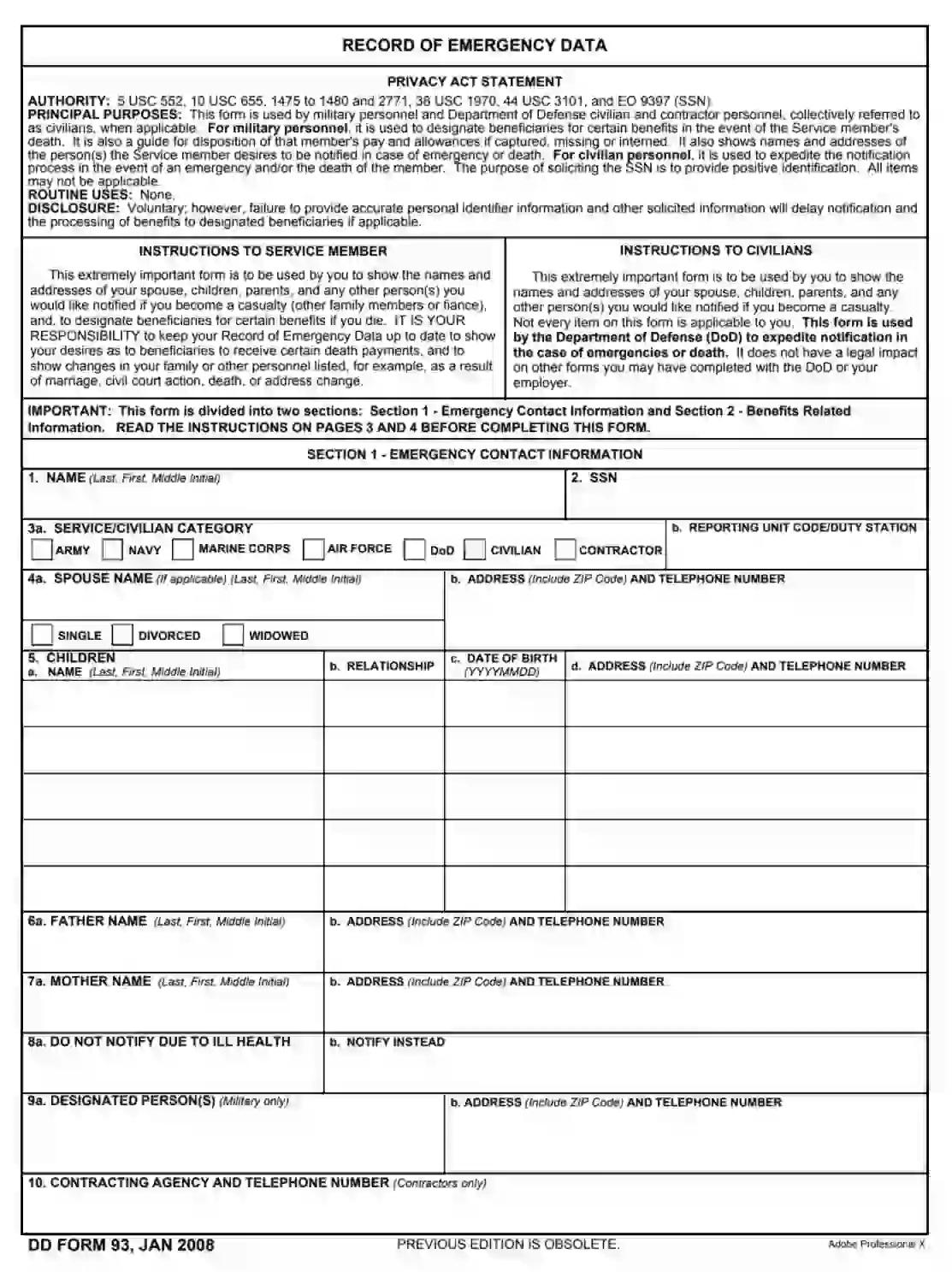
DD Form 93, referred to as the “Record of Emergency Data,” serves a critical function for military service members by documenting their emergency contact information and beneficiary designations in the event of the service member’s death. This form is vital as it ensures that the military has current contact information for notifying next of kin under tragic circumstances. Additionally, it is used to designate beneficiaries for death gratuity, unpaid pay and allowances, and the person authorized to direct disposition (PADD) of remains. The accuracy and currency of DD Form 93 are of utmost importance to provide peace of mind to service members and their families, knowing that their wishes will be respected and executed in case of an emergency.
Other DOD Forms
Should you want to check out more DOD PDFs that you could edit and fill in here, listed here are a few of the more popular forms among our visitors. Also, remember that you may upload, fill out, and edit any PDF at FormsPal.
The legal forms completion process in the United States usually begins with searching for a template that is correct and valid. With our form-building software, you do not need to conduct a time-consuming search. Just download the DD Form 93 here, and you will get the file right away.
Got the form? Now it is time to start filling it out.
Although we have explained why you should fill this form out and file it, it would be smart if you check the official instructions included in the template’s first part. Read them carefully and then start the completion. You also can use the instructions on the template’s last two pages.

As a signatory, you have to introduce yourself: add your name and SSN (social security number). Then, indicate who you are (a member of the army, a contractor, a civilian, and so on) by choosing the relevant option. If you are in the army, write your unit code.

You must write your spouse’s name and address (probably the same address as yours). If you are not married, mark one of the boxes describing your current status (“divorced,” “widowed,” or “single”). You may leave your ex-spouse’s details if you want to.

The form allows you to list five children of yours. For each, you must write their name, relationship (whether it is your daughter or son), date of birth in an indicated format, phone number, and address.

After adding the info about your kids, proceed to the next step, where you should insert your parents’ info. Write your father’s name, address, and phone number. Then, do the same for your mother in the following blank lines.

If you do not want someone from the above to be notified about your illnesses or injuries, you may state it here. There is a blank space nearby where you can write who to notify instead.

If you are a military service member, introduce your designated person, write their address and phone number.

If you are a contractor, write the contracting agency’s name and phone number.

If you are a contractor, your work here is done, and the only thing left to do is to sign and date the form at the bottom of the second page.
If you are a military service member, you have to keep filling the form out.
You, as a military service member, should introduce those who will be your beneficiaries in case you die, become captured, or missing. It can all be the same person (your spouse or parent, for instance). There is no need to invent multiple beneficiaries.
You can list the beneficiaries who will get the death gratuity and unpaid allowances if the accident happens while you are on duty. For the first category, you can enter several names and addresses: in that case, you have to specify the percentage of benefits each person gets.

PADD stands for the Person Authorized to Direct Disposition. Only this person will have the right to conduct disposal of your remains. It can be either your spouse or one of your relatives (blood or adopted; also, not minors but adults). Write their name, address, and phone number.

If you have any remarks regarding the form’s content, you can insert them here.

Then, you should leave your signature and put the date when you sign the document. Besides, this form needs to be signed by one witness.

What it is: DD Form 93 is the Record of Emergency Data.
Where and when to file: Upon issuance of DOD Identification Card, you will need to submit a new DD Form 93 with your DOD Identification Number to protect your personally identifiable information.
Use this form to show the names and addresses of your spouse, children, parents, and any other person(s) you would like notified if you become a casualty (other family members or fiancé), and to designate beneficiaries for certain benefits if you die.
This form is used by military personnel and Department of Defense civilian and contractor personnel, collectively referred to as civilians, when applicable.
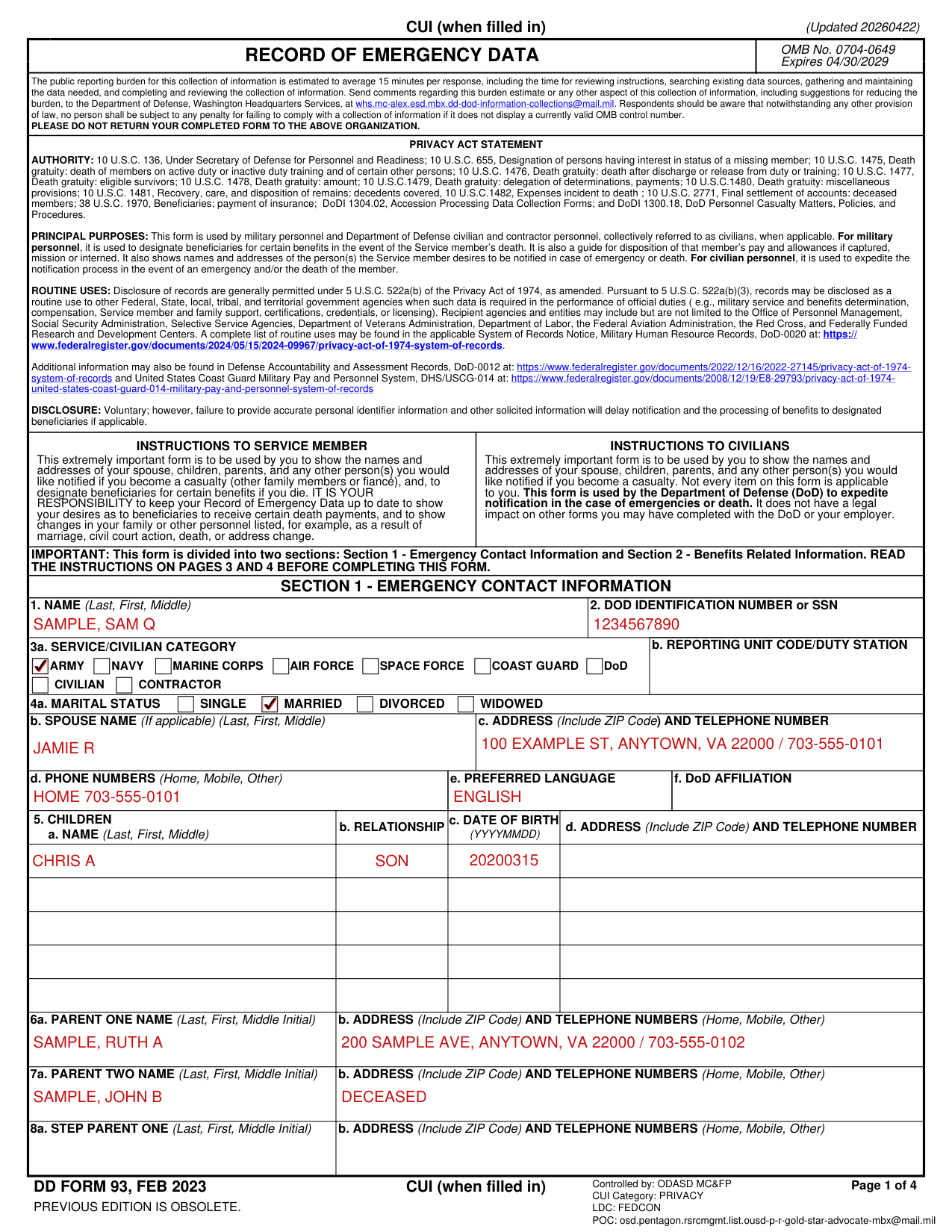

Enter full last name, first name, and middle name.
Enter DOD Identification Number (located on DOD Identification Card) or SSN if DOD Identification Card is not issued yet.

Military: Mark X in the appropriate block.
Civilian: Mark two blocks as appropriate. Example: an Army civilian would mark Army and either Civilian or Contractor.
Reporting Unit Code/Duty Station: See Service Directives.
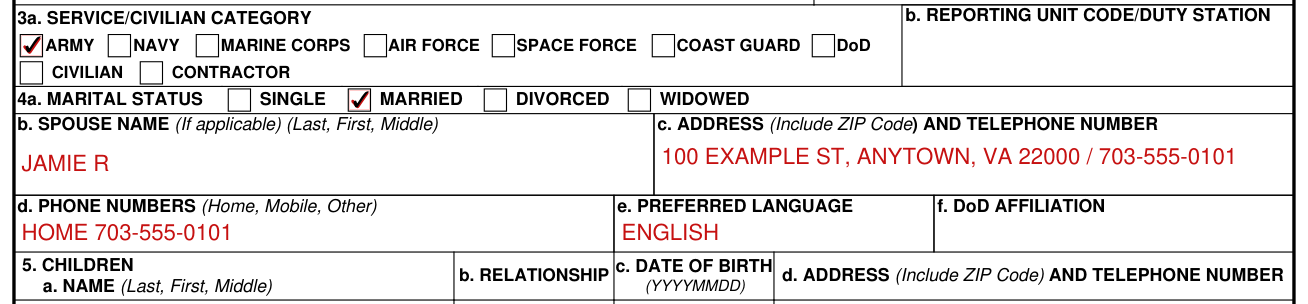
Select marital status.
Spouse Name: Enter last name (if different from Item 1), first name and middle name on the line provided. If single, divorced, or widowed, mark appropriate block.
Address and Telephone Number: Enter the "actual" address and telephone number, not the mailing address. If one of the blocks in 4b is marked, leave blank.
List home, mobile, and other phone numbers as appropriate.
Provide the preferred language spoken by the spouse.
Select from the dropdown menu the DOD affiliation of the spouse, if applicable.
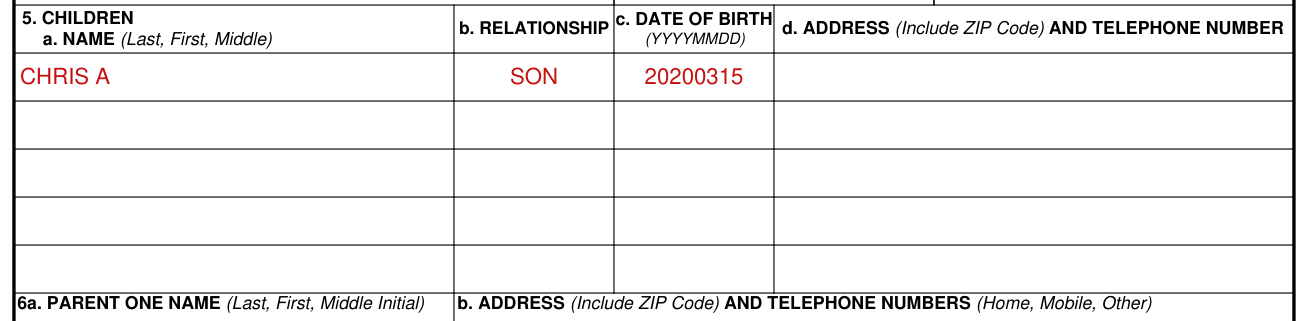
Enter last name (only if different from Item 1) first name and middle name, relationship, and date of birth of all children. If none, so state.
Include children born out of wedlock if acknowledged by member or paternity/maternity has been judicially decreed.
Date of birth example: 19950704.
For children not living with the member's current spouse, include address and name and relationship of person with whom residing in item 5d.

Parent Name: Last name, first name and middle initial.
Address and Telephone Number of Parent: If unknown or deceased, so state. If other than biological or adoptive parent is listed, indicate relationship.
Step parent name, if applicable: last name, first name and middle initial.
Address and telephone number of step parent, if applicable: if deceased, so state.

Address and telephone number of Designated Person(s).
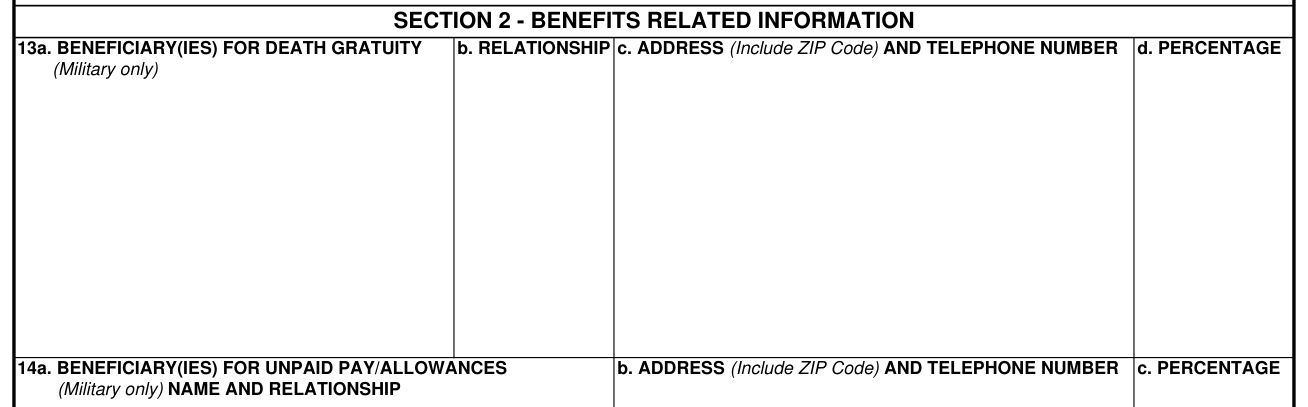
Enter first name(s), middle initial, and last name(s) of the person(s) to receive death gratuity pay. A member may designate one or more persons to receive all or a portion of the death gratuity pay.
If the member does not wish to designate a beneficiary for the payment of death gratuity, enter "None."
The member should make specific designations, as it expedites payment.
If a member has a spouse but designates a person other than the spouse to receive all or a portion of the death gratuity pay, the Service concerned is required to provide notice of the designation to the spouse.
Items 13c and 14b: Enter beneficiary(ies) full mailing address and telephone number to include the ZIP Code.
Show the percentage to be paid to each person. Enter 10%, 20%, 30%, up to 100% as appropriate. The sum shares must equal 100 percent. If no percent is indicated and more than one person is named, the money is paid in equal shares to the persons named.

Enter first name(s), middle initial, last name(s) and relationship of person to receive unpaid pay and allowances at the time of death. The member may indicate anyone to receive this payment.
If the member does not wish to designate a beneficiary, enter "By Law."
The member is urged to designate a beneficiary for unpaid pay and allowances as payment will be made to the person in order of precedence by law (10 USC 2771) in the absence of a designation.
Item 14c: If the member designated two or more beneficiaries, state the percentage to be paid each. The sum shares must equal 100 percent.

Enter the name and relationship of the Person Authorized to Direct Disposition (PADD) of your remains should you die.
Persons typically selected as a PADD include: surviving spouse, blood relative of legal age, or adoptive relatives.
Address and telephone number of PADD.
NOT APPLICABLE to civilians.
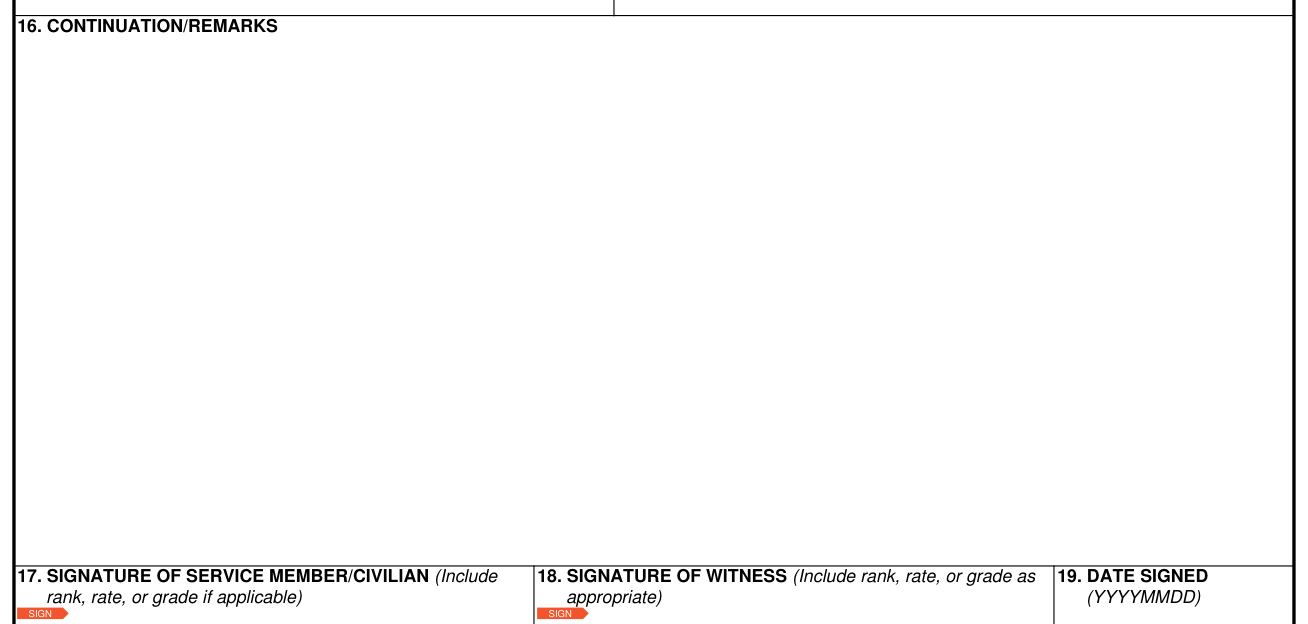
Use this item for remarks or continuation of other items, if necessary.
Prefix entry with the number of the item being continued; for example, 5/John J./son/ 19851220/321 Pecan Drive, Schertz TX 78151.
Also use this item to list name, address, and relationship of other persons the member desires to be notified. Other dependents may also be listed.
If additional space is required, attach a supplemental sheet of standard bond paper with the information.

Signature of Service Member/Civilian: check and verify all entries and sign all copies in ink as follows: First name, middle initial, last name. Include rank, rate, or grade if applicable. May be electronically signed (see DOD Instruction 1300.18 for guidelines).
Signature of Witness: have a witness (disinterested person) sign all copies in ink as follows: First name, middle initial, last name. Include rank, rate, or grade as appropriate. A witness signature is not required for electronic versions of the DD Form 93 (see DOD Instruction 1300.18).
Date the member or civilian signs the form if not already indicated in the electronic signature block. This item must be completed as an ink entry.
Previous edition is obsolete.
See appropriate Service Directives for supplemental instructions for completion of this form at other than MEPS.
Include "Jr.," "Sr.," "III" or similar designation for each name, if applicable.
When an address is entered, include the appropriate ZIP Code.
If the member cannot provide a current address, indicate "unknown" in the appropriate item.
Addresses shown as P.O. Box Numbers or RFD numbers should indicate in Item 16, "Continuations/Remarks", a street address or general guidance to reach the place of residence.
In addition, the notation "See Item 16" should be included in the item pertaining to the particular next of kin or when the space for a particular item is insufficient.
If the address for the person in the item has been shown in a preceding item, it is unnecessary to repeat the address; however, the name must be entered.
For the address and telephone number of the spouse, a parent or a step parent: include civilian title or military rank and service if applicable.
Seek legal advice if naming a minor child as a beneficiary.
Disclosure is voluntary; however, failure to provide accurate personal identifier information and other solicited information will delay notification and the processing of benefits to designated beneficiaries if applicable.
Not every item on this form is applicable to you.
Those items that are considered not applicable to civilians will be left blank.
It is your responsibility to keep your Record of Emergency Data up to date to show your desires as to beneficiaries to receive certain death payments, and to show changes in your family or other personnel listed, for example, as a result of marriage, civil court action, death, or address change. Upon issuance of DOD Identification Card, you will need to submit a new DD Form 93 with your DOD Identification Number to protect your personally identifiable information.
Item 11a will be used to record the name of the person or persons, if any, other than the member's primary next of kin or immediate family, to whom information on the whereabouts and status of the member shall be provided if the member is placed in a missing status.
[1] DD Form 93 (FEB 2023), Record of Emergency Data, Department of Defense (the Official source link on this page).