
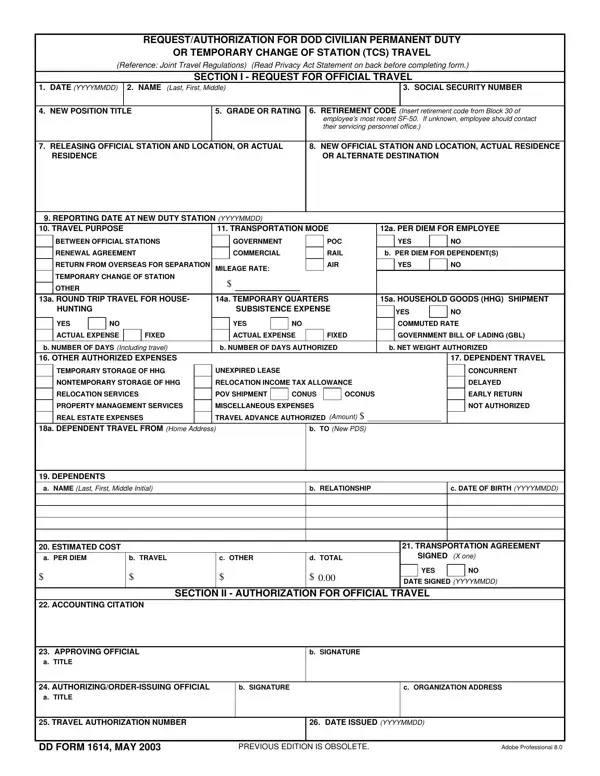

DD Form 1614 at a glance
What it is: DD Form 1614 is the request and authorization for DoW civilian permanent duty or temporary change of station travel.
Where to get it: An electronic version of DD Form 1614 is available at https://www.esd.whs.mil/Directives/forms/.
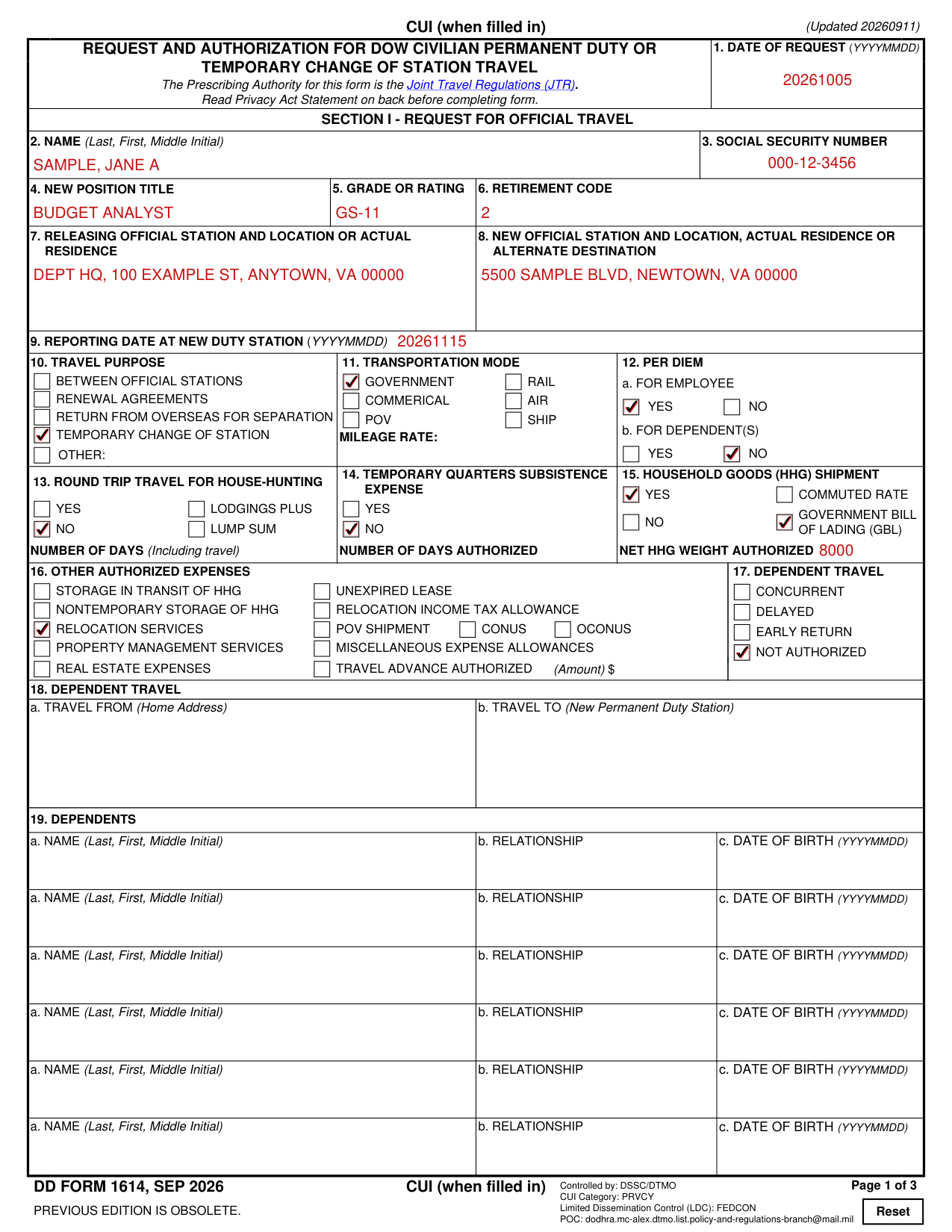
A filled-in DD Form 1614 example: a transfer between official stations
How to fill out DD Form 1614, box by box
Boxes 1 to 6, the civilian employee
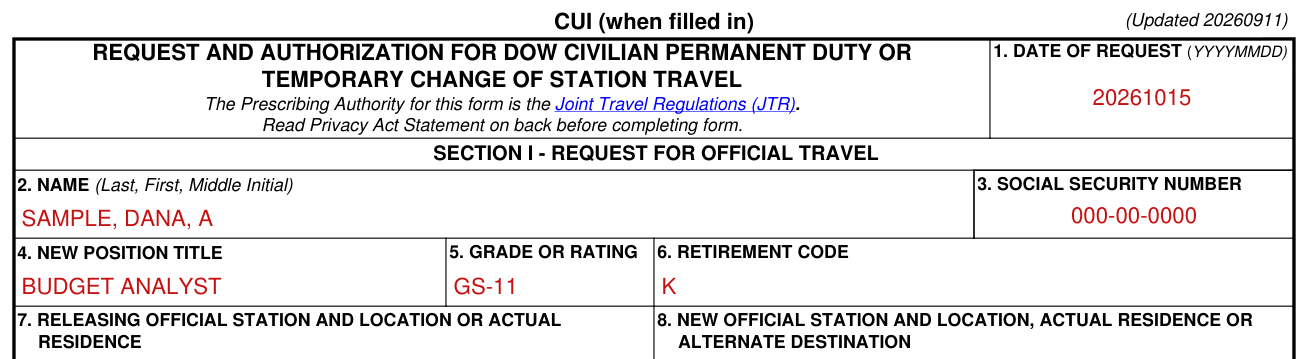
Enter today's date in the format YYYYMMDD.
Enter the civilian employee's last name, first name, and middle initial.
Common mistake: Enter the civilian employee's full Social Security number. The last four digits are not sufficient for the purposes of this request and authorization.
Enter the civilian employee's position title at the new permanent duty station (PDS).
Enter the civilian employee's grade on the date of the request.
Enter the applicable retirement code from block 30 of the civilian employee's most current SF-50.
Boxes 7 to 9, the official station and the reporting date

If the travel is due to a transfer, then enter the name and complete address of the releasing official station.
If traveling to the first duty station, then enter the address of the civilian employee's residence on the service agreement.
Enter the name and complete address of only the new official station.
If the travel is due to a separation, then enter the complete address of the actual residence shown on the service agreement.
Enter the date the civilian employee is to report to the new duty location.
Boxes 10 to 12, travel purpose, transportation mode and per diem

Mark the purpose for this official travel. Explain “Other” in item 27.
Mark the authorized transportation mode.
If the mode is a privately owned vehicle, then enter the mileage rate.
For 12a, per diem for employee, mark the applicable block.
For 12b, per diem for dependents, indicate the applicable block.
Boxes 13 to 15, house hunting, temporary quarters subsistence expense and household goods

For round-trip travel for house hunting (13), mark the applicable block.
Mark “LODGINGS PLUS” if the lodgings plus method is authorized or “LUMP SUM” if the lump sum method is authorized.
Enter the number of calendar days for which a house-hunting trip is authorized, limited to the maximum number of days specified in the Federal Travel Regulation §302-5.11.
For temporary quarters subsistence expense (14), mark the applicable block.
Enter the number of calendar days that a TQSE allowance is authorized.
For household goods (HHG) shipment (15), mark the applicable block.
If an HHG shipment is authorized, mark one of the following options:
“COMMUTED RATE” if the civilian employee is authorized to arrange HHG transportation and will be reimbursed using the commuted rate schedule.
“GOVERNMENT BILL OF LADING (GBL)” if the Government will designate and pay for a commercial carrier using a GBL or if the civilian employee is authorized to arrange the HHG transportation and reimbursement is limited to the GBL cost.
Enter the net weight authorized.
Boxes 16 and 17, other authorized expenses and dependent travel

For other authorized expenses (16), mark as appropriate.
If a travel advance is authorized, so indicate and enter the amount computed by the appropriate finance or disbursing activity.
Common mistake: Do not enter an ATM cash withdrawal against the Government Travel Charge Card (GTCC) in item 16; indicate the amount of the ATM withdrawal in item 27.
Mark the appropriate block for dependent travel outside the continental United States (OCONUS).
If the civilian employee and dependent are traveling separately, then enter in item 27 the dates of dependent travel and transportation mode, and the dependent's travel origin and destination if different from the civilian employee's.
Boxes 18 and 19, dependent travel from and to, and the dependents
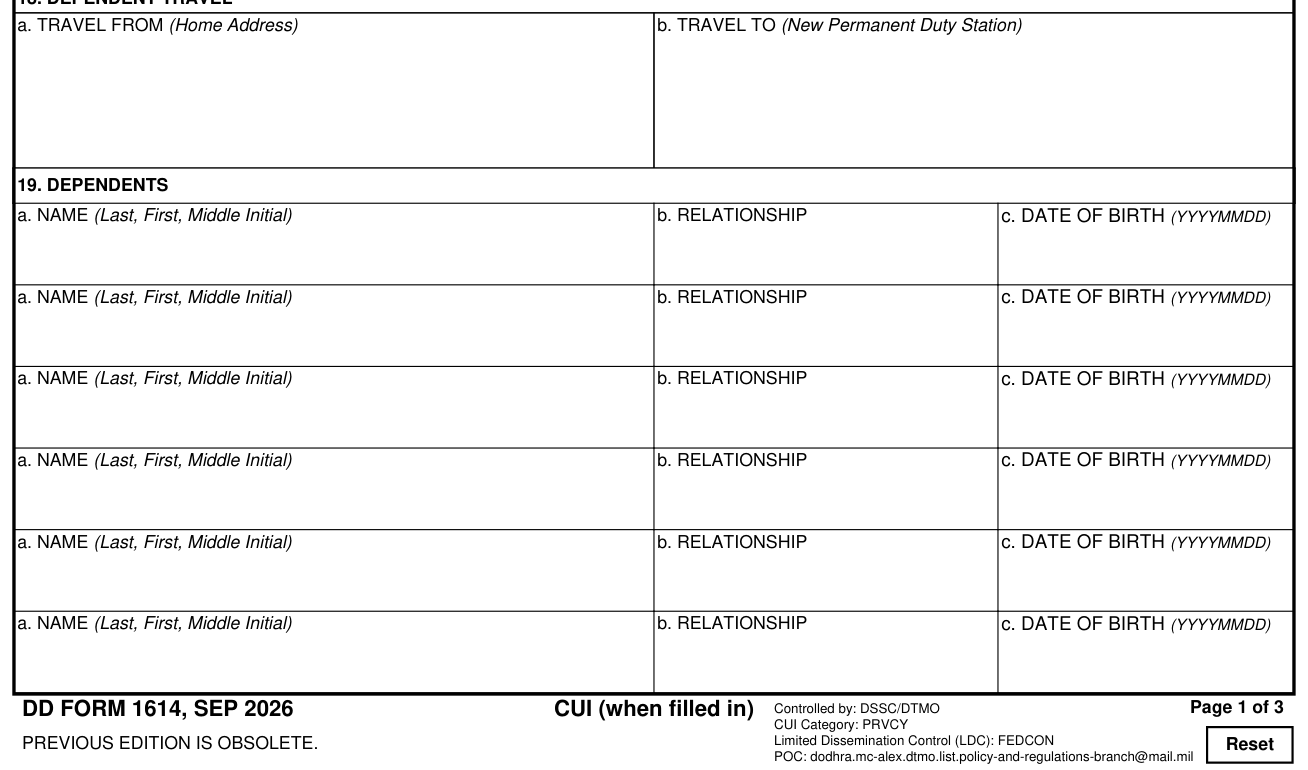
Enter the complete home address from which a dependent will depart.
Enter the complete address of the new PDS where the dependent will arrive.
Enter the last name, first name, and middle initial of each dependent.
Enter each dependent's relationship to the civilian employee.
Enter each dependent's date of birth.
Boxes 20 to 22, estimated cost, transportation agreement and accounting citation
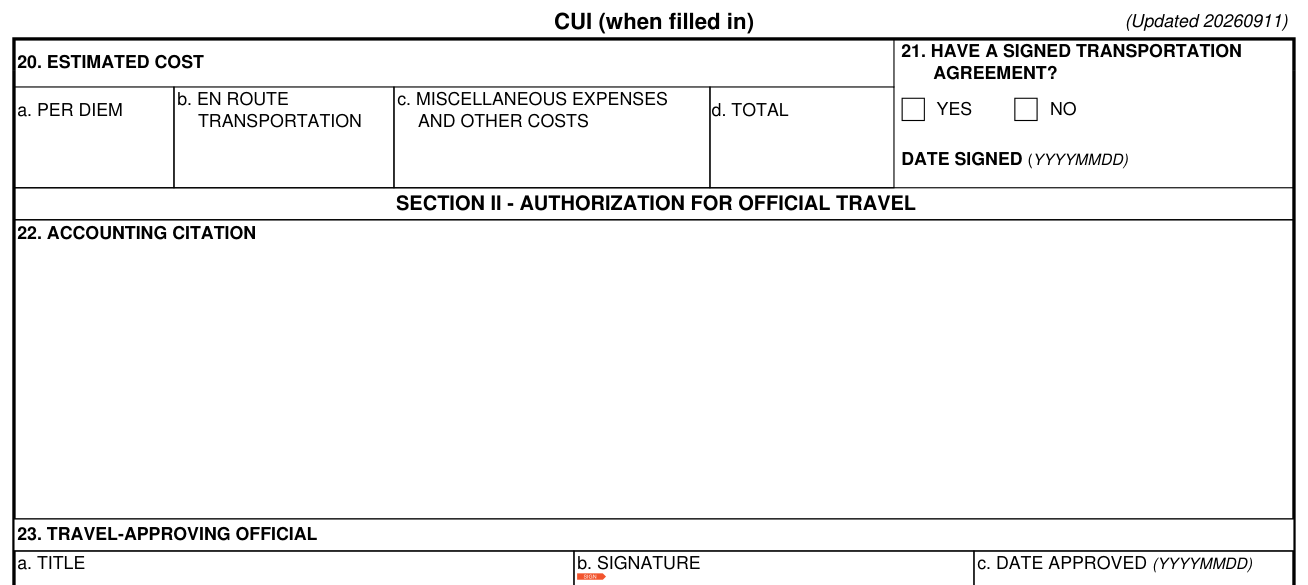
Enter the estimated amount of per diem, travel, and other expenses that the civilian employee is authorized.
Consult the JTR to determine the estimated cost of en route travel.
The total automatically updates in item 20d.
Mark an “X” to indicate whether a transportation agreement was signed and, if so, enter the date it was signed.
Retain a copy of the signed transportation agreement for personal record.
Enter fiscal data in accordance with the regulations of the DoW Component concerned.
Ensure that funds are obligated against the order.
Enter the Transportation Account Codes, when appropriate, for DoW personnel.
Boxes 23 to 25, the approving official, the authorizing official and the travel authorization number
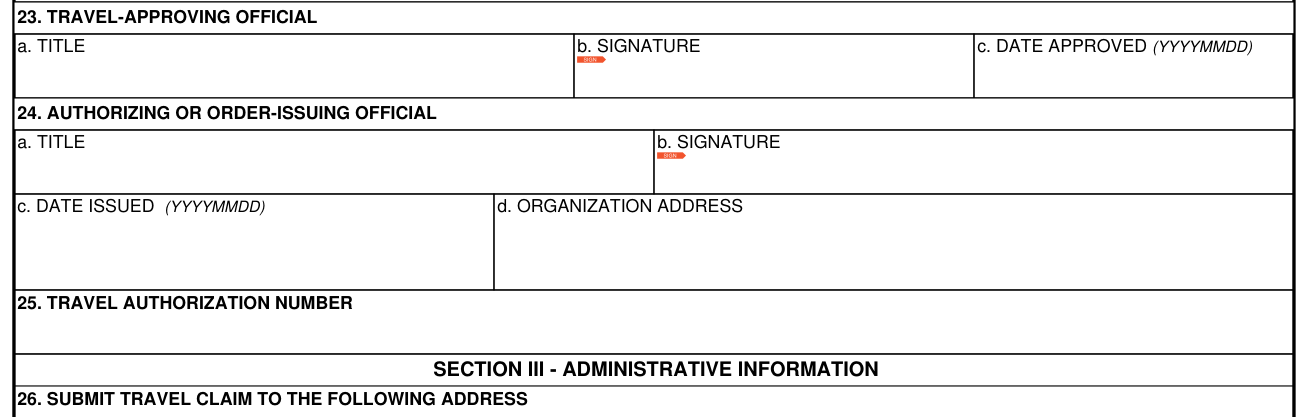
Enter the full name and title of the official who approves the travel request in 23a.
The approving official signs in 23b.
In 24, the authorizing or order-issuing official: a. title, b. signature, c. date issued (YYYYMMDD), d. organization address. Enter the full name and title of the authorizing official (AO). The AO signs.
Enter the identifying number assigned by the issuing office.
Boxes 26 and 27, the travel claim address and other remarks
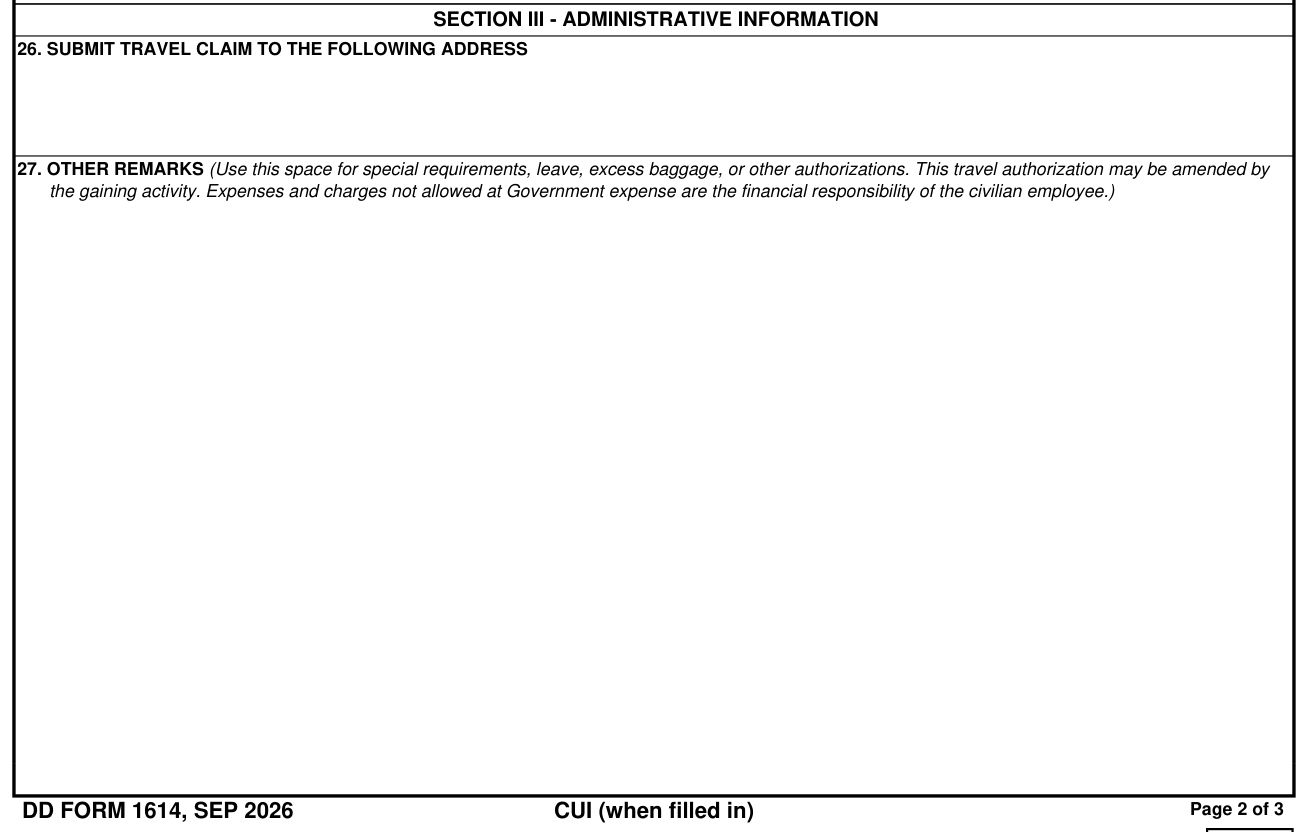
Enter the address where the civilian employee submits the completed travel claim.
Use this space for special requirements, leave, excess baggage, or other authorizations.
This travel authorization may be amended by the gaining activity.
Expenses and charges not allowed at Government expense are the financial responsibility of the civilian employee.
If additional space is needed, use item 27 or add a continuation sheet.
Sources
[1] DD Form 1614 (SEP 2026), Washington Headquarters Services (the Official source link on this page).