


DD Form 1692 at a glance
What it is: DD Form 1692 is the Engineering Change Proposal (ECP).
Who signs: Sign in the box marked SIGN, at the name and title of the Authorizing Official (h).
A filled-in DD Form 1692 example: a minor routine change to a part
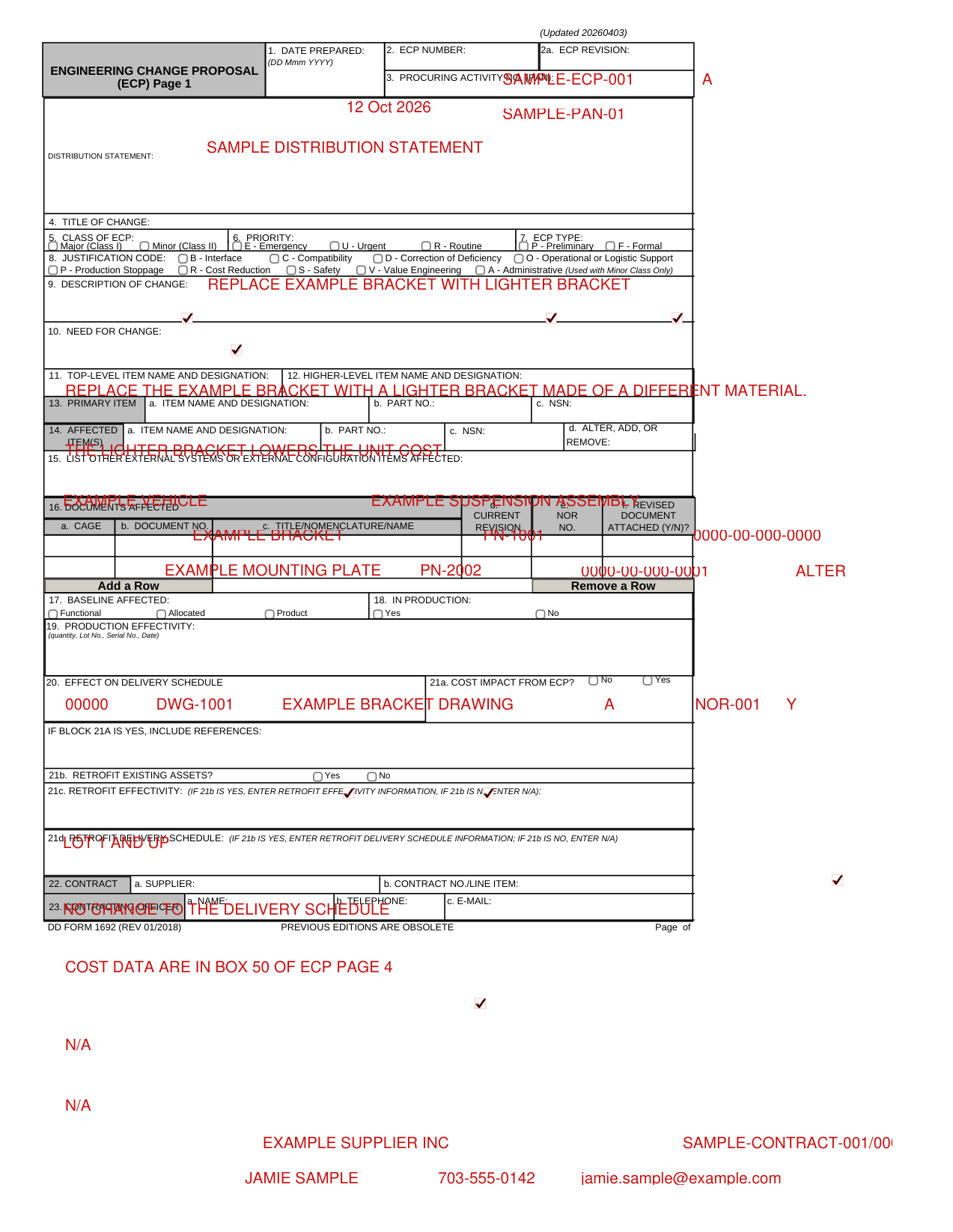
How to fill out DD Form 1692, box by box
Date, ECP number, procuring activity number and distribution statement
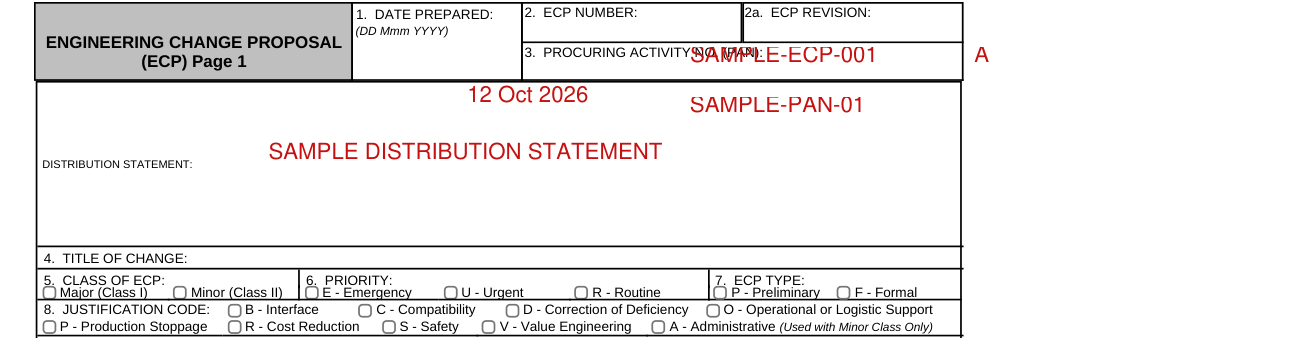
Enter the date prepared in Box 1 as DD Mmm YYYY.
Enter the ECP number in Box 2, the ECP revision in Box 2a, the procuring activity number (PAN) in Box 3 and the distribution statement.
Title of change, class, priority, type, justification code, description and need for change
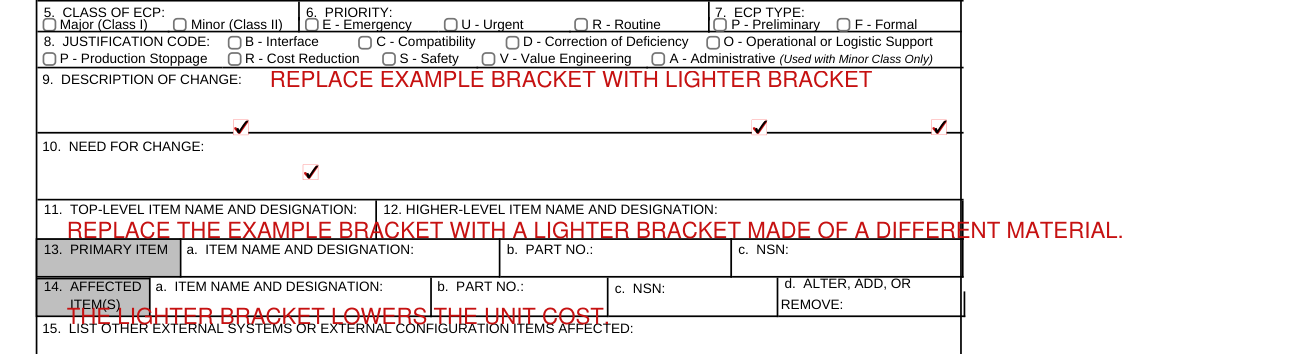
Enter the title of the change in Box 4, the description of the change in Box 9 and the need for the change in Box 10.
In Box 5, Class of ECP, check Major (Class I) or Minor (Class II).
In Box 6, Priority, check Emergency (E), Urgent (U) or Routine (R).
In Box 7, ECP Type, check Preliminary (P) or Formal (F).
In Box 8, Justification Code, check Interface (B), Compatibility (C), Correction of Deficiency (D), Operational or Logistic Support (O), Production Stoppage (P), Cost Reduction (R), Safety (S) or Value Engineering (V).
Common mistake: Administrative (A) is used with Minor Class Only (Box 5).
Items and systems affected

Enter the top-level item name and designation in Box 11 and the higher-level item name and designation in Box 12.
In Box 13, Primary Item, enter the item name and designation (a), the Part No. (b) and the NSN (c).
In Box 14, Affected Item(s), enter the item name and designation (a), the Part No. (b), the NSN (c) and ALTER, ADD or REMOVE (d).
In Box 15, list other external systems or external configuration items affected.
Documents affected

In Box 16, Documents Affected, enter the CAGE (a), the Document No. (b), the title, nomenclature or name (c), the current revision (d), the NOR No. (e) and Y or N for revised document attached (f).
Baseline, production, delivery schedule and cost impact
In Box 17, Baseline Affected, check Functional, Allocated or Product.
In Box 18, In Production, check Yes or No.
In Box 19, Production Effectivity, enter the quantity, Lot No., Serial No. or Date.
Enter the effect on delivery schedule in Box 20.
In Box 21a, Cost Impact from ECP, check No or Yes. If Box 21a is Yes, include references.
Retrofit existing assets

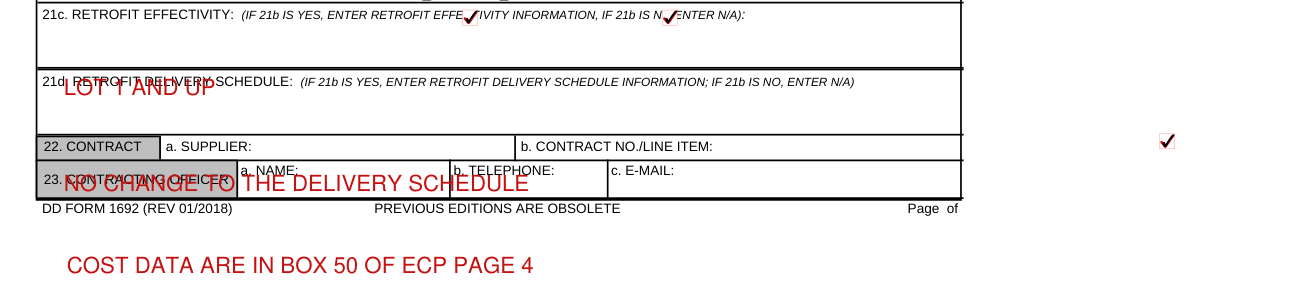
In Box 21b, Retrofit Existing Assets, check Yes or No. If Box 21b is Yes, enter the retrofit effectivity information in Box 21c and the retrofit delivery schedule information in Box 21d.
Common mistake: If Box 21b is No, enter N/A in Box 21c and in Box 21d.
Contract and contracting officer

In Box 22, Contract, enter the supplier (a) and the Contract No./Line Item (b).
In Box 23, Contracting Officer, enter the name (a), the telephone number (b) and the e-mail (c).
Originator and authorizing official

In Box 24, Originator, enter the name (a), the address (street, city, state, zip code) (b), the telephone (c), the e-mail (d), the CAGE code (e), the submitting activity (f) and the name and title of the Authorizing Official (h).
Approving activity, disposition and revision
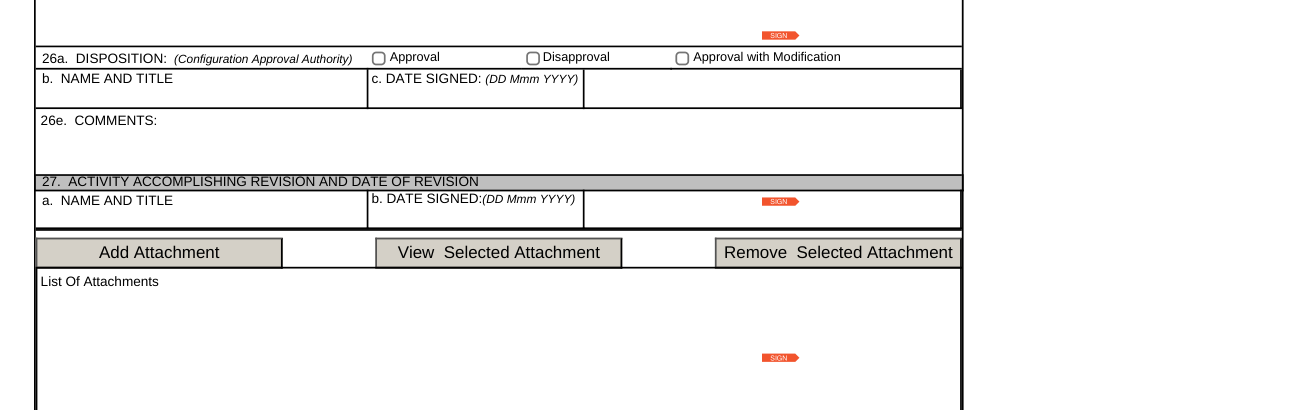
Box 25 and the boxes below it (Boxes 26 and 27) are to be completed by the approving activity. In Box 25, Recommendations, check Approval, Disapproval or Approval with Modification (a).
In Box 25, enter the name and title (b), the date signed as DD Mmm YYYY (c) and the comments (25e).
In Box 26, Disposition (Configuration Approval Authority), check Approval, Disapproval or Approval with Modification (a), then enter the name and title (b), the date signed as DD Mmm YYYY (c) and the comments (26e).
In Box 27, Activity Accomplishing Revision and Date of Revision, enter the name and title (a) and the date signed as DD Mmm YYYY (b).
Signatures
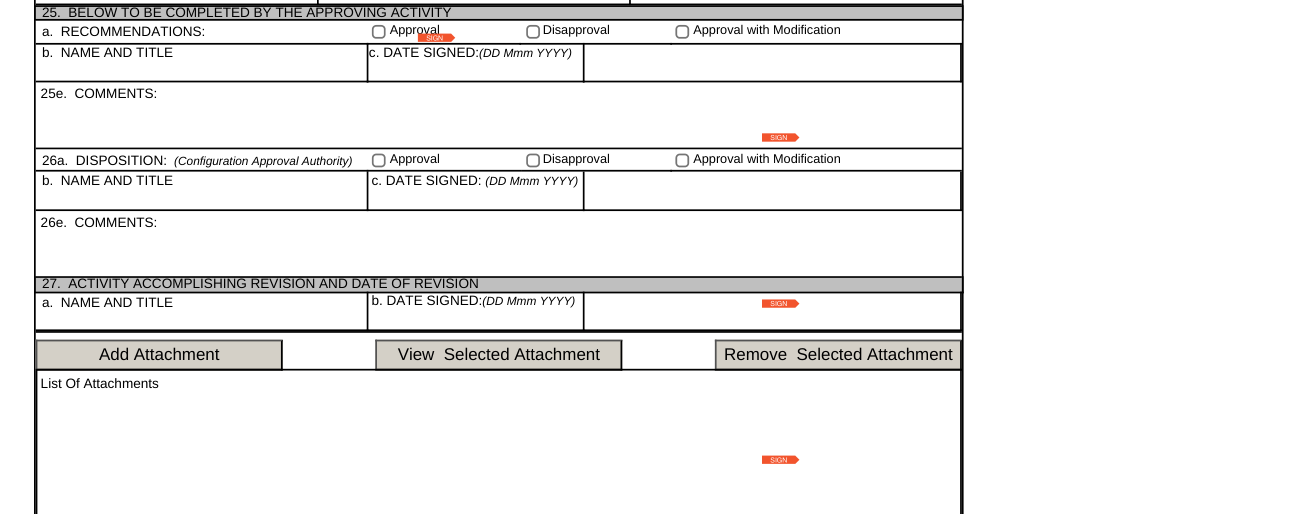
After Box 24, the boxes marked SIGN in "BELOW TO BE COMPLETED BY THE APPROVING ACTIVITY" are to be completed by the approving activity.
Attachments

Attach with Add Attachment and list the attachments under List Of Attachments. View Selected Attachment and Remove Selected Attachment apply to the selected attachment.
Other pages of the ECP
Box 17 is functional or allocated
ECP Page 2 is for use if Box 17 is functional or allocated.
On ECP Page 2, in Boxes 28 to 30, enter the other external systems or external configuration items affected, the other suppliers or activities affected and the configuration items affected.
On ECP Page 2, enter the effects on performance allocations and interfaces in system specification (Box 31); the effects on staffing, integrated logistics support, training, operational effectiveness, or software (Box 32); and the effects on configuration item specifications (Box 33).
On ECP Page 2, enter the developmental requirements and status (Box 34) and the trade-offs and alternative solutions (Box 35).
On ECP Page 2, enter the date by which contractual authority is needed in Box 36 as DD Mmm YYYY.
Effects on engineering, support and other product attributes
ECP Page 3 is for use as necessary.
In Boxes 37 and 38, mark (X) a factor and fill in its ENCL. and PAR.
On ECP Page 3, enter the alternate solutions (Box 40), the developmental status (Box 41) and the recommendations for retrofit (Box 42).
Estimated net total cost impact
ECP Page 4 and ECP Page 5 are for use as necessary.
In Box 50, Estimated Net Total Cost Impact, and in Box 51, Estimated Costs / Savings Summary, Related ECPs, use parentheses for savings.
Hardware and software
ECP Page 6 (hardware) and ECP Page 7 (software) are for use as necessary.
On ECP Page 6, enter the CAGE code (Box 52), the configuration item nomenclature (Box 53) and the title of change (Box 54).
On ECP Page 7, enter the CAGE code (Box 56), the CSCI nomenclature (Box 57) and the title of change (Box 58).
In Box 55 and Box 59, enter the date authorization to proceed received by supplier as DD Mmm YYYY, and indicate start delivery with an S, completion delivery with a C and progress point with a P.
Common questions about DD Form 1692
What are the instructions for completing DD Form 1692?
DD Form 1692 is the Engineering Change Proposal (ECP). Fill out ECP Page 1 of DD Form 1692. Use ECP Page 2 if Box 17 is functional or allocated. ECP Pages 3 to 7 are for use as necessary.
Sources
[1] DD Form 1692 (REV 01/2018), Engineering Change Proposal (ECP), Washington Headquarters Services (the Official source link on this page).