
DD Form 2293 at a glance
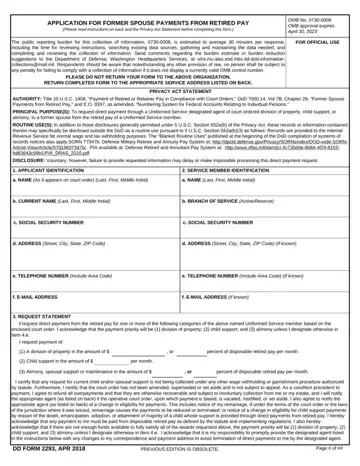
What it is: DD Form 2293 is the application for former spouse payments from retired pay.
Who signs: Applicant's signature required. The form must be signed by a spouse or former spouse and not the member or attorney.
To request direct payment through a Uniformed Service designated agent of court ordered division of property, child support, or alimony, to a former spouse from the retired pay of a Uniformed Service member.
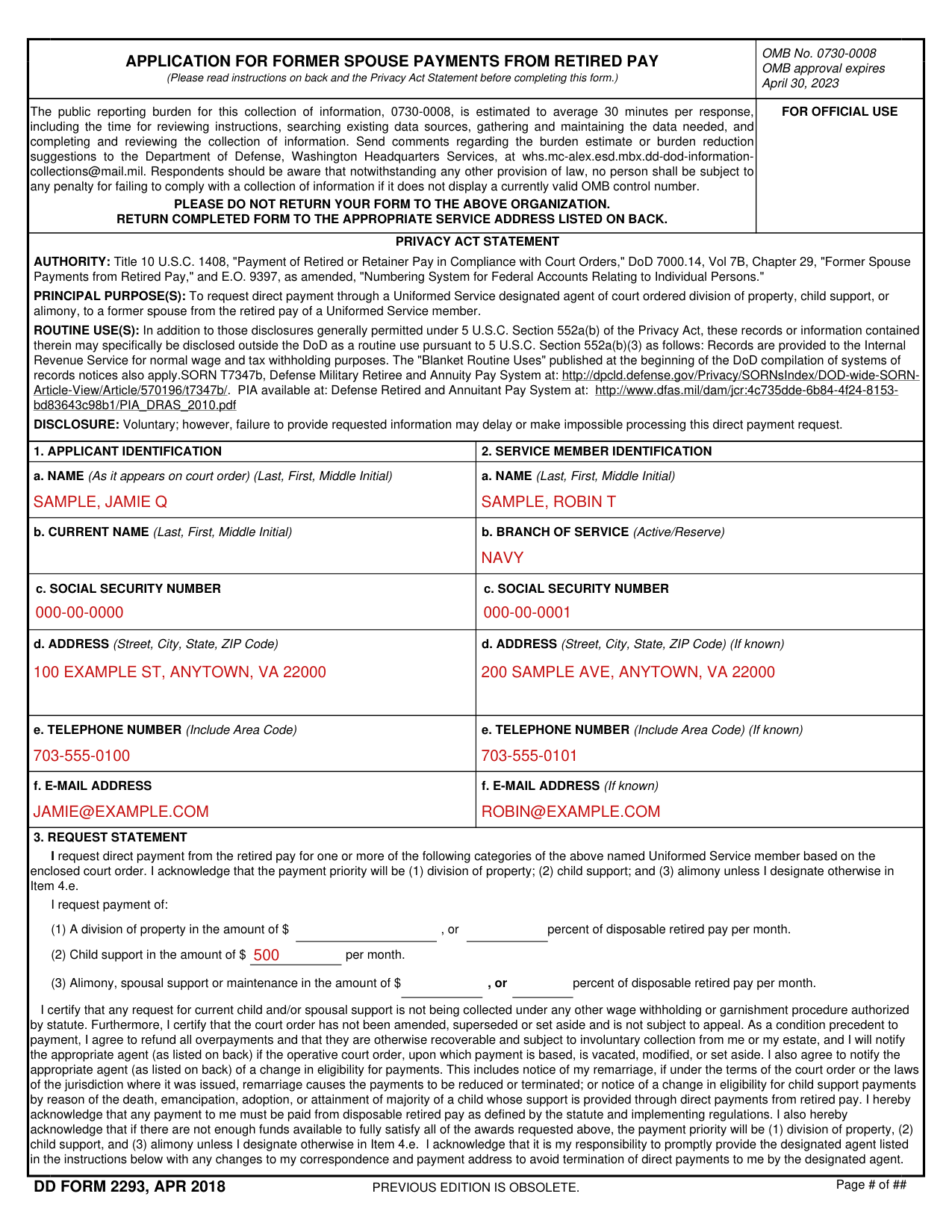
A filled-in DD Form 2293 example: a former spouse requests child support
How to fill out DD Form 2293, box by box
Item 1: name, address, telephone and e-mail address
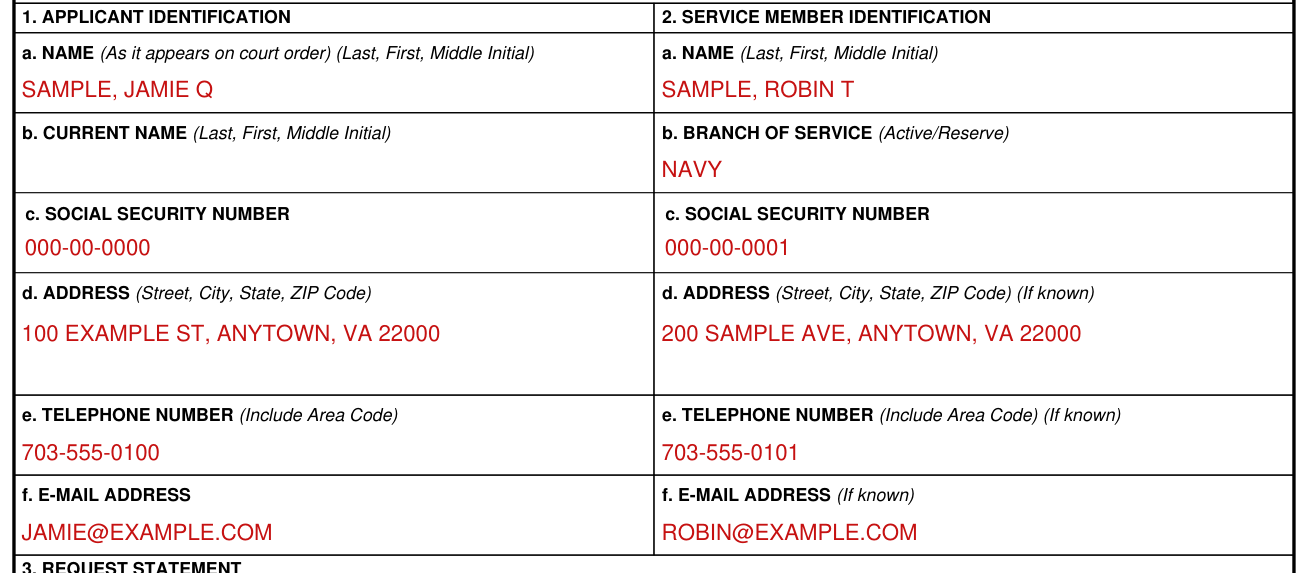
In Item 1, enter your full name as it appears on the court order, your current name if different than it appears on the court order, your Social Security Number, your current address, your telephone number and your e-mail address, if applicable.
Item 2: member's name, branch of service, address, telephone and email address
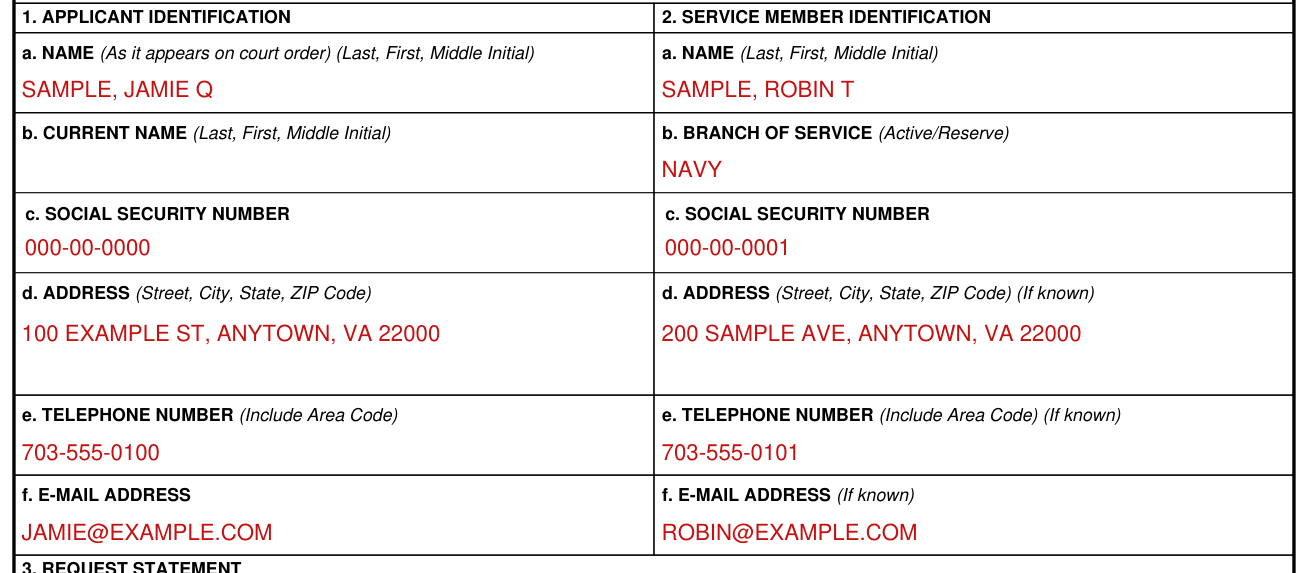
In Item 2, enter the member's full name as it appears on the court order, branch of service, Social Security Number, current address, if known, telephone number, if known, and email address, if known.
Request statement
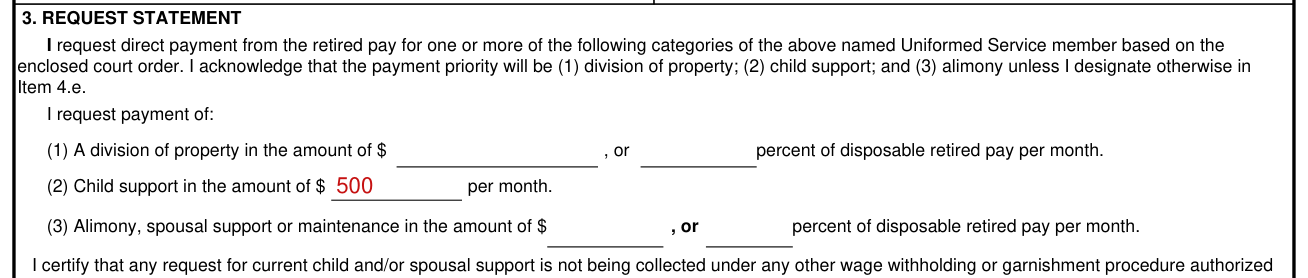
I request payment of: (1) A division of property in the amount of $ , or percent of disposable retired pay per month. (2) Child support in the amount of $ per month. (3) Alimony, spousal support or maintenance in the amount of $ , or percent of disposable retired pay per month. The payment priority will be (1) division of property; (2) child support; and (3) alimony unless you designate otherwise in Item 4.e.
Read the Request Statement carefully, as it contains language stating that you "certify and acknowledge".
"I certify that any request for current child and/or spousal support is not being collected under any other wage withholding or garnishment procedure authorized by statute. Furthermore, I certify that the court order has not been amended, superseded or set aside and is not subject to appeal. As a condition precedent to payment, I agree to refund all overpayments and that they are otherwise recoverable and subject to involuntary collection from me or my estate, and I will notify the appropriate agent (as listed on back) if the operative court order, upon which payment is based, is vacated, modified, or set aside. I also agree to notify the appropriate agent (as listed on back) of a change in eligibility for payments. This includes notice of my remarriage, if under the terms of the court order or the laws of the jurisdiction where it was issued, remarriage causes the payments to be reduced or terminated; or notice of a change in eligibility for child support payments by reason of the death, emancipation, adoption, or attainment of majority of a child whose support is provided through direct payments from retired pay. I hereby acknowledge that any payment to me must be paid from disposable retired pay as defined by the statute and implementing regulations. I also hereby acknowledge that if there are not enough funds available to fully satisfy all of the awards requested, the payment priority will be (1) division of property, (2) child support, and (3) alimony unless I designate otherwise in Item 4.e. I acknowledge that it is my responsibility to promptly provide the designated agent listed in the instructions with any changes to my correspondence and payment address to avoid termination of direct payments to me by the designated agent."
Documents to enclose
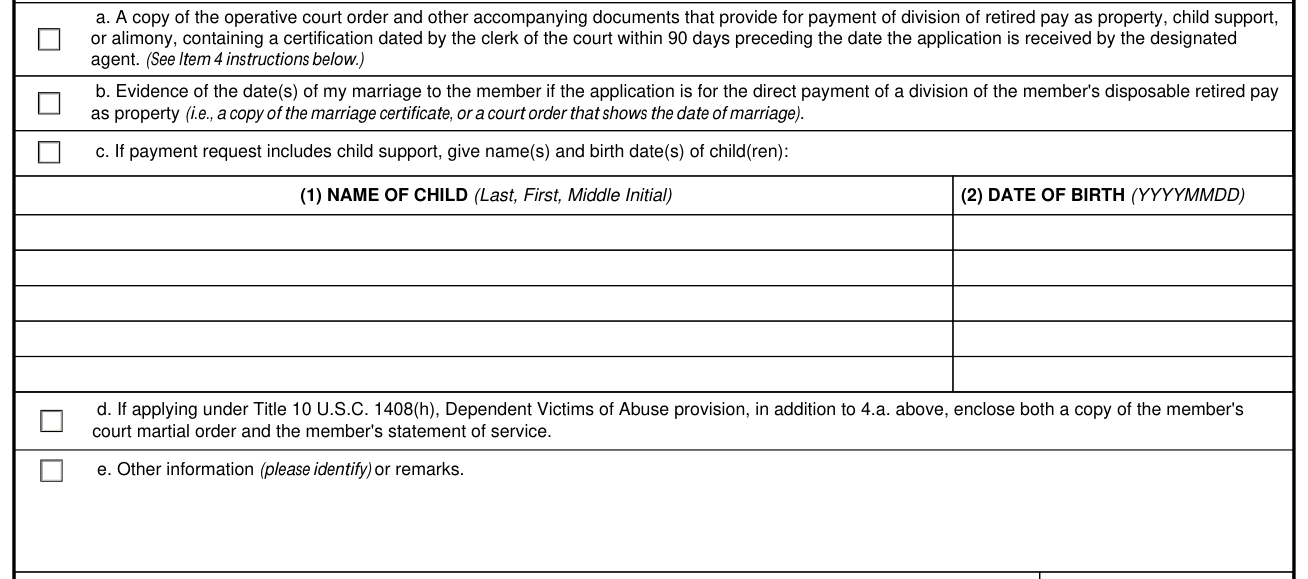
4. I HAVE ENCLOSED ALL PERTINENT DOCUMENTATION TO INCLUDE: (Check as applicable) a. A copy of the operative court order and other accompanying documents that provide for payment of division of retired pay as property, child support, or alimony, containing a certification dated by the clerk of the court within 90 days preceding the date the application is received by the designated agent. A certified copy of a court order can be obtained from the court that issued the court order. Other documents include, but are not limited to, final divorce decree, property settlement order, and any appellate court orders.
b. Evidence of the date(s) of my marriage to the member if the application is for the direct payment of a division of the member's disposable retired pay as property (i.e., a copy of the marriage certificate, or a court order that shows the date of marriage).
If the court order does not state that the former spouse was married to the member for ten years or more while the member performed ten years creditable service and the request is for payment of a division of property, the applicant must provide evidence to substantiate the ten years' marriage condition. Additional evidence must show that the ten years' requirement has been met, including: Uniformed Service orders, marriage certificate, and other documents that establish the period of marriage. In addition, if the court order does not indicate the date of divorce, then you need to submit a copy of the divorce decree.
d. If applying under Title 10 U.S.C. 1408(h), Dependent Victims of Abuse provision, in addition to 4.a., enclose both a copy of the member's court martial order and the member's statement of service.
e. Other information (please identify) or remarks. Other information or documents included with the request should be clearly identified by the document's title and date. Remarks may be provided to clarify specific points.
Name of child and date of birth
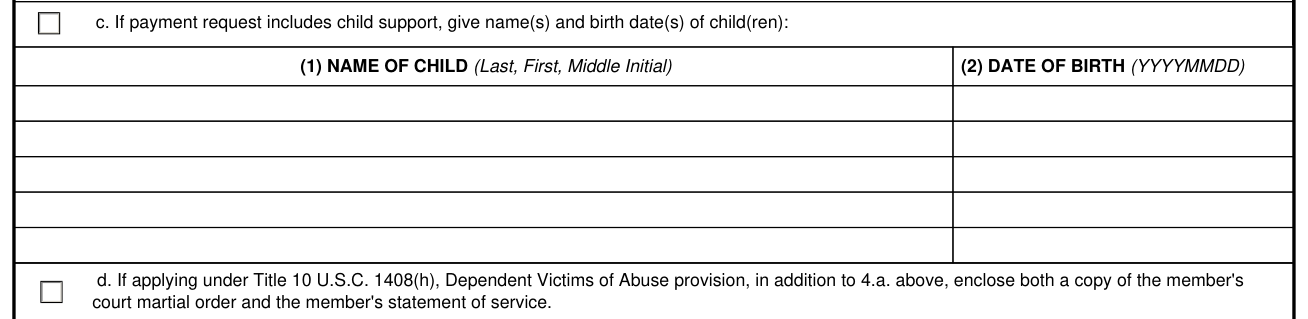
If payment request includes child support, give name(s) and birth date(s) of child(ren): (1) NAME OF CHILD (Last, First, Middle Initial) (2) DATE OF BIRTH (YYYYMMDD)
Signature and date

Enter the DATE SIGNED (YYYYMMDD).
Read the Acknowledgement carefully, as it contains language stating that you "acknowledge" to keep DFAS informed of any change of correspondence and payment address. Failure to apprise DFAS of address changes may result in the suspension or termination of payments.
If your situation is different
Service of application
You may serve the application by mail on the appropriate Uniformed Service designated agent. (1) Army, Navy, Air Force, and Marine Corps: DFAS Office of General Counsel, Attn: Garnishment Law Directorate, P.O. Box 998002, Cleveland, OH 44199-8002 Application may also be served by fax to 877-622-5930 (toll-free) or (216)367-3675.
(2) Coast Guard: Commanding Officer (LGL), United States Coast Guard, Pay and Personnel Center, 444 S.E. Quincy Street, Topeka, KS 66683-3591. Application may also be served by fax to 785-339-3788.
(3) National Oceanic and Atmospheric Administration: Same as U.S. Coast Guard.
(4) Public Health Service: Commanding Officer (LGL), United States Coast Guard, Pay and Personnel Center, 444 S.E. Quincy Street, Topeka, KS, 66683-3591.
Common questions about DD Form 2293
What is a DD form 2293?
DD Form 2293 is the application for former spouse payments from retired pay. These instructions govern an application for direct payment from retired pay of a Uniformed Service member in response to court ordered division of property, child support, or alimony, under the authority of 10 USC 1408.
Is there a penalty?
Making a false statement or claim against the United States Government is punishable. The penalty for willfully making a false claim or false statement is a maximum fine of $10,000 or maximum imprisonment of 5 years or both (18 USC 287 and 1001). (checked October 26, 2026)
Sources
[1] DD Form 2293 (APR 2018), Application for Former Spouse Payments from Retired Pay, Washington Headquarters Services, U.S. Department of Defense (the Official source link on this page).
