Please rate Dd Form 2492

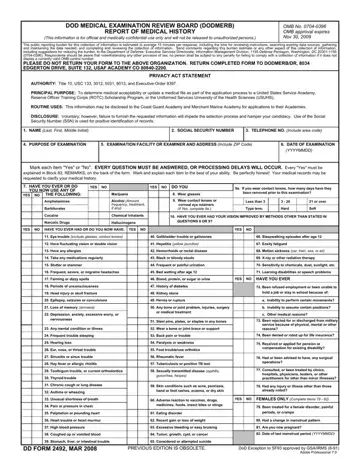
The DD Form 2492, known officially as the DOD Medical Examination Review Board (DODMERB) Report of Medical History, serves a critical role in the assessment of individuals applying to various branches of the United States military, including Service Academies, Reserve Officer Training Corps (ROTC) Scholarship Programs, and the Uniformed Services University of the Health Sciences (USUHS). With a focus on gathering comprehensive medical histories, this form demands honest and detailed responses from applicants to avoid any processing delays. Not merely a formality, the DD Form 2492's thorough evaluation process includes mandatory disclosure of any current or past medical conditions, medication usage, and even surgical histories, alongside more specific inquiries about vision, hearing, mental health, and physical conditions that could affect an applicant's eligibility for service. Consequences of non-disclosure or incomplete information can significantly impede the selection process, emphasizing the form's role in maintaining high standards of health and fitness among prospective military personnel. By requiring a signature for accuracy and completeness, the form also underscores the crucial balance between personal privacy and the need for transparency in medical histories, all while adhering to the Privacy Act and other governing mandates. Through the careful collection and review of such sensitive data, the DD Form 2492 ultimately ensures that only those fully qualified and medically fit are considered for the honor and responsibility of military service.
| Question | Answer |
|---|---|
| Form Name | Dd Form 2492 |
| Form Length | 2 pages |
| Fillable? | No |
| Fillable fields | 0 |
| Avg. time to fill out | 30 sec |
| Other names | dodmerb medical history form, form 2492, dd2492, dd form 2492 fillable |
Dd Form 2492 isn’t the one you’re looking for?
Please rate Dd Form 2492
