
DD Form 2536 at a glance
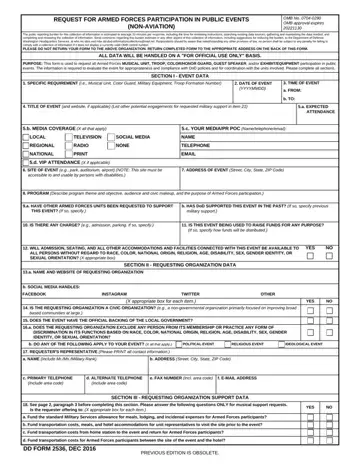
What it is: DD Form 2536 is the Request for Armed Forces Participation in Public Events (NON-AVIATION), used to request all Armed Forces musical unit, troop, color/honor guard, guest speaker, and/or exhibit/equipment participation in public events.
Who signs: The requester's representative is acting on behalf of the requesting organization and certifies that the information provided in the form is complete and accurate.
The information is required to evaluate the event for appropriateness and compliance with DoW policies and for coordination with the units involved.
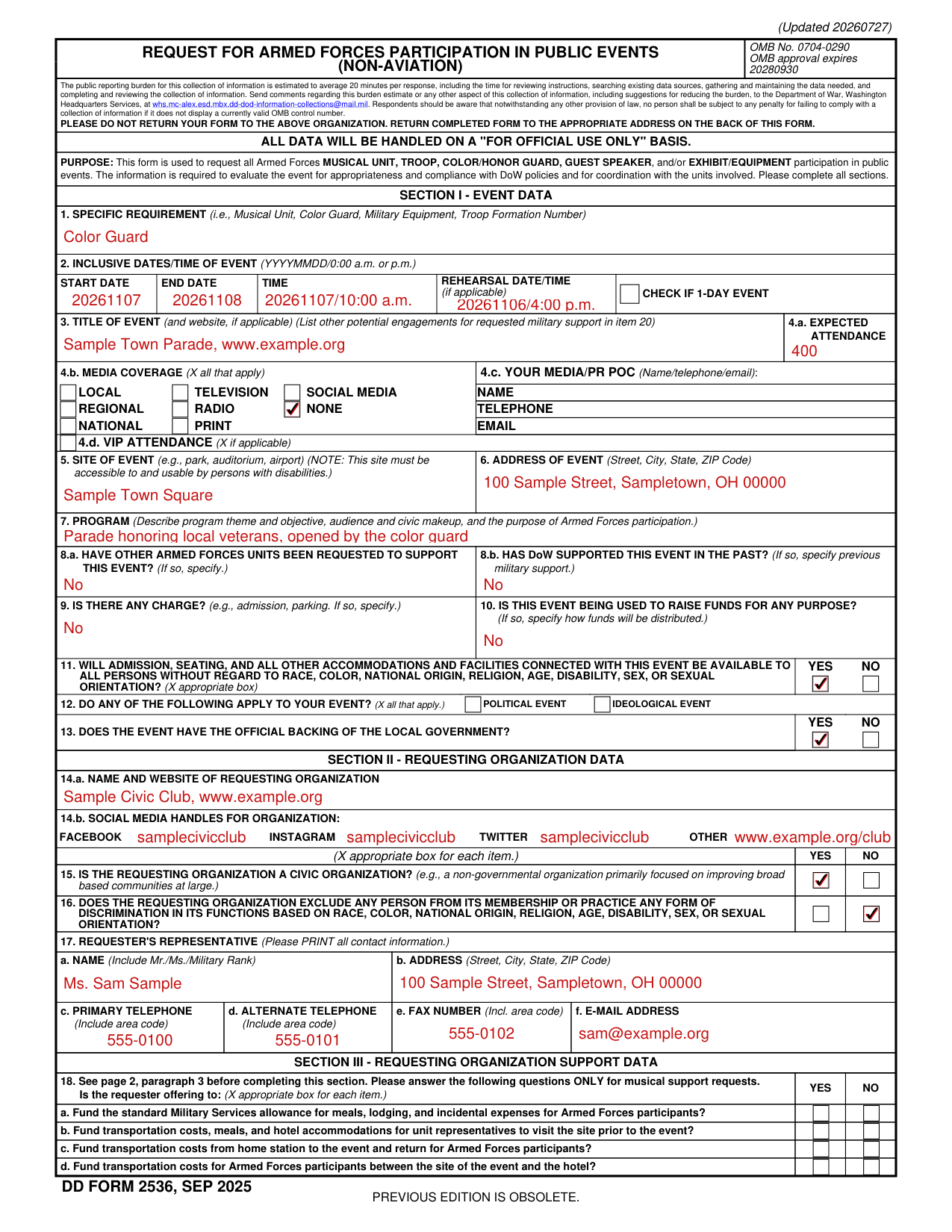
A filled-in DD Form 2536 example: a civic group requests a color guard
How to fill out DD Form 2536, box by box
Section I - Event data
1. SPECIFIC REQUIREMENT (i.e., Musical Unit, Color Guard, Military Equipment, Troop Formation Number).
2. INCLUSIVE DATES/TIME OF EVENT (YYYYMMDD/0:00 a.m. or p.m.): START DATE, END DATE, TIME and REHEARSAL DATE/TIME (if applicable), and a box to CHECK IF 1-DAY EVENT.
3. TITLE OF EVENT (and website, if applicable). List other potential engagements for requested military support in item 20.
4.a. EXPECTED ATTENDANCE.
4.b. Media coverage, 4.c. Your media/PR POC and 4.d. VIP attendance
4.b. Media coverage (X all that apply): local, television, social media, regional, radio, none, national, print.
4.c. YOUR MEDIA/PR POC (Name/telephone/email): NAME, TELEPHONE, EMAIL.
4.d. VIP ATTENDANCE (X if applicable).
5. Site of event, 6. Address, 7. Program, 8. Other units, 9. Charge and 10. Funds
5. SITE OF EVENT (e.g., park, auditorium, airport): this site must be accessible to and usable by persons with disabilities.
6. ADDRESS OF EVENT (Street, City, State, ZIP Code).
7. Describe program theme and objective, audience and civic makeup, and the purpose of Armed Forces participation.
8.a. Have other Armed Forces units been requested to support this event? If so, specify.
8.b. HAS DoW SUPPORTED THIS EVENT IN THE PAST? If so, specify previous military support.
9. IS THERE ANY CHARGE? (e.g., admission, parking. If so, specify.) 10. IS THIS EVENT BEING USED TO RAISE FUNDS FOR ANY PURPOSE? If so, specify how funds will be distributed.
11. Admission, 12. Political event and 13. Local government
11. Will admission, seating, and all other accommodations and facilities connected with this event be available to all persons without regard to race, color, national origin, religion, age, disability, sex, or sexual orientation? X appropriate box: YES or NO.
12. DO ANY OF THE FOLLOWING APPLY TO YOUR EVENT? (X all that apply.): POLITICAL EVENT, IDEOLOGICAL EVENT.
13. Does the event have the official backing of the local government? YES or NO.
Section II - Requesting organization data
14.a. NAME AND WEBSITE OF REQUESTING ORGANIZATION. 14.b. SOCIAL MEDIA HANDLES FOR ORGANIZATION: FACEBOOK, INSTAGRAM, TWITTER, OTHER.
15. IS THE REQUESTING ORGANIZATION A CIVIC ORGANIZATION? (e.g., a non-governmental organization primarily focused on improving broad based communities at large.) X appropriate box for each item: YES or NO.
16. Does the requesting organization exclude any person from its membership or practice any form of discrimination in its functions based on race, color, national origin, religion, age, disability, sex, or sexual orientation? X appropriate box: YES or NO.
17. REQUESTER'S REPRESENTATIVE (Please PRINT all contact information.) a. NAME (Include Mr./Ms./Military Rank). b. ADDRESS (Street, City, State, ZIP Code).
c. PRIMARY TELEPHONE (Include area code), d. ALTERNATE TELEPHONE (Include area code), e. FAX NUMBER (Incl. area code) and f. E-MAIL ADDRESS.
Section III - Requesting organization support data
18. See page 2, paragraph 3 before completing this section. Please answer the following questions ONLY for musical support requests. Is the requester offering to: (X appropriate box for each item.) YES NO
a. Fund the standard Military Services allowance for meals, lodging, and incidental expenses for Armed Forces participants? b. Fund transportation costs, meals, and hotel accommodations for unit representatives to visit the site prior to the event? c. Fund transportation costs from home station to the event and return for Armed Forces participants? d. Fund transportation costs for Armed Forces participants between the site of the event and the hotel?
Armed Forces participation in public events will be provided at no additional cost to the Government, which means unprogrammed costs incurred solely because of participation in or support of an unplanned activity.
All costs are binding after a unit, personnel, or exhibit has arrived at an event site, even though weather conditions or other unforeseen circumstances force the event to be cancelled.
Section IV - Certification
19. a. SIGNATURE OF REQUESTER'S REPRESENTATIVE, b. DATE SIGNED (YYYYMMDD) and c. PRINT NAME AND TITLE.
The requester's representative understands that representatives from the military services will contact the representative to discuss arrangements and costs involved prior to final commitments, or to inform the representative of their inability to support this event.
The requester's representative also understands that operational commitments must take priority and can preclude a scheduled appearance at an approved public activity.
20. Explain the desired effect of U.S. military participation in this event, and how U.S. military participation in this event will advance U.S. military interests, such as community relations or recruiting.
21. Use this area to continue any items if necessary, for additional information on the event, etc. Reference by section and item number.
More rules for DD Form 2536
If you have questions regarding information required on this form, please call the Directorate of Community Engagement in the Office of the Assistant to the Secretary of War for Public Affairs between 8:00 a.m. and 5:00 p.m. Eastern Time, Monday through Friday (703) 695-3845.
Events may not be supported if they promote specific ideological positions or beliefs, current controversial topics, campaigns, or political posturing (direct or indirect) to lobby for a particular cause or legislative decision.
If your situation is different
You are requesting an Armed Forces musical unit
Armed Forces musical organizations are not permitted to provide entertainment, background, dinner, dance or other social music at public or private events in competition with the customary or regular employment of local civilian musicians.
Limited resources permit only one band and/or choir to perform at an event, and the Military Services reserve the right to cancel support to requesters who have scheduled more than one such military unit.
Before you go
Please complete all sections.
For legibility, event requesters are highly encouraged to fill out applicable information on-line prior to printing out the form.
Requester: please retain a copy of this form for future reference.
Common questions about DD Form 2536
Is there a deadline?
This form should be submitted to the appropriate Military Service not less than 30 days in advance of a scheduled program. Final determination will occur no earlier than 90 days in advance.
Where do I file it?
Submit forms through the nearest military installation public affairs office. SUBMIT COMPLETED REQUEST FORM TO: The Public Affairs Office of the Military Installation closest to the event OR to the appropriate Military Service. ARMY: HQDA, Office of the Chief, Public Affairs, 1500 Army Pentagon, Washington, DC 20310-1500. U.S. MILITARY DISTRICT OF WASHINGTON (For National Capital Region (NCR) and Federal Agencies only): send public requests to the Ceremonies & Outreach Directorate via email: usarmy.mcnair.mdw.mbx.jtfncr-special-events-request@army.mil. MARINE CORPS: For instructions on how to request Marine Corps assets, visit www.marines.mil/community, (703) 614-1034 (voice). NAVY: Navy Office of Community Outreach, 5722 Integrity Drive, Bldg 456-3, Millington, TN 38054, (901) 874-5804 (voice). AIR FORCE: Office of the Secretary of the Air Force Office of Public Affairs (SAF/PA), 1690 Air Force Pentagon, Washington, DC 20330. Submit band requests online at www.outreachrequests.hq.af.mil. NATIONAL GUARD BUREAU: Submit requests to the State National Guard Public Affairs Office in the state where the event will take place.
Sources
[1] DD Form 2536 (SEP 2025), Request for Armed Forces Participation in Public Events (Non-Aviation), Department of War (the Official source link on this page).
