Please rate Dd Form 2860

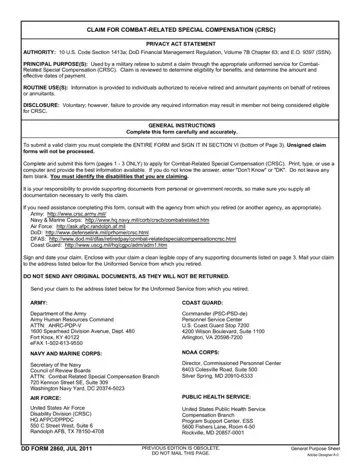
Navigating the complexities of military benefits often requires a deep understanding of specific documentation, such as the DD 2860 form, which plays a pivotal role for military retirees seeking Combat-Related Special Compensation (CRSC). Established under the authority of 10 U.S. Code Section 1413a and various Department of Defense regulations, this form enables retired servicemen and women to claim financial benefits for injuries or conditions directly attributable to their combat service. Completing the DD 2860 with accuracy and thoroughness is critical, as it demands detailed personal data, military service history, and an exhaustive account of the disabilities claimed to be combat-related. The documentation accompanying the claim form, such as medical records and Department of Veterans Affairs (VA) determination letters, substantiates the service member's assertion of combat-relatedness, significantly influencing the processing and outcome of the claim. By providing a straightforward pathway for claiming CRSC, the DD 2860 form underscores the commitment to acknowledging the sacrifices made by military personnel in combat scenarios, ensuring that they receive the financial recognition corresponding to the risks they undertook. The form's design reflects a structured yet flexible approach to capturing the unique circumstances of each veteran's service, reinforcing the broader effort to address the enduring impacts of combat on service members' lives post-retirement.
| Question | Answer |
|---|---|
| Form Name | Dd Form 2860 |
| Form Length | 5 pages |
| Fillable? | No |
| Fillable fields | 0 |
| Avg. time to fill out | 1 min 15 sec |
| Other names | 2860, form special compensation, dd form 2860 fillable, ddtc form 2860 |
Dd Form 2860 isn’t the one you’re looking for?
Please rate Dd Form 2860
