
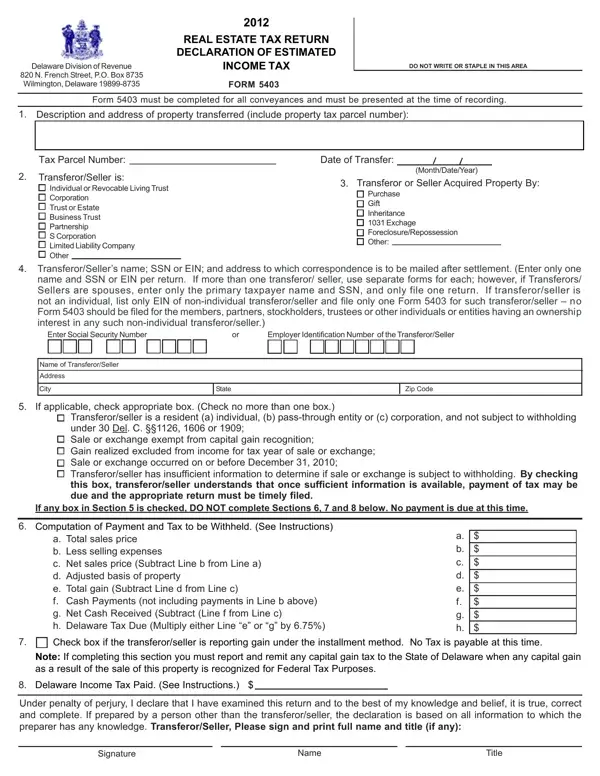
Enter only one name and SSN or EIN per return. If more than one transferor/seller, you MUST complete Form REW-SCH.
Pass-through entity: if the transferor/seller is a pass-through entity, list the EIN of the pass-through entity and complete Form REW-SCH.
Part 5: if any box in Part 5 is checked, DO NOT complete Parts 6, 7 and 8 below.
Installment method: check this box if the transferor/seller is reporting gain under the installment method.
Part 6: if Part 6 is not filled out or is incomplete, the required 6.6% or 8.7% will be withheld from the net proceeds at settlement.
| Question | Answer |
|---|---|
| Form Name | Form REW-EST |
| Form Length | 1 page |
| Fillable? | Yes |
| Fillable fields | 37 |
| Avg. time to fill out | 7 min |
| Edition | Rev 20240830 |
| Where to send | Delaware Division of Revenue, 820 N. French Street, PO Box 8763, Wilmington, DE 19899-8763 |
| Matches the agency's file | Yes, checked October 7, 2026 |
| Other names | REW-EST, REWEST, Form REW-EST, Real Estate Tax Return Declaration of Estimated Income Tax |
| Official source | Form REW-EST (Rev 20240830), Delaware Division of Revenue |
Delaware Form 5403 isn’t the one you’re looking for?