

BFA Form 756 at a glance
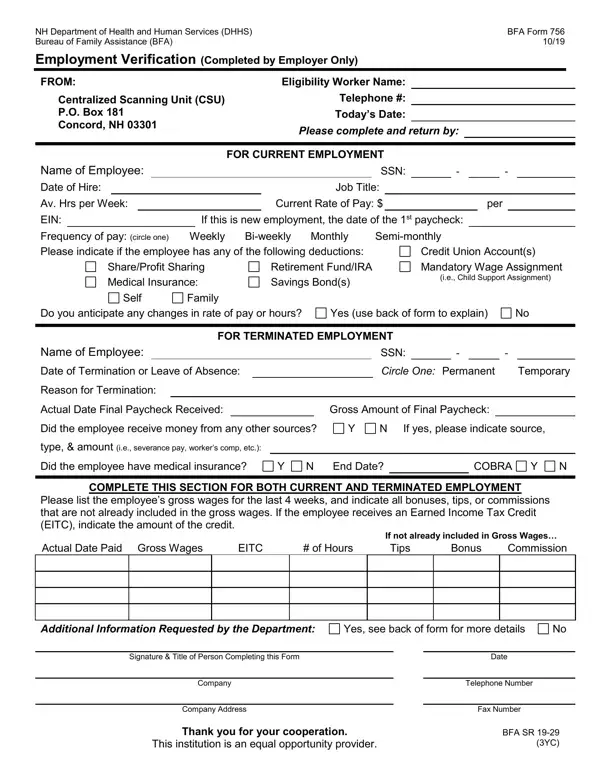
What it is: The NH Department of Health and Human Services Bureau of Family Assistance BFA Form 756 is the Employment Verification, to be completed by employer only.
Who signs: To Be Completed by Employer Only.
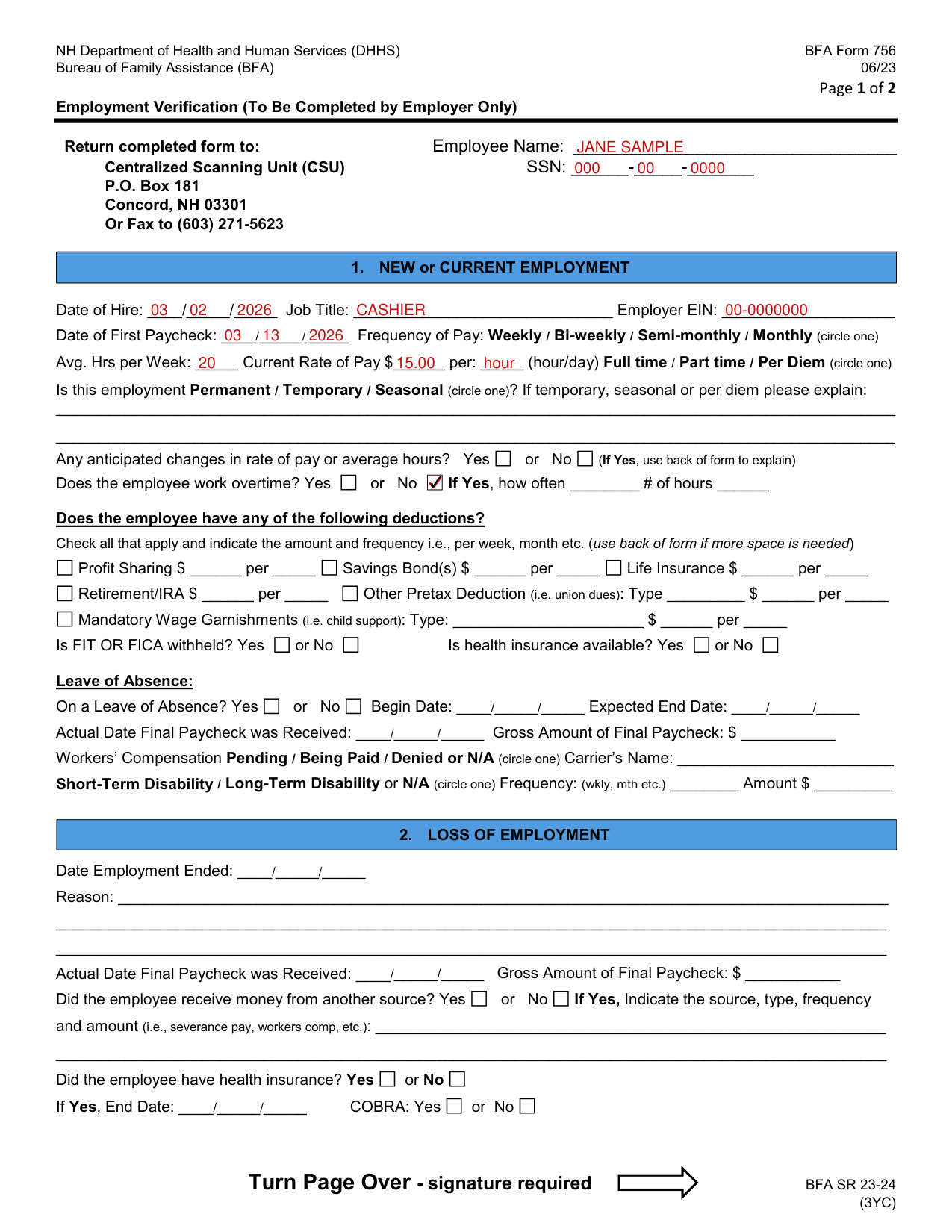
A filled-in BFA Form 756 example: a payroll clerk verifies a new employee
How to fill out BFA Form 756, box by box
Employee Name and SSN

Write the Employee Name and the SSN.
Date of Hire, Job Title and Employer EIN

Under 1. NEW or CURRENT EMPLOYMENT, enter the Date of Hire, Job Title and Employer EIN.
Date of First Paycheck and Frequency of Pay

Enter the Date of First Paycheck, then circle one Frequency of Pay: Weekly, Bi-weekly, Semi-monthly or Monthly.
Avg. Hrs per Week and Current Rate of Pay

Enter the Avg. Hrs per Week and the Current Rate of Pay per hour or day, and circle one: Full time, Part time or Per Diem.
Permanent / Temporary / Seasonal

Circle one: Permanent, Temporary or Seasonal. If temporary, seasonal or per diem, explain.
Any anticipated changes in rate of pay or average hours

Any anticipated changes in rate of pay or average hours? Yes or No. If Yes, use back of form to explain.
Does the employee work overtime?

Does the employee work overtime? Yes or No. If Yes, enter how often and the # of hours.
Profit Sharing, Savings Bond(s), Life Insurance, Retirement/IRA, Other Pretax Deduction and Mandatory Wage Garnishments

Check all that apply and indicate the amount and frequency i.e., per week, month etc. (use back of form if more space is needed): Profit Sharing, Savings Bond(s), Life Insurance, Retirement/IRA, Other Pretax Deduction (i.e. union dues): Type and Mandatory Wage Garnishments (i.e. child support): Type.
Is FIT OR FICA withheld? Is health insurance available?

Is FIT OR FICA withheld? Yes or No. Is health insurance available? Yes or No.
Leave of Absence

Under Leave of Absence: On a Leave of Absence? Yes or No. Enter the Begin Date and Expected End Date.
Actual Date Final Paycheck was Received, Workers' Compensation and Disability

Enter the Actual Date Final Paycheck was Received and the Gross Amount of Final Paycheck. Circle one for Workers' Compensation: Pending, Being Paid, Denied or N/A, and enter the Carrier's Name. Circle one: Short-Term Disability or Long-Term Disability or N/A, then enter the Frequency: (wkly, mth etc.) and the Amount.
2. LOSS OF EMPLOYMENT

Under 2. LOSS OF EMPLOYMENT, enter the Date Employment Ended, the Reason, and the Actual Date Final Paycheck was Received with the Gross Amount of Final Paycheck.
Did the employee receive money from another source?

Did the employee receive money from another source? Yes or No. If Yes, Indicate the source, type, frequency and amount (i.e., severance pay, workers comp, etc.).
Did the employee have health insurance? End Date and COBRA

Did the employee have health insurance? Yes or No. If Yes, enter the End Date and COBRA: Yes or No.
3. HEALTH INSURANCE (If known)

Under 3. HEALTH INSURANCE (If known): Does the employee have health insurance? Yes or No. If No, did the employee decline? Yes or No.
Type (i.e., medical, vision, dental), Name of Carrier and Premium Amount
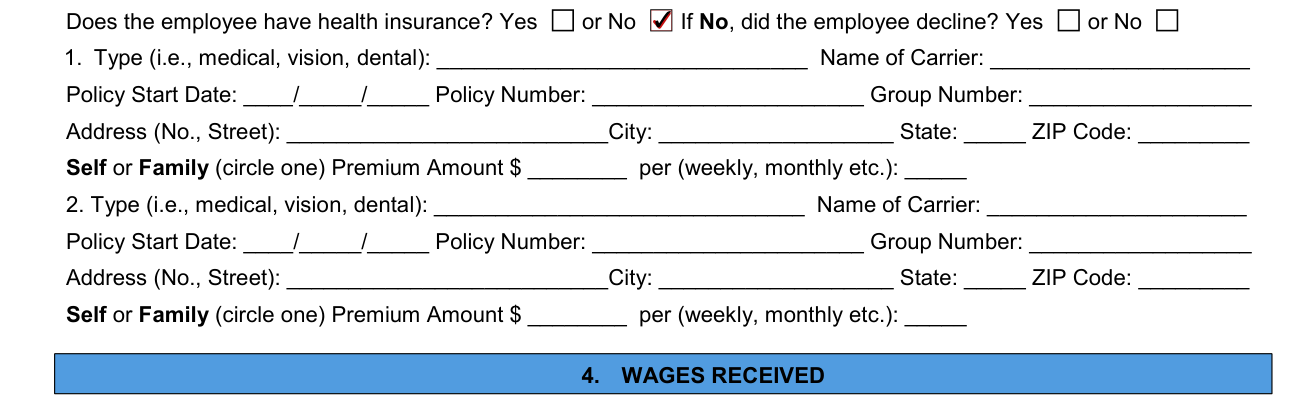
Enter 1. and 2. each with the Type (i.e., medical, vision, dental), Name of Carrier, Policy Start Date, Policy Number, Group Number, Address (No., Street), City, State and ZIP Code, circle one, Self or Family, and enter the Premium Amount per (weekly, monthly etc.).
4. WAGES RECEIVED
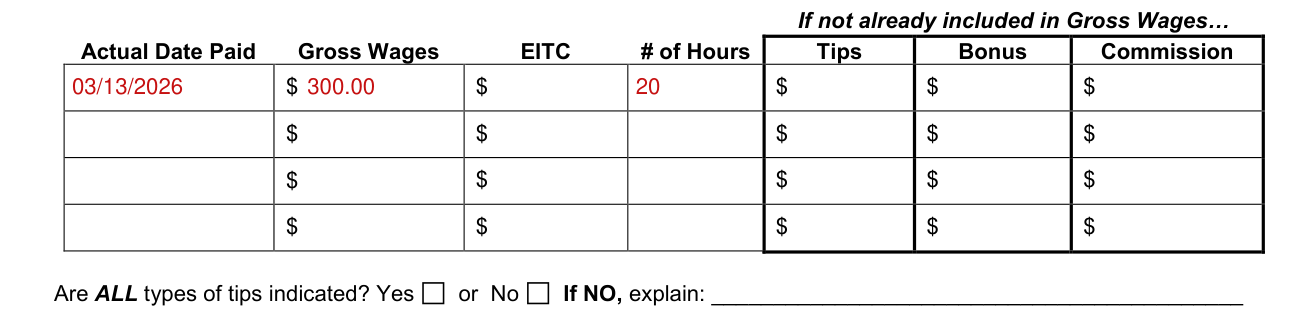
Under 4. WAGES RECEIVED, complete this section for all employment types (new, current, leave of absence or loss of employment). List the employee's gross wages for the last 4 weeks, and indicate all bonuses, tips, or commissions that are not already included in the gross wages.
For the last 4 weeks, enter the Actual Date Paid, Gross Wages, EITC and # of Hours, and if not already included in Gross Wages, Tips, Bonus and Commission. If the employee receives an Earned Income Tax Credit (EITC), indicate the amount of the credit.
Are ALL types of tips indicated?

Are ALL types of tips indicated? Yes or No. If NO, explain.
Additional Information
Write the Additional Information.
Signature & Title of Person Completing this Form
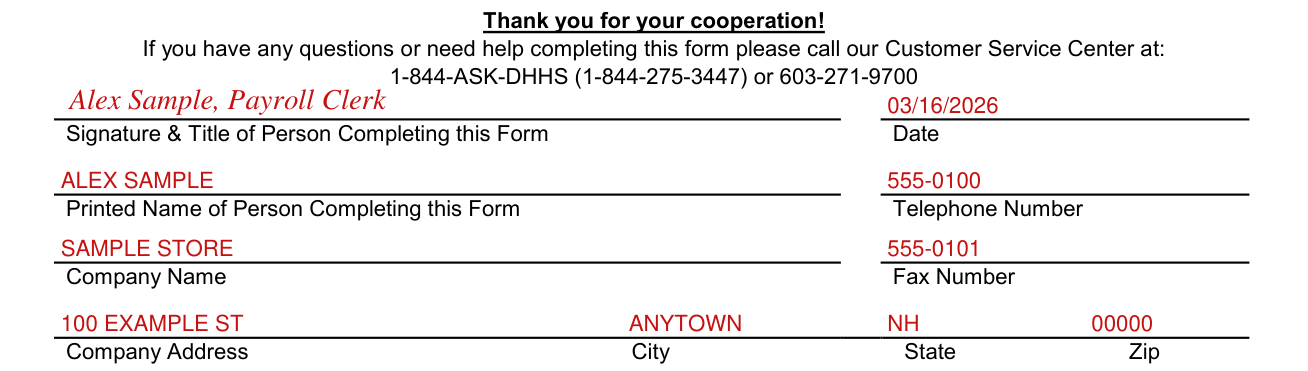
Signature required. Enter the Signature & Title of Person Completing this Form, the Date, the Printed Name of Person Completing this Form, Telephone Number, Company Name, Fax Number and Company Address, City, State and Zip.
Common questions about BFA Form 756
Where do I file it?
Return completed form to the Centralized Scanning Unit (CSU), P.O. Box 181 Concord, NH 03301, or fax to (603) 271-5623.
Sources
[1] BFA Form 756 (06/23), Employment Verification, NH Department of Health and Human Services, Bureau of Family Assistance (the Official source link on this page).