
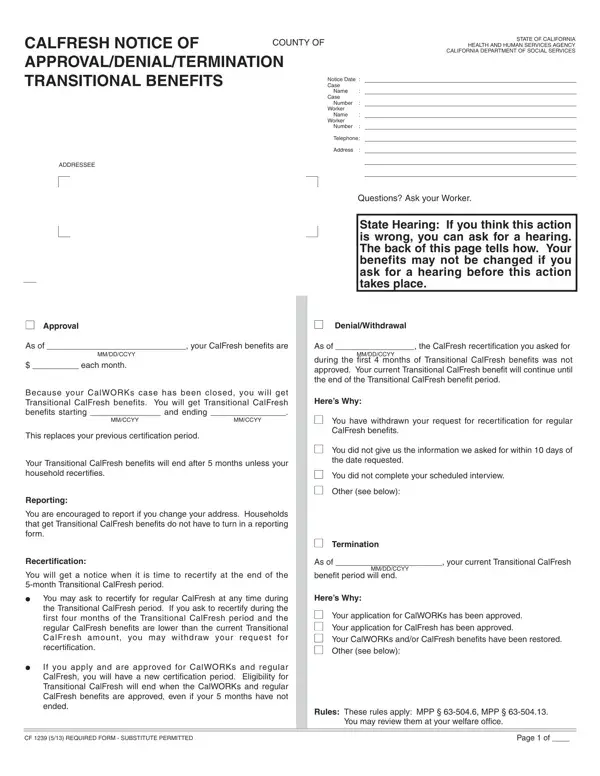

CF 1239 at a glance
What it is: CF 1239 is the Calfresh Notice of Approval/Termination of Transitional Benefits from the California Department of Social Services.
Where and when to file: Call toll free: 1-800-952-5253 or for hearing or speech impaired who use TDD, 1-800-952-8349.
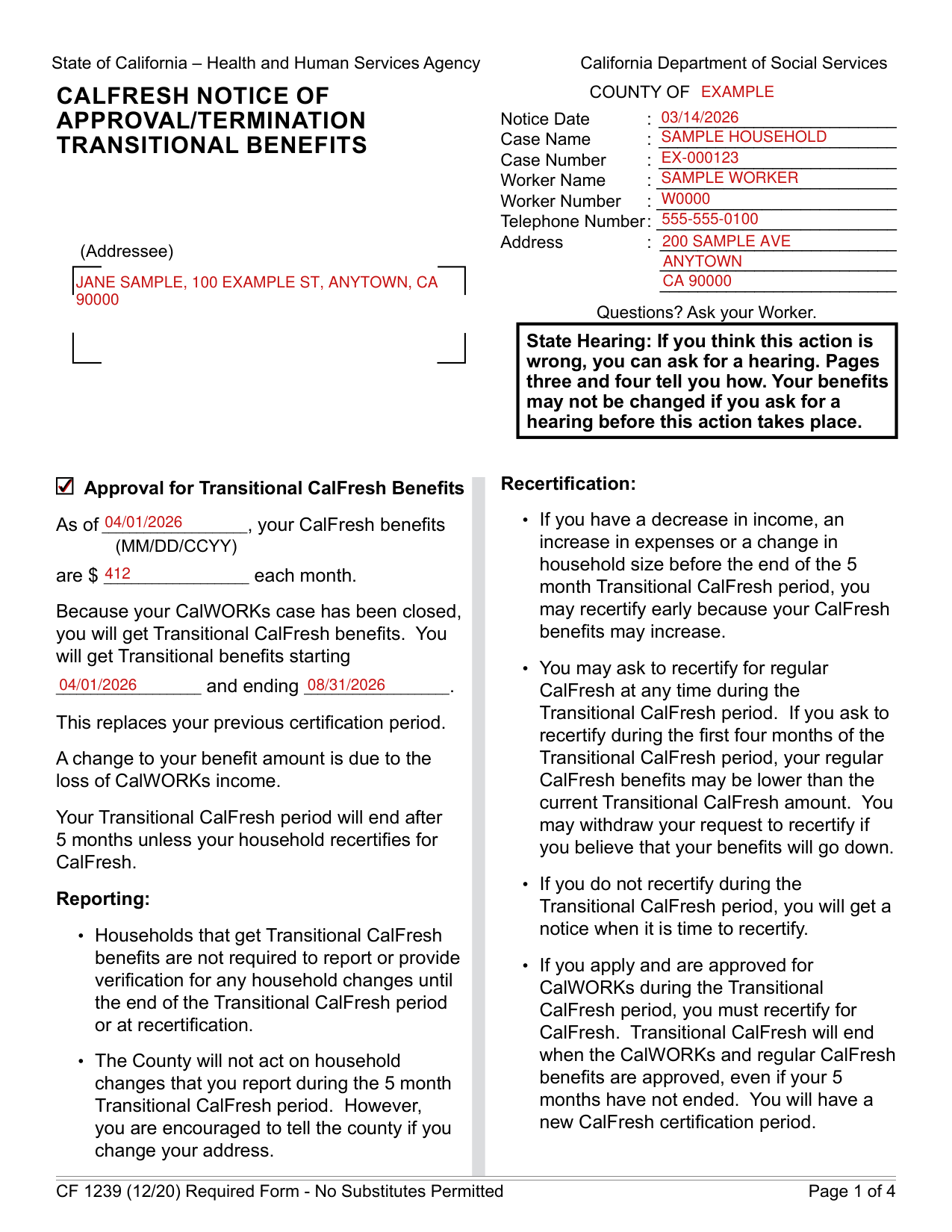
A filled-in CF 1239 example: a county worker completes an approval notice
How to fill out CF 1239, box by box
Notice Date, Case Name and Address
Fill in the Notice Date, Case Name, Case Number, Worker Name, Worker Number, Telephone Number and Address.
Enter the Addressee.
Approval for Transitional CalFresh Benefits
Fill in As of (MM/DD/CCYY) and $: as of then, your Calfresh benefits are $ each month.
You will get Transitional benefits starting MM/DD/CCYY and ending MM/DD/CCYY.
This replaces your previous certification period. A change to your benefit amount is due to the loss of Calworks income.
Your Transitional Calfresh period will end after 5 months unless your household recertifies for Calfresh.
Recertification
If you have a decrease in income, an increase in expenses or a change in household size before the end of the 5 month Transitional Calfresh period, you may recertify early because your Calfresh benefits may increase.
You may ask to recertify for regular Calfresh at any time during the Transitional Calfresh period. If you ask to recertify during the first four months of the Transitional Calfresh period, your regular Calfresh benefits may be lower than the current Transitional Calfresh amount. You may withdraw your request to recertify if you believe that your benefits will go down.
If you do not recertify during the Transitional Calfresh period, you will get a notice when it is time to recertify.
Reporting
Households that get Transitional Calfresh benefits are not required to report or provide verification for any household changes until the end of the Transitional Calfresh period or at recertification.
If you apply and are approved for Calworks during the Transitional Calfresh period, you must recertify for Calfresh. Transitional Calfresh will end when the Calworks and regular Calfresh benefits are approved, even if your 5 months have not ended. You will have a new Calfresh certification period.
The County will not act on household changes that you report during the 5 month Transitional Calfresh period. However, you are encouraged to tell the county if you change your address.
Termination of Transitional CalFresh Benefits
As of MM/DD/CCYY, your current Transitional Calfresh benefit period will end.
Under Here's why, check Your application for Calworks has been approved, Your application for Calfresh has been approved, Your Calworks and/or Calfresh benefits have been restored, or Other (see Here's why).
If you think this is an error, call the county.
These rules apply: Title 7 CFR §273.26-§273.32. You may review them at your welfare office.
YOUR HEARING RIGHTS
You have the right to ask for a hearing if you disagree with any county action.
You have only 90 days to ask for a hearing. The 90 days started the day after the county gave or mailed you this notice.
If you have good cause as to why you were not able to file for a hearing within the 90 days, you may still file for a hearing. If you provide good cause, a hearing may still be scheduled.
If you ask for a hearing, the State Hearing Division will set up a file. You have the right to see this file before your hearing and to get a copy of the county's written position on your case at least two days before the hearing.
While You Wait for a Hearing Decision for
If you ask for a hearing before an action on Cash Aid, Medi-Cal, Calfresh, or Child Care takes place: Your Cash Aid or Medi-Cal will stay the same while you wait for a hearing. Your Calfresh benefits will stay the same until the hearing or the end of your certification period, whichever is earlier. Your Child Care Services may stay the same.
To lower or stop your benefits before the hearing, check Yes, lower or stop: Cash Aid, Calfresh or Child Care.
TO ASK FOR A HEARING
Fill out the HEARING REQUEST page. Make a copy of the front and back of the HEARING REQUEST page for your records. If you ask, your worker will get you a copy of the HEARING REQUEST page.
Call toll free: 1-800-952-5253 or for hearing or speech impaired who use TDD, 1-800-952-8349.
You can ask about your hearing rights or for a legal aid referral at the toll-free state phone numbers. You may get free legal help at your local legal aid or welfare rights office.
If you do not want to go to the hearing alone, you can bring a friend or someone with you.
HEARING REQUEST
Write the County in "I want a hearing due to an action by the Welfare Department of ... County" and check Cash Aid, Calfresh, Medi-Cal or Other (list) for what the hearing is about.
Fill in Here's Why. If you need more space, check here and add a page.
If you need the state to provide you with an interpreter at no cost to you, check the box and write your language or dialect. A relative or friend cannot interpret for you at the hearing.
Enter the Name of Person Whose Benefits Were Denied, Changed or Stopped, Date of Birth, Phone Number, Street Address, City, State and Zip Code, then the Signature and Date, and the Name of Person Completing This Form with Phone Number.
To have a person represent you at this hearing, check the box and enter the Name, Phone Number, Street Address, City, State and Zip Code of that person; you give your permission for this person to see your records or go to the hearing for you. This person can be a friend or relative but cannot interpret for you.
Before you go
Questions? Ask your Worker.
If you think this action is wrong, you can ask for a hearing. Pages three and four tell you how. Your benefits may not be changed if you ask for a hearing before this action takes place.
CF 1239 (12/20) is a Required Form, and no substitutes are permitted.
Sources
[1] CF 1239 (12/20), CalFresh Notice of Approval/Termination of Transitional Benefits, California Department of Social Services (the Official source link on this page).