
Discharge Application Form PDF Details

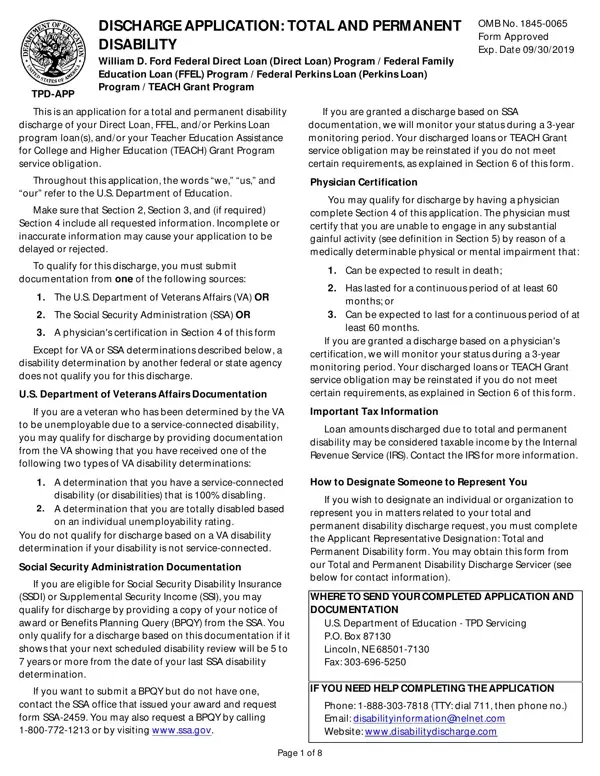
Embarking on the journey to dissolve educational loans or service obligations due to severe disability involves navigating the complexities of the Discharge Application form, known formally as the TPD-APP. This form plays a pivotal role for individuals seeking relief under the mantle of Total and Permanent Disability across various federal education assistance programs, including the William D. Ford Federal Direct Loan Program, Federal Family Education Loan Program, Federal Perkins Loan Program, and the TEACH Grant Program. It stands as the gateway for applicants to potentially liberate themselves from the financial burdens of loans or service obligations by establishing their status of total and permanent disability through comprehensive documentation. Eligibility criteria require documentation from the U.S. Department of Veterans Affairs, the Social Security Administration, or a detailed physician's certification. Moreover, the application underscores the importance of accurate and complete information to avoid delays or rejections and outlines post-discharge monitoring conditions, underlining the gravity of honesty in the application process. Tax implications, the possibility of reinstatement of financial obligations due to non-compliance during the monitoring period, and provisions to designate a representative emphasize the careful consideration necessary before and after submitting the application. Finally, the form provides specific guidance on where and how to submit the application, ensuring that applicants are well-informed of the steps involved in seeking discharge through this pathway.

QuestionAnswer
Form NameDischarge Application Form
Form Length8 pages
Fillable?No
Fillable fields0
Avg. time to fill out2 min
Other namesstudent loan forgiveness for disability form, total and permanent disability discharge, closed school loan discharge application, application for discharge form

How to Edit Discharge Application Form Online for Free

Using the online editor for PDFs by FormsPal, you'll be able to complete or alter closed school loan discharge application here and now. Our editor is constantly evolving to present the very best user experience achievable, and that's due to our commitment to constant development and listening closely to customer opinions. Getting underway is simple! What you need to do is stick to the next easy steps down below:

Step 1: First of all, access the tool by clicking the "Get Form Button" above on this webpage.

Step 2: The editor will allow you to change nearly all PDF files in a range of ways. Change it by including any text, correct what is already in the document, and place in a signature - all when you need it!

This form will require specific information to be filled in, so you need to take some time to provide exactly what is requested:

1. Complete the closed school loan discharge application with a group of necessary blank fields. Consider all the important information and be sure there's nothing overlooked!

How one can fill out total and permanent disability discharge step 1

2. Right after this section is completed, go on to enter the applicable details in all these - Please enter or correct the, Check this box if any of your, SSN, Date of Birth, Name, Address, City, Telephone Primary, Telephone Alternate, Email Optional, State, Zip Code, SECTION TOTAL AND PERMANENT, Carefully read the entire, and Are you a veteran who has.

Telephone  Alternate, Name, and Date of Birth inside total and permanent disability discharge

3. Completing Yes Attach documentation of the, does your most recent notice of, Yes Attach a copy of your most, SECTION APPLICANTS REQUEST, I request that the US Department, If I am applying for a discharge, I certify that I have a total and, Applicants or Representatives, Date, Representative Name if applicable, and NOTE You may designate someone to is essential for the next step, make sure to fill them out in their entirety. Don't miss any details!

SECTION  APPLICANTS REQUEST, I certify that  I have a total and, and I request that the US Department inside total and permanent disability discharge

4. Your next section needs your details in the subsequent areas: Applicant Name, Applicant SSN, SECTION PHYSICIANS CERTIFICATION, Print legibly and initial any, whom you are completing this, Name, Date of Birth, Medically Determinable Physical or, mental impairment that prevents, Substantial gainful activity means, performed for pay or profit that, Yes Continue to Item, No Do not complete this, SeverityDuration of Physical or, and Is the applicants impairment. Be sure to enter all of the needed information to go forward.

SECTION  PHYSICIANS CERTIFICATION, Is the applicants impairment, and SeverityDuration of Physical or of total and permanent disability discharge

Be very attentive when filling in SECTION PHYSICIANS CERTIFICATION and Is the applicants impairment, because this is the part in which many people make errors.

5. This pdf needs to be completed with this part. Here you can see a comprehensive list of blank fields that need specific details for your form submission to be accomplished: Is the applicants impairment, Yes Skip to Item, No Continue to Item, Has the applicants impairment, for a continuous period of at, Yes Continue to Item, No Do not complete this, Disabling Condition, Do not use insurance codes or, Residual functionality, Social behavioral limitations if, Provide your diagnosis of the, Global Assessment Function Score, Physicians Certification, and I certify that in my best.

Learn how to fill in total and permanent disability discharge portion 5

Step 3: After you have reread the information in the blanks, just click "Done" to complete your form. Right after starting a7-day free trial account at FormsPal, you will be able to download closed school loan discharge application or email it without delay. The form will also be readily available from your personal account with your each and every edit. We don't share or sell any details you provide while working with forms at FormsPal.