
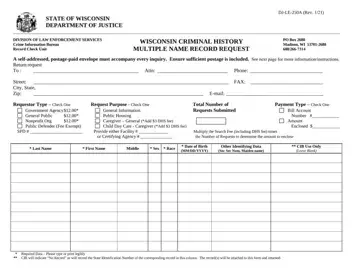
In the ever-evolving landscape of legal documentation and requests, the DJ-LE-250A form stands out as a critical tool for conducting background checks in the State of Wisconsin. Issued by the Department of Justice, this form facilitates the process of requesting criminal history records on multiple individuals simultaneously, a task that is becoming increasingly necessary for a variety of reasons, from employment screening to housing applications. The form is designed to accommodate requests from different types of requestors, including governmental agencies, nonprofit organizations, and members of the general public, indicating a broad utility scope. It outlines specific instructions for filling out and submitting requests, which include providing detailed information about the individuals being checked and the purpose behind the request. Additionally, it delineates the financial obligations that come with such requests, highlighting the fees involved and the additional charges for certain types of checks, like those for caregivers, which require more extensive screening. Understanding and adhering to these detailed instructions ensure the process is conducted efficiently, with the Department of Justice also mandating the inclusion of a self-addressed, postage-paid envelope to facilitate the return of information. The form, therefore, represents a crucial intersection between the legal requirements for accessing public records and the practical needs of various entities in safeguarding their communities and interests.
| Question | Answer |
|---|---|
| Form Name | Dj Le 250A Form |
| Form Length | 2 pages |
| Fillable? | No |
| Fillable fields | 0 |
| Avg. time to fill out | 30 sec |
| Other names | djle250a dj namerecord online form |
