
Dme Form PDF Details

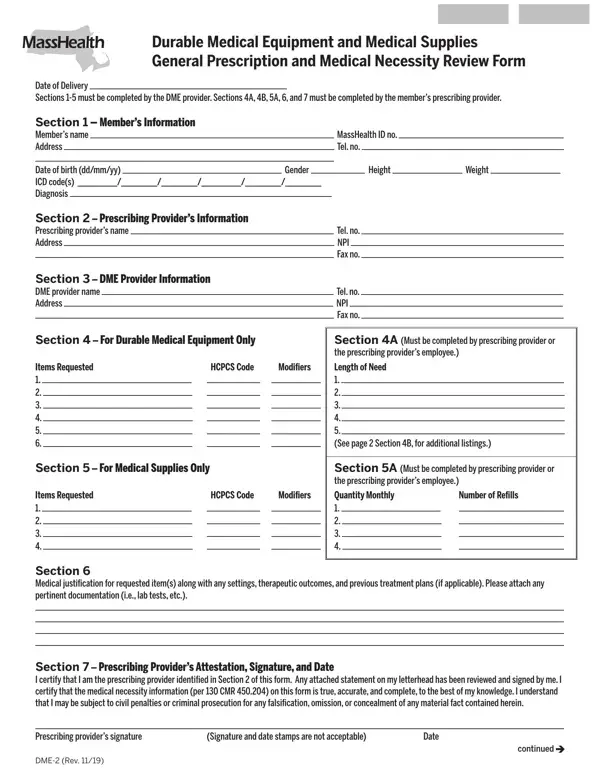
In the realm of healthcare, effective communication and documentation between providers and suppliers are paramount, especially when it comes to the procurement of durable medical equipment (DME) and medical supplies. The Durable Medical Equipment and Medical Supplies General Prescription and Medical Necessity Review Form serves as a crucial bridge in this process, ensuring that individuals receive the appropriate medical equipment or supplies tailored to their health needs. This form is methodically divided into sections, each requiring specific information from the DME provider and the member's prescribing provider. The initial sections gather essential information about the member, the prescribing provider, and the DME provider. Meanwhile, subsequent sections delve into more detailed information such as the type of equipment or supplies requested, including the Healthcare Common Procedure Coding System (HCPCS) codes, quantities, and detailed medical justifications for the requested items. Completing this form accurately is not only vital for adherence to MassHealth regulations and requirements but also for facilitating a seamless delivery of services to the member. It underscores the necessity for meticulous attention to detail from both the DME providers and the prescribing professionals to ensure that submitted requests are comprehensive, accurate, and duly compliant with regulatory standards, highlighting the shared responsibility in promoting patient care and welfare.

QuestionAnswer
Form NameDme Form
Form Length3 pages
Fillable?No
Fillable fields0
Avg. time to fill out45 sec
Other namesmassachusetts dme, dme masshealth, massachusetts durable medical equipment, masshealth form for absorbent products

How to Edit Dme Form Online for Free

You can fill in durable medical equipment necessity easily using our PDFinity® online PDF tool. In order to make our tool better and more convenient to work with, we constantly design new features, taking into account suggestions from our users. All it requires is just a few simple steps:

Step 1: First of all, access the pdf editor by clicking the "Get Form Button" at the top of this page.

Step 2: The tool lets you modify PDF documents in a variety of ways. Modify it with any text, correct what is originally in the document, and add a signature - all at your disposal!

Pay close attention when completing this document. Make sure all necessary areas are filled in correctly.

1. You need to complete the durable medical equipment necessity correctly, so take care while filling out the areas comprising these fields:

Part number 1 in completing dme form

2. The next part is usually to submit the next few blank fields: Modifiers, Length of Need See page, Section A Must be completed by, Quantity Monthly, Number of Refills, Items Requested, Section For Medical Supplies Only, Items Requested, HCPCS Code, Section Medical justification for, and Section Prescribing Providers.

Section A Must be completed by, Modifiers, and HCPCS Code of dme form

3. The following portion focuses on ITEMS REQUESTED, Quantity, HCPCS, and Modifier - complete each one of these empty form fields.

Step number 3 for filling in dme form

4. Now start working on this next segment! Here you've got these Provider of DME Attestation, I certify under the pains and, Provider of DMEs signature, and Printed legal name of provider blanks to complete.

Provider of DME Attestation, Provider of DMEs signature, and I certify under the pains and inside dme form

5. When you near the completion of this file, you'll notice several extra requirements that must be satisfied. In particular, Printed legal name of provider, Printed legal name of individual, Date, and page should all be filled out.

Step number 5 for completing dme form

People often make errors while completing page in this area. You should reread everything you type in here.

Step 3: Be certain that your information is accurate and press "Done" to continue further. Sign up with FormsPal now and immediately get durable medical equipment necessity, available for downloading. All changes you make are kept , which means you can edit the pdf at a later stage anytime. FormsPal offers safe form tools with no data record-keeping or sharing. Rest assured that your details are safe here!