
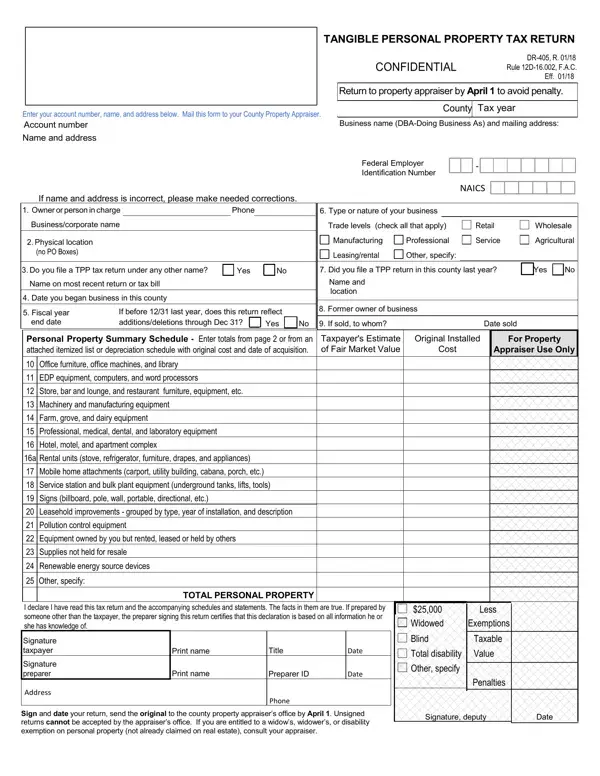
The DR-405 form plays a crucial role for businesses in managing their tangible personal property tax responsibilities. Known formally as the Tangible Personal Property Tax Return, it requires businesses to report all tangible personal property used commercially that isn't included in the assessed value of the business's real property. The form, which includes sections for providing details about the property's location, original cost, and fair market value, must be filed with the County Property Appraiser by April 1 to avoid penalties. It encompasses a broad range of assets, from office furniture and computers to machinery and leased equipment, making thorough reporting essential. Additionally, by timely filing the DR-405, businesses can apply for an exemption up to $25,000, underlining the form's significance in minimizing tax liabilities. The form also addresses situations where business ownership changes occur, requesting details about any sales and the new owners. Penalties for failing to file or late filings underscore the importance of the DR-405 in maintaining compliance with Florida's tax laws, which aim to ensure that all tangible personal property utilized in a commercial setting is appropriately accounted for and taxed.
| Question | Answer |
|---|---|
| Form Name | Dr 405 Form |
| Form Length | 4 pages |
| Fillable? | No |
| Fillable fields | 0 |
| Avg. time to fill out | 1 min |
| Other names | property tax tangible personal, florida tangible personal property tax, tangible property personal tax return, state of florida broward county petition for return of property |