Please rate Drsxxx Rev. Feb. 13, 2026

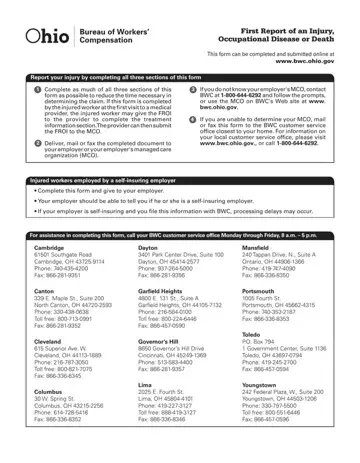
The Drsxxx form, formally known as the First Report of an Injury, Occupational Disease or Death, serves as a critical document in the Ohio Workers' Compensation process. It is designed for injured workers, employers, and healthcare providers to officially report an injury or disease that occurred in the workplace or a death resulting from such. This comprehensive form facilitates a streamlined approach to claiming benefits by capturing all necessary details related to the incident, the injured worker, and their employment. Completing the form accurately and in its entirety is instrumental in reducing the time required to assess and process the claim. It involves detailing the injured party's personal and employment information, specifics of the injury or disease, treatment details, and a section for employers' certification or rejection of the claim. In addition, it includes a consent section for the release of medical and other relevant information necessary for claim administration. By submitting this form to the appropriate managing care organization (MCO) or directly to the Bureau of Workers' Compensation (BWC) if necessary, it triggers the official process towards evaluating and providing the required support and compensation to the injured worker under Ohio law. The form can be submitted online, delivered by mail, or faxed, offering flexibility to promptly meet the needs of all parties involved.
| Question | Answer |
|---|---|
| Form Name | Drsxxx |
| Form Length | 1 page |
| Fillable? | Yes |
| Fillable fields | 104 |
| Avg. time to fill out | 23 min 52 sec |
| Other names | bwc 1101, first report of injury ohio, ohio bwc froi, ohio bwc froi form |
Drsxxx isn’t the one you’re looking for?
Please rate Drsxxx Rev. Feb. 13, 2026
