
Ds 5002 Form PDF Details

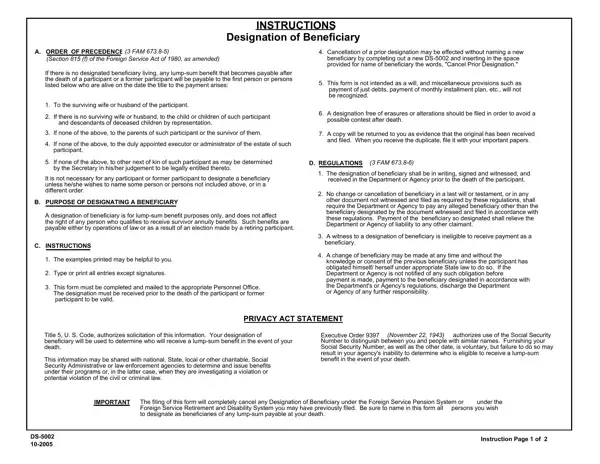
The process surrounding the designation of beneficiaries, especially for those in the Foreign Service, is governed by meticulous and essential regulations, epitomized by the DS-5002 form. This form plays a crucial role in determining the recipient of any lump-sum benefits payable upon the death of a Foreign Service participant or former participant, where no designated beneficiary is alive. The order of precedence, as specified, includes surviving spouses, children, parents, or legally determined next of kin, highlighting a structured approach to beneficiary designation. However, the form also allows for the specification of non-standard beneficiaries or a different order, should the participant wish. It covers not just the identification of these beneficiaries but also provides a clear framework for how changes, including cancellations of previous designations, can be effected. Included within its provisions, the DS-5002 underscores the importance of a witness in its execution, the impermissibility of alterations or erasures, and the necessity of the form being received before the participants' demise to be considered valid. Further amplifying its importance, the form also acts as an outright cancellation of any previous designations under specific retirement or disability systems. With such critical implications on the distribution of lump-sum benefits, the form offers a clear, legally binding method of ensuring that one's final financial wishes are respected, making its accurate completion and timely submission paramount.

QuestionAnswer
Form NameDs 5002 Form
Form Length3 pages
Fillable?No
Fillable fields0
Avg. time to fill out45 sec
Other namesds5002, ds 5002 use form, ds order designation, ds 5002 22 get

How to Edit Ds 5002 Form Online for Free

When using the online PDF tool by FormsPal, it is possible to fill in or edit ds 5002 use form here. To make our tool better and more convenient to utilize, we consistently come up with new features, considering suggestions from our users. If you're looking to start, here is what it will require:

Step 1: Open the PDF form in our tool by clicking the "Get Form Button" in the top part of this webpage.

Step 2: This editor enables you to modify PDF files in a range of ways. Modify it with customized text, correct existing content, and place in a signature - all within the reach of a couple of mouse clicks!

This PDF will require specific details to be filled out, hence be certain to take the time to fill in what's expected:

1. It is important to complete the ds 5002 use form accurately, thus be careful when filling out the segments comprising all these fields:

The way to fill in ds order designation part 1

2. Immediately after the last section is done, go to type in the suitable information in all these: Print or type your name and, Reserved for receiving stamp of, Formerly OF, and Mail This Form To Your Agencys.

Print or type your name and, Mail This Form To Your Agencys, and Reserved for receiving stamp of of ds order designation

People frequently make some errors while completing Print or type your name and in this part. Ensure that you review whatever you enter right here.

Step 3: Make certain the information is accurate and click "Done" to proceed further. Grab your ds 5002 use form the instant you join for a free trial. Conveniently gain access to the pdf form from your personal account, with any edits and adjustments automatically synced! FormsPal guarantees secure form editing with no personal information recording or distributing. Feel comfortable knowing that your information is safe with us!