Please rate E Zpass Ma Application Terms Effective 10-28-2016

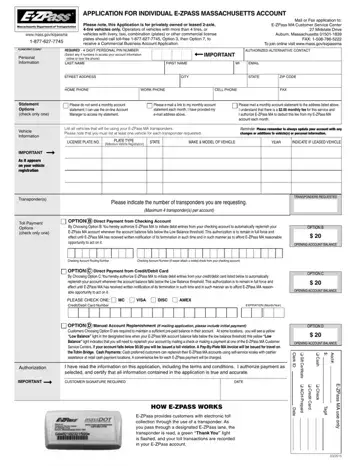
The E-ZPass MA Application form represents a critical step for residents of Massachusetts aiming to streamline their travel experiences through electronic toll collection. This application is specifically designed for privately owned or leased vehicles that have two axles and four tires, encompassing most standard cars. Individuals with vehicles that diverge from this specification, such as those with additional tires or commercial license plates, are directed to pursue a separate application process for a Commercial Business Account, ensuring that the E-ZPass system remains accessible and tailored to various types of road users. Potential applicants are encouraged to either submit this form by mail or fax to the E-ZPass MA Customer Service Center, or for added convenience, apply online. The form meticulously gathers personal information, vehicle details, and preferred toll payment options, which include either direct payments from a checking account, credit/debit card payments, or manual account replenishment, each method requiring an initial account balance to get started. Additionally, the application underscores the importance of maintaining current information on the account to avoid any disruptions in service. Acceptance into the E-ZPass MA program obliges users to adhere to a comprehensive set of terms and conditions laid out by the Massachusetts Department of Transportation (MassDOT), regulating account standing, transponder installation, and the overall use of the electronic toll collection system. These measures ensure accountability and smooth operation within the E-ZPass system, aimed at providing a convenient and efficient toll payment solution for Massachusetts drivers.
| Question | Answer |
|---|---|
| Form Name | E Zpass Ma Application |
| Form Length | 2 pages |
| Fillable? | Yes |
| Fillable fields | 214 |
| Avg. time to fill out | 30 sec |
| Other names | mass ez pass account, ez pass massachusetts e zpass account, ezpassmass, mass gov ezpassma |
E Zpass Ma Application isn’t the one you’re looking for?
Please rate E Zpass Ma Application Terms Effective 10-28-2016
