Please rate Fb 1380 E

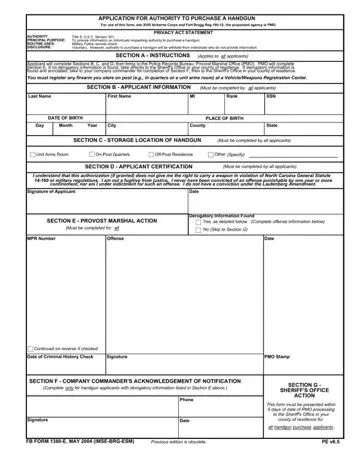
In the complex and sometimes daunting world of firearm acquisition within the military community, the FB 1380 E form stands out as a critical document for those looking to purchase a handgun. This form is not just any application; it is a detailed process governed by the regulations of the XVIII Airborne Corps and Fort Bragg, with the Provost Marshal Office (PMO) as the proponent agency, ensuring that all applicants are thoroughly vetted. The essence of the FB 1380 E form lies in its structured approach to providing necessary information about individuals requesting to buy a handgun, a process that includes a mandatory military police records check. It highlights a comprehensive blend of authority under Title 5, U.S.C. Section 301, principal purpose, routine uses, and voluntary disclosure, ensuring that the right to privacy is upheld whilst maintaining a stringent protocol for handgun purchase approvals. Applicants are required to navigate through several sections, beginning with personal information, details about the storage location of the handgun, and ending with certification by the applicant that they comply with legal and military regulations regarding firearm possession. Should any derogatory information be found, the application process extends to require additional steps, including notification of the company commander and ultimately, sheriff's office approval. This layered approval process underscores the importance of responsible firearm ownership and the legal and procedural rigor involved in obtaining authorization to purchase a handgun within this unique context.
| Question | Answer |
|---|---|
| Form Name | Fb 1380 E |
| Form Length | 1 pages |
| Fillable? | No |
| Fillable fields | 0 |
| Avg. time to fill out | 15 sec |
| Other names | fb form 1380 e fillable, fb form 1380 e pdf, 1380e pdf, 1380 e fort bragg |
Fb 1380 E isn’t the one you’re looking for?
Please rate Fb 1380 E
