
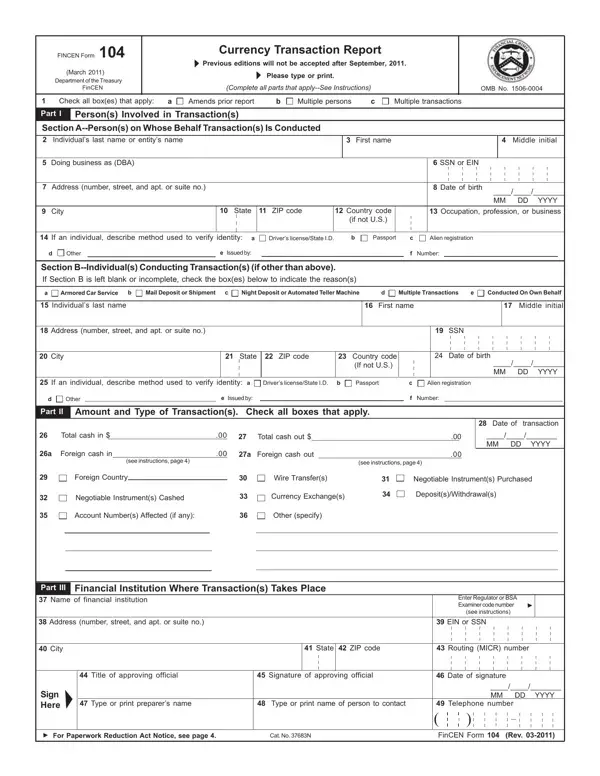
In the dynamic field of financial regulation, the FINCEN Form 104, also known as the Currency Transaction Report (CTR), stands as a critical document for financial institutions in the United States. Mandated by the Department of the Treasury's Financial Crimes Enforcement Network (FinCEN), this form plays a pivotal role in monitoring transactions that meet or exceed $10,000 in currency. Instituted in March 2011, with a strict requirement for adherence post-September 2011, the form requires detailed information about the persons involved in the transaction, including their names, addresses, social security or employer identification numbers, and the nature of their business. The form accommodates various types of transactions such as deposits, withdrawals, currency exchanges, and more, with specific sections dedicated to the financial institution where the transaction takes place, including its name, address, and regulatory identifier. Notably, the form emphasizes the identification of suspicious activities, outlining a separate protocol for transactions that, while exceeding the $10,000 threshold, also raise red flags for potential illegal activity. This meticulous documentation serves as a cornerstone for the Bank Secrecy Act (BSA), aiming to deter and detect money laundering, fraud, and other financial crimes. Through meticulous reporting and record-keeping requirements, the CTR not only ensures compliance with federal regulations but also aids in safeguarding the integrity of the financial system.
| Question | Answer |
|---|---|
| Form Name | FINCEN Form 104 |
| Form Length | 4 pages |
| Fillable? | No |
| Fillable fields | 0 |
| Avg. time to fill out | 1 min |
| Other names | moneygram send money form, moneygram form download, moneygram form pdf, moneygram money transfer form |
FINCEN Form 104 isn’t the one you’re looking for?