
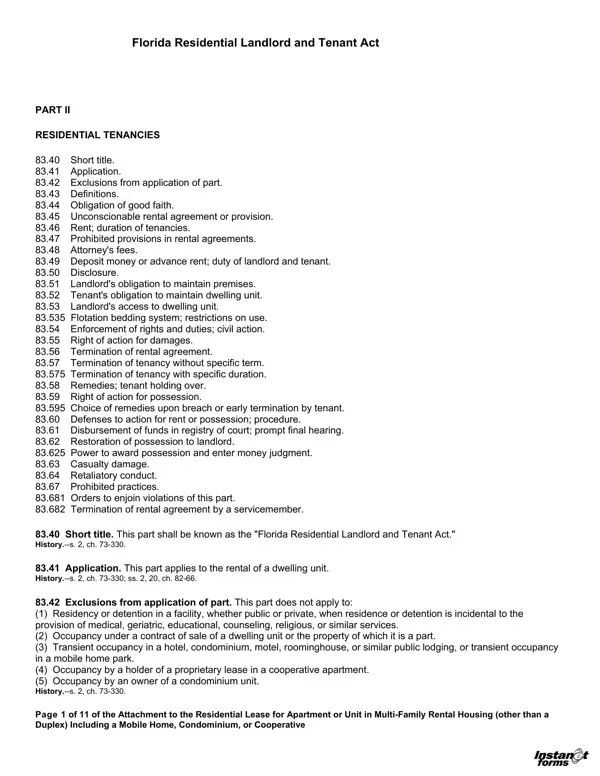
The Florida Residential Landlord and Tenant Act, codified under Part II of Chapter 83 of the Florida Statutes, serves as a comprehensive guideline governing residential tenancies in Florida. This crucial piece of legislation outlines the obligations and protections afforded to both landlords and tenants, establishing a legal framework intended to balance the interests of both parties. Key provisions include the rights and duties concerning rent, the maintenance of the premises, security deposits, and the procedures for terminating a rental agreement. Specifically, the act details what constitutes a legally binding rental agreement, illuminates the landlord's obligation to maintain the property in a habitable condition, and delineates the tenant's responsibility to keep the property clean and undamaged. Additionally, the act addresses the handling of security deposits and advance rent, including disclosure requirements, allowable deductions, and the mandatory return process. It also prescribes the legal remedies available for enforcing the act's provisions, offers protection against retaliatory conduct, and includes specific provisions for servicemembers seeking to terminate a rental agreement. Understanding the Florida Residential Landlord and Tenant Act is essential for both landlords and tenants to ensure compliance with state laws, protect their rights, and avoid potential legal disputes.
| Question | Answer |
|---|---|
| Form Name | Florida Landlord Tenant Act Form |
| Form Length | 11 pages |
| Fillable? | No |
| Fillable fields | 0 |
| Avg. time to fill out | 2 min 45 sec |
| Other names | florida residential landlord and tenant act form, florida landlord tenant act, florida residential tenant act, florida residential landlord tenant |
Florida Landlord Tenant Act Form isn’t the one you’re looking for?