
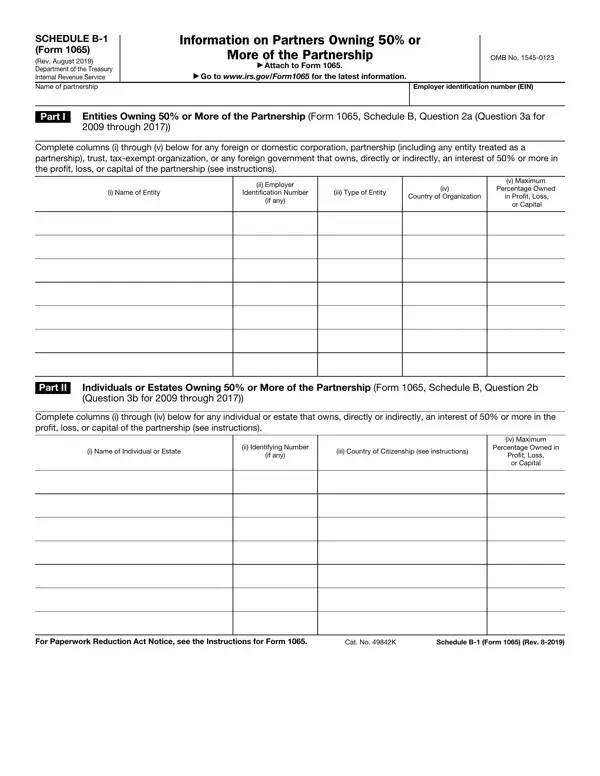
The 1065 Schedule B-1 form is a crucial document for partnerships, designed to provide detailed information about any partners, whether entities or individuals, who own a 50% or greater interest in the partnership's profits, losses, or capital. As articulated by the Internal Revenue Service (IRS), this form must be attached to Form 1065, a requirement for all partnerships that answer affirmatively to specific questions related to ownership interests. It serves as a transparent medium ensuring that the IRS has a clear understanding of who holds significant control or influence over the partnership. The form is bifurcated into two parts: Part I is dedicated to entities, including corporations, partnerships, trusts, tax-exempt organizations, or foreign governments, holding substantial interests, while Part II shifts focus to individual partners or estates that similarly command a 50% or more interest. This segmentation allows for a thorough enumeration of all significant ownership stakes, direct or indirect, spanning both domestic and foreign entities and individuals, ensuring compliance with tax regulations and assisting in the correct apportionment of taxable income and losses among the partnership's owners. By requiring detailed disclosures, including names, identification numbers, the type of entity, the country of citizenship or organization, and the extent of ownership interests, the Schedule B-1 plays a pivotal role in the transparency and accountability of partnerships under U.S. law.
| Question | Answer |
|---|---|
| Form Name | Form 1065 Schedule B 1 |
| Form Length | 2 pages |
| Fillable? | No |
| Fillable fields | 0 |
| Avg. time to fill out | 30 sec |
| Other names | what is schedule b 1040, form b 1 form, entity 1065 form, federal tax forms |
Form 1065 Schedule B 1 isn’t the one you’re looking for?