
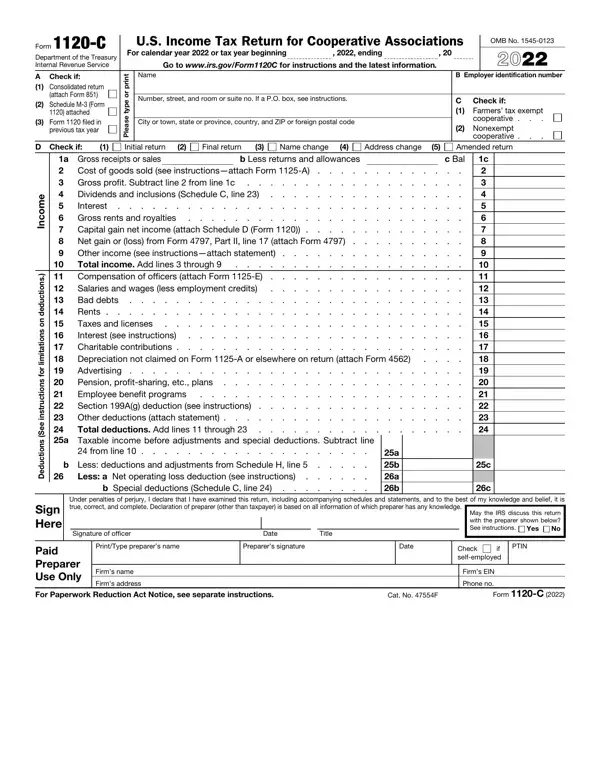

Form 1120-C at a glance
What it is: Form 1120-C is the U.S. Income Tax Return for Cooperative Associations.
Who signs: The return must be signed and dated by the president, vice president, treasurer, assistant treasurer, or chief accounting officer; or any other cooperative officer (such as tax officer) authorized to sign. If a return is filed on behalf of a cooperative by a receiver, trustee, or assignee, the fiduciary must sign the return, instead of the cooperative officer.[2]
Who Must File Any corporation operating on a cooperative basis under section 1381 and allocating amounts to patrons on the basis of business done with or for such patrons should file Form 1120-C (including farmers' cooperatives under section 521 whether or not it has taxable income).[2]
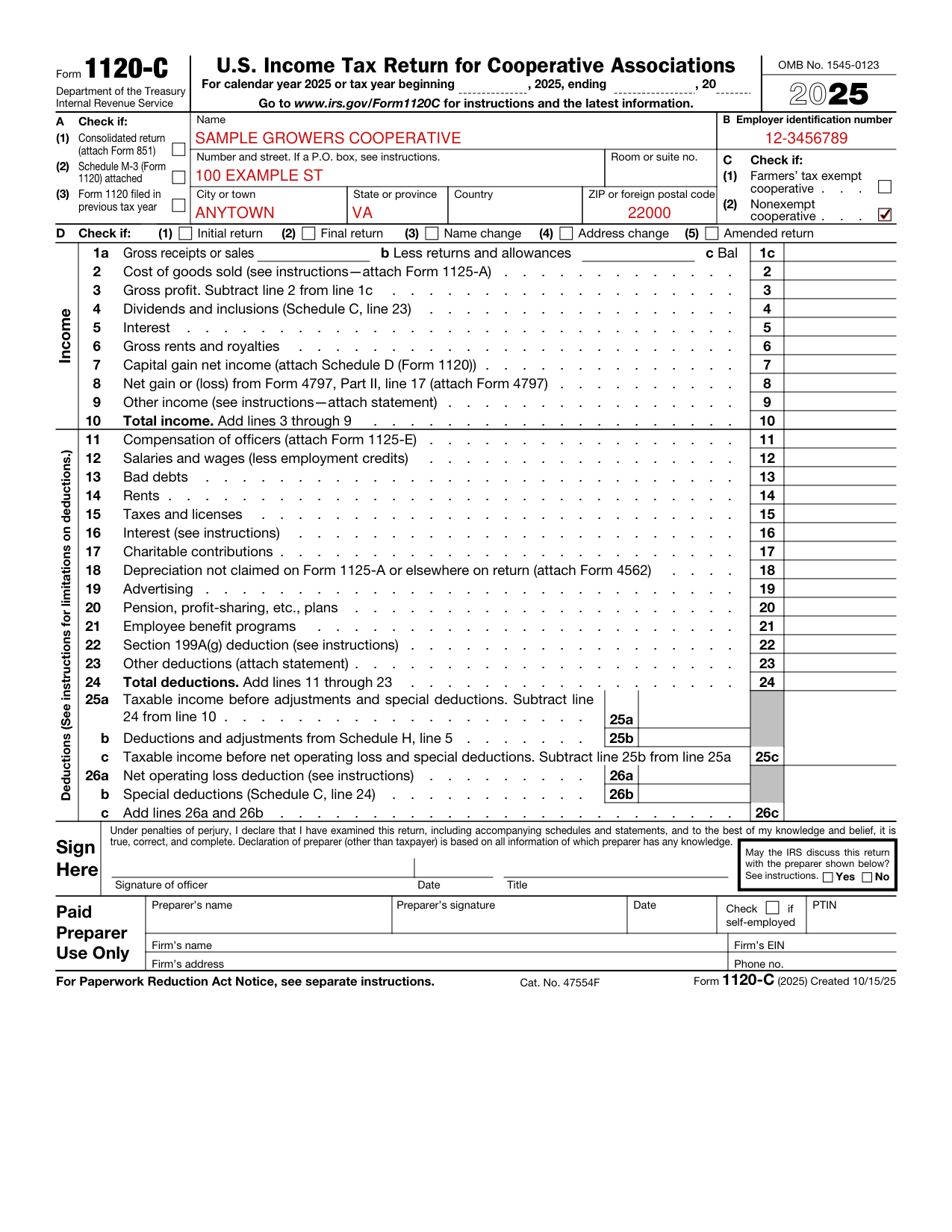
A filled-in Form 1120-C example: a nonexempt cooperative reports its gross profit
How to fill out Form 1120-C, box by box
Name, address and employer identification number

Name and Address Enter the cooperative's true name (as set forth in the charter or other legal document creating it), address, and EIN on the appropriate lines.
If the post office does not deliver mail to the street address and the cooperative has a P.O. box, show the box number instead.
If the cooperative receives its mail in care of a third party (such as an accountant or an attorney), enter on the street address line “C/O” followed by the third party's name and street address or P.O. box.
Employer Identification Number (EIN) Enter the cooperative's EIN.[2]
Type of Cooperative

Check the “Farmers' tax exempt cooperative” box if the cooperative applied for and received status as a tax exempt farmers', fruit growers', or like association, organized and operated on a cooperative basis, as described in section 521.
All other subchapter T cooperatives, including farmers' cooperatives without section 521 exempt status, organized and operated as described under Who Must File, earlier, should check the “Nonexempt cooperative” box.[2]
Other situations
Cooperatives filing a consolidated return
Cooperatives filing a consolidated return must check Item A, box 1, and attach Form 851, Affiliations Schedule, and other supporting statements to the return.
If you are filing Schedule M-3, check Item A, box 2, to indicate that Schedule M-3 is attached.[2]
Initial Return, Final Return, Name Change, Address Change, or Amended Return
If this is the cooperative's first return, check the “Initial return” box.
If this is the cooperative's final return and it will no longer exist, file Form 1120-C and check the “Final return” box.
If the cooperative changed its name since it last filed a return, check the “Name change” box.
If the cooperative has changed its address since it last filed a return (including a change to an “in care of” address), check the “Address change” box.
If the cooperative must change its originally filed return for any year, it should file a new return including any required attachments. Check the “Amended return” box.[2]
Paid Preparer Use Only section
Paid Preparer Use Only section: if an employee of the cooperative completes Form 1120-C, the paid preparer section should remain blank.
Anyone who prepares Form 1120-C but does not charge the cooperative should not complete that section.
Generally, anyone who is paid to prepare the return must sign and complete the section.
Paid Preparer Authorization If the cooperative wants to allow the IRS to discuss its 2025 tax return with the paid preparer who signed it, check the “Yes” box in the signature area of the return.[2]
Extension of Time To File
File Form 7004, Application for Automatic Extension of Time To File Certain Business Income Tax, Information, and Other Returns, to request an extension of time to file. Generally, the cooperative must file Form 7004 by the regular due date of the return.[2]
If line 31 is smaller than the total of lines 28, 29, and 32
If line 31 is smaller than the total of lines 28, 29, and 32, enter amount owed.
If line 31 is larger than the total of lines 28, 29, and 32, enter amount overpaid.
If there is an overpayment on line 34, enter the amount the cooperative wants refunded on line 35b and complete the direct deposit information on lines 35c, 35d, and 35e.[2]
Common questions about Form 1120-C
Is there a deadline?
Generally, a cooperative described in section 6072(d) must file its income tax return by the 15th day of the 9th month after the end of its tax year. Any cooperative not described in section 6072(d) must generally file its tax return by the 15th day of the 4th month after the end of its tax year. However, a cooperative with a fiscal tax year ending June 30 must file by the 15th day of the 3rd month after the end of its tax year. If the due date falls on a Saturday, Sunday, or legal holiday, the cooperative can file on the next business day.[2]
Where do I file it?
If the cooperative's principal business, office, or agency is located in the United States, file Form 1120-C at the IRS center address Department of the Treasury Internal Revenue Service Ogden, UT 84201-0012. If the cooperative's principal business, office, or agency is located in a foreign country or a U.S. territory, file Form 1120-C at the IRS center address Internal Revenue Service P.O. Box 409101 Ogden, UT 84409. Private delivery services can't deliver items to P.O. boxes. You must use the U.S. Postal Service to mail any item to an IRS P.O. box address.[2]
Is there a penalty?
Box 12, Penalty for a late return: a cooperative that does not file its tax return by the due date, including extensions, may be penalized 5% of the unpaid tax for each month or part of a month the return is late, up to a maximum of 25% of the unpaid tax. The minimum penalty for a tax return required to be filed in 2026 that is over 60 days late is the smaller of the tax due or $525 (checked November 1, 2026). The penalty will not be imposed if the cooperative can show that the failure to file on time was due to reasonable cause. Penalty, late payment of tax: generally, a cooperative that does not pay the tax when due may be penalized 1/2 of 1% of the unpaid tax for each month or part of a month the tax is not paid, up to a maximum of 25% of the unpaid tax.[2]
What am I certifying when I sign?
Under penalties of perjury, I declare that I have examined this return, including accompanying schedules and statements, and to the best of my knowledge and belief, it is true, correct, and complete.
When is this form not the right one?
Under the 2025 Instructions for Form 1120-C, the form does not apply to organizations which are exempt from income tax under chapter 1 (other than exempt farmers' cooperatives under section 521), subject to Part II (section 591 and following), subchapter H, chapter 1 (relating to mutual savings banks), subject to subchapter L (section 801 and following), chapter 1 (relating to insurance companies), or engaged in generating, transmitting, or otherwise furnishing electric energy or providing telephone service to persons in rural areas.[2]
Sources
[1] Form 1120-C (2025), U.S. Income Tax Return for Cooperative Associations, Internal Revenue Service (the Official source link on this page).
[2] 2025 Instructions for Form 1120-C (Jan 15, 2026), Internal Revenue Service.