

DD Form 441 at a glance
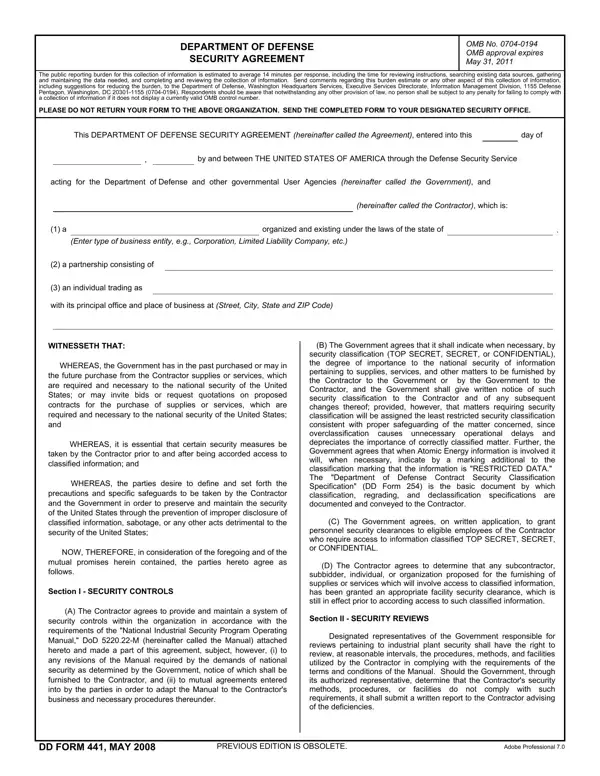
What it is: The Department of Defense Security Agreement is by and between the United States through the Defense Counterintelligence and Security Agency and the Contractor.
Who signs: The parties execute the Agreement; the Authorized Contractor Representative signs, and the witness must be a person who personally observed the Contractor Representative sign this form.
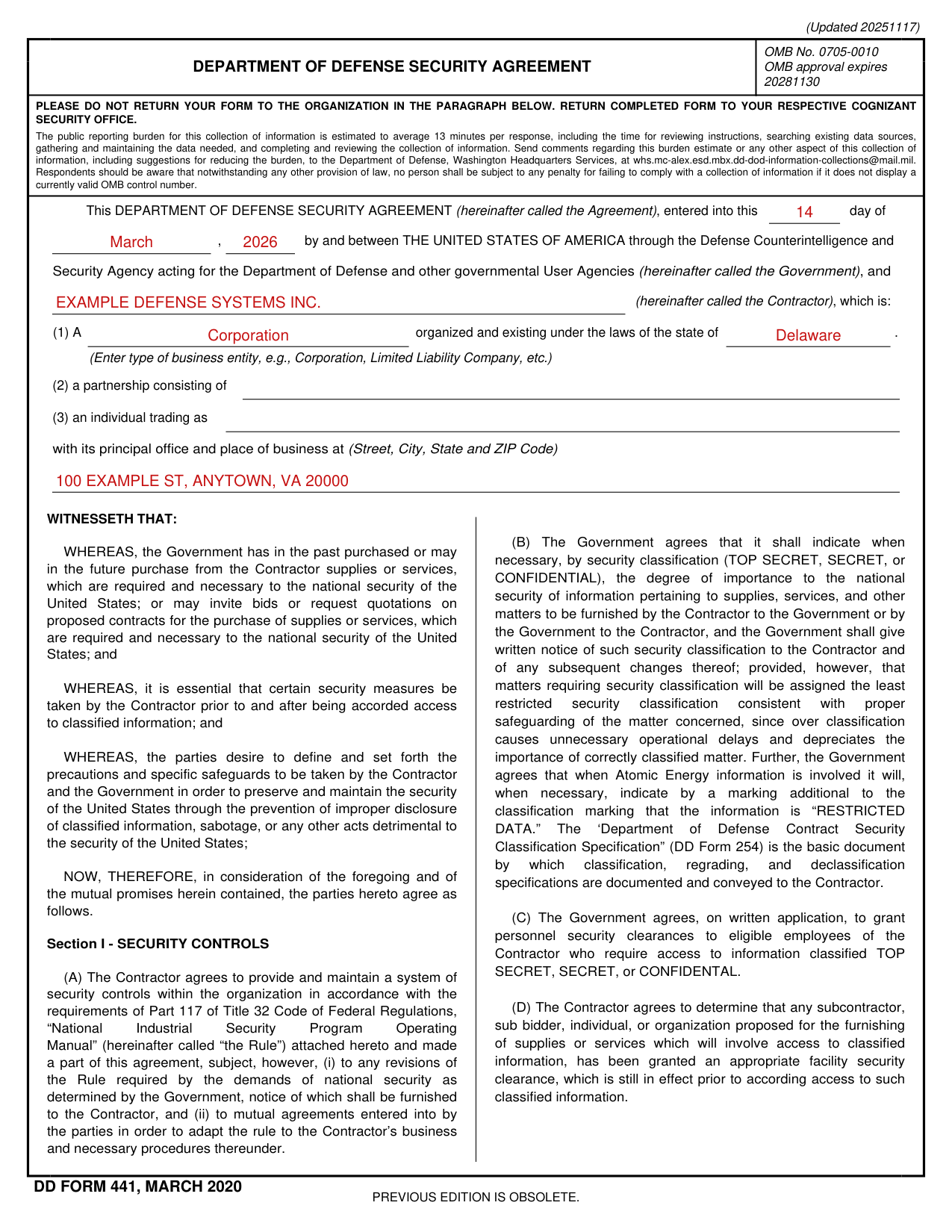
A filled-in DD Form 441 example: a corporation signs the Agreement
How to fill out DD Form 441, box by box
Entered into this day of

Enter the day on which the Agreement is entered into.
The Contractor

Enter the Contractor (hereinafter called the Contractor).
Type of business entity

(1) A business entity: enter the type of business entity, e.g., Corporation, Limited Liability Company, etc., organized and existing under the laws of the state of the state you enter.
(2) A partnership consisting of the partners you enter.
Enter (3) an individual trading as.
The principal office and place of business

Enter the principal office and place of business (Street, City, State and ZIP Code).
The United States signs
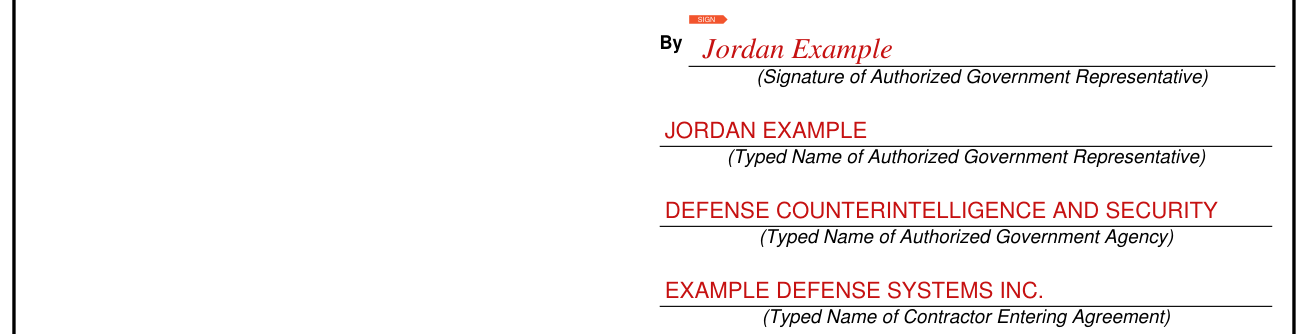
For THE UNITED STATES OF AMERICA, the Signature of Authorized Government Representative is signed, and the Typed Name of Authorized Government Representative and the Typed Name of Authorized Government Agency are entered.
The witness

The witness must be a person who personally observed the Contractor Representative sign this form. The witness cannot be the same person who signs this form as the Government Representative. The name of the witness should be typed or printed under the witness' signature and date.
The Contractor Representative signs
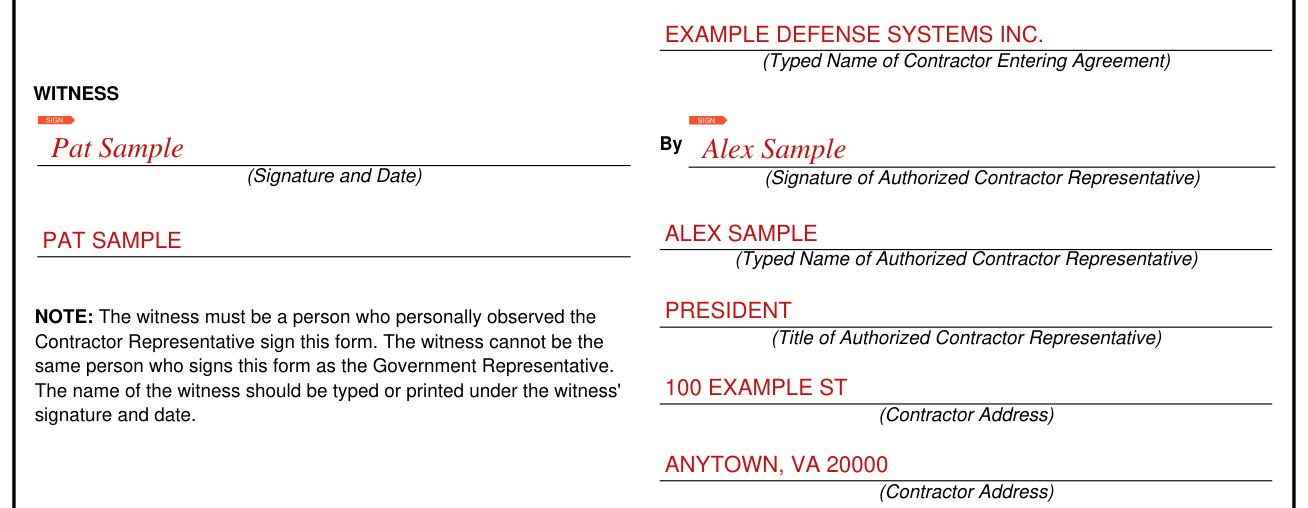
The Typed Name of Contractor Entering Agreement is entered, the Signature of Authorized Contractor Representative is signed, and the Typed Name, the Title and the Contractor Address of the Authorized Contractor Representative are entered.
The certification of the Contractor Representative

By executing this form, the Contractor Representative certifies that he or she is the one you enter of the business entity identified, and has the authority to bind the business entity to the terms of this agreement.
More rules for DD Form 441
Modification of this Agreement may be made only by written agreement of the parties hereto.
The Agreement does not obligate Government funds, and the Government shall not be liable for any cost or claims of the Contractor arising out of this Agreement or instructions hereunder.
The Agreement shall remain in effect until terminated through the giving of 30 days' written notice to the other party of intention to terminate; provided, however, notwithstanding any such termination, the terms and conditions of this Agreement shall continue in effect so long as the Contractor possesses classified information.
Common questions about DD Form 441
What is the DD form 441?
The Department of Defense Security Agreement is by and between the United States through the Defense Counterintelligence and Security Agency and the Contractor. The Contractor agrees to provide and maintain a system of security controls within the organization in accordance with the requirements of Part 117 of Title 32 Code of Federal Regulations, “National Industrial Security Program Operating Manual”.
Where do I file it?
Return the completed form to your respective cognizant security office. Do not return your form to the organization in the paragraph.
Sources
[1] DD Form 441 (MARCH 2020), Department of Defense Security Agreement (the Official source link on this page).